
How to Add Monyx Wallet Payment Method Machine Level | Operations
Add Monyx Wallet as a payment method on the machine's level, with Monyx wallet you'll increase your consumer's engagement, and the benefits for your machines.
Video Guide
.
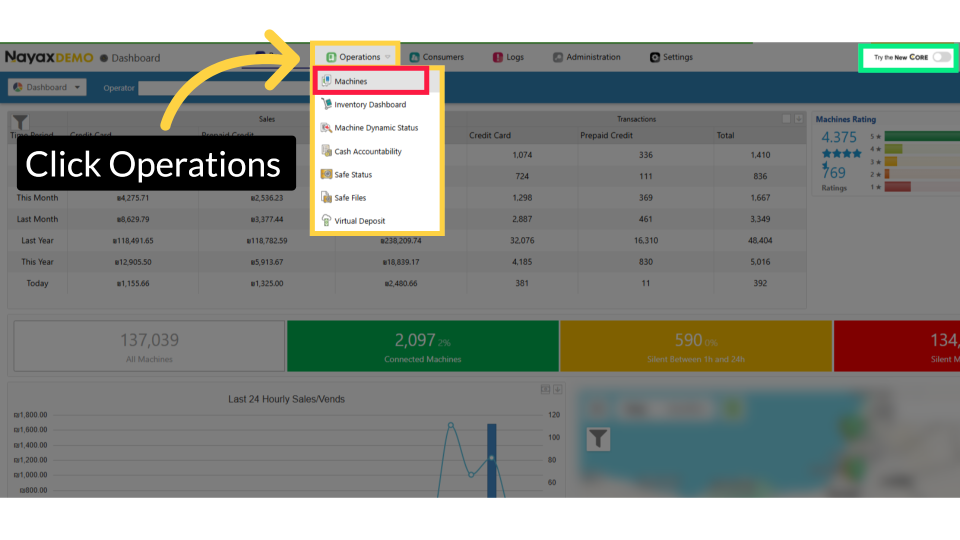
Click Operations
Image Attached
From the dashboard of your Nayax Classic Core platform and select the Operations tab. Next, click on machines in the drop-down menu.
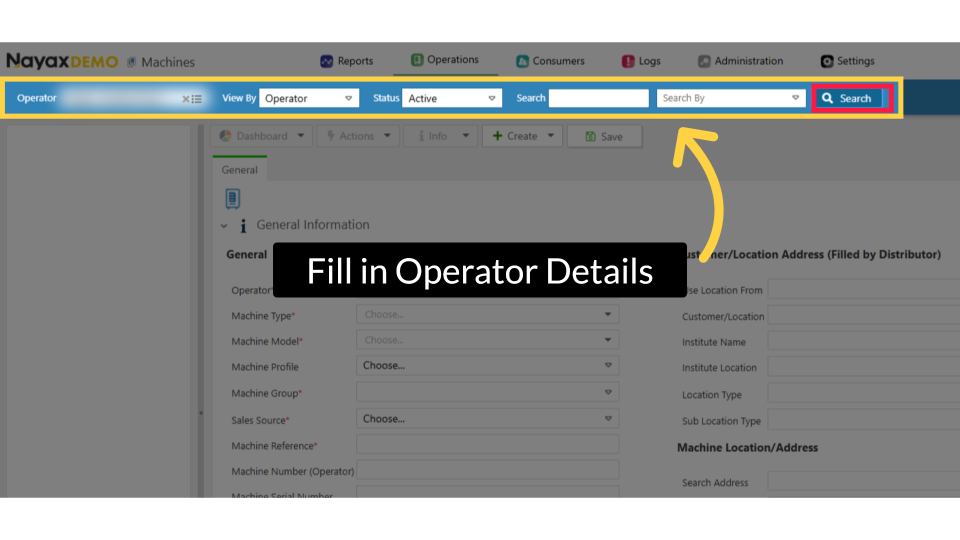
Fill in Operator Details
Image Attached
Enter your Operator's name along with any additional fields to find your machine, then click the search button highlighted in RED.
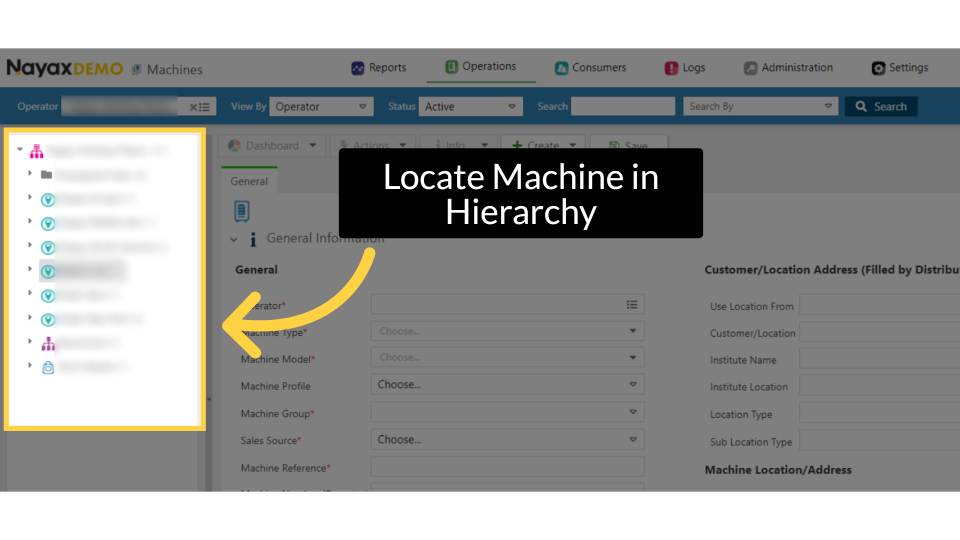
Locate Machine in Hierarchy
Image Attached
Locate and click on the machine from the hierarchy.
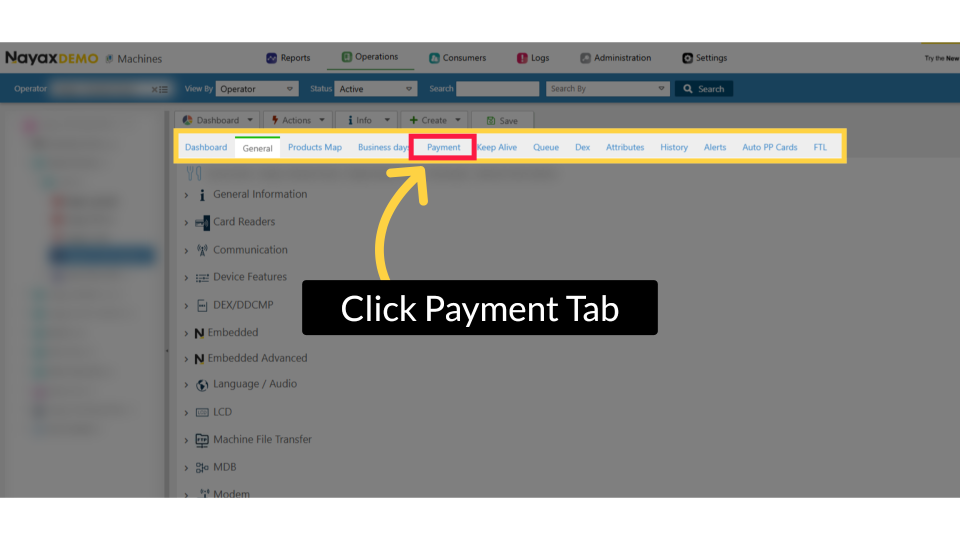
Click Payment Tab
Image Attached
On the machine page, click on the payment tab highlighted in RED.
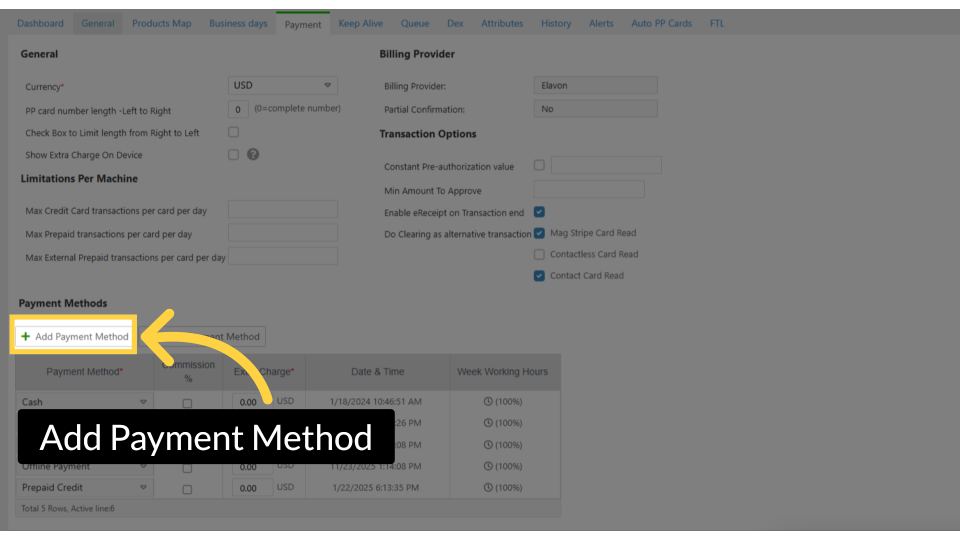
Add Payment Method
Image Attached
Scroll down to the payment table, then click Add Payment Method to add QR Code as an additional payment option.
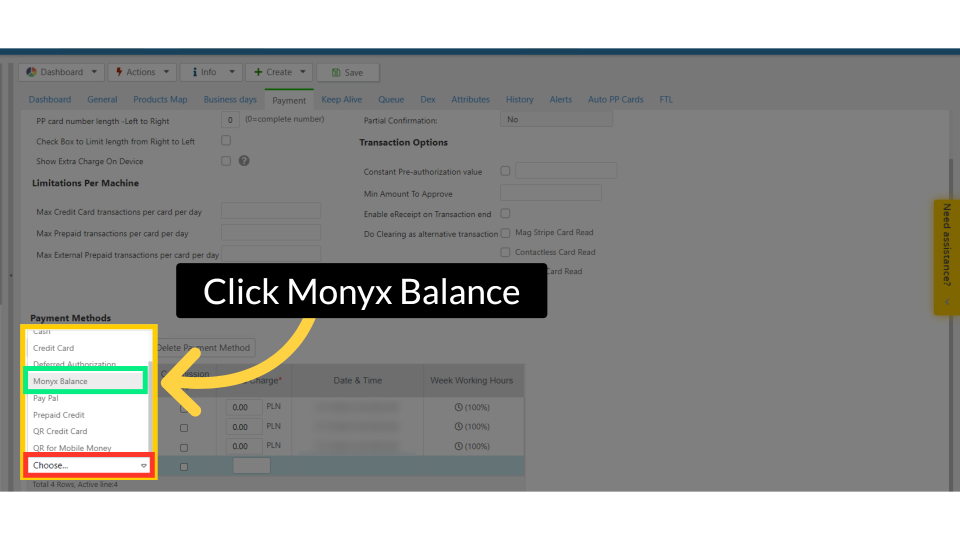
Click Monyx Balance
Image Attached
Click the highlighted "Choose" field to add a Monyx wallet from the drop-down menu.
Optional 2 Tier Pricing
Image AttachedYou can also apply 2‑tier pricing when customers choose this payment method. For Monyx transactions, enable 2‑tier pricing by adding an extra percentage in the Commission Rate field or selecting an Extra Charge as a fixed amount.
Learn more about What Is 2 Tier Pricing and How to Configure It in Nayax Core
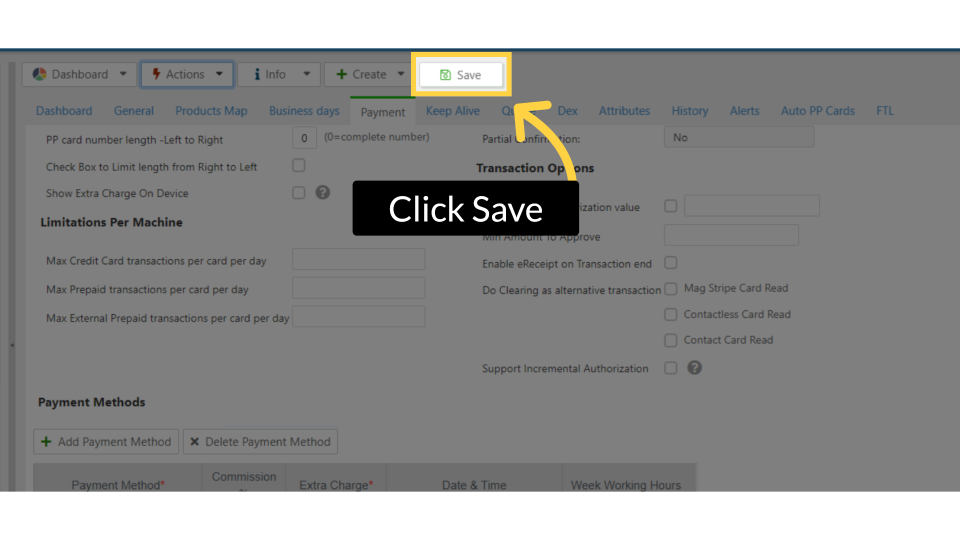
Click Save
Image Attached
Don't forget to save the changes.
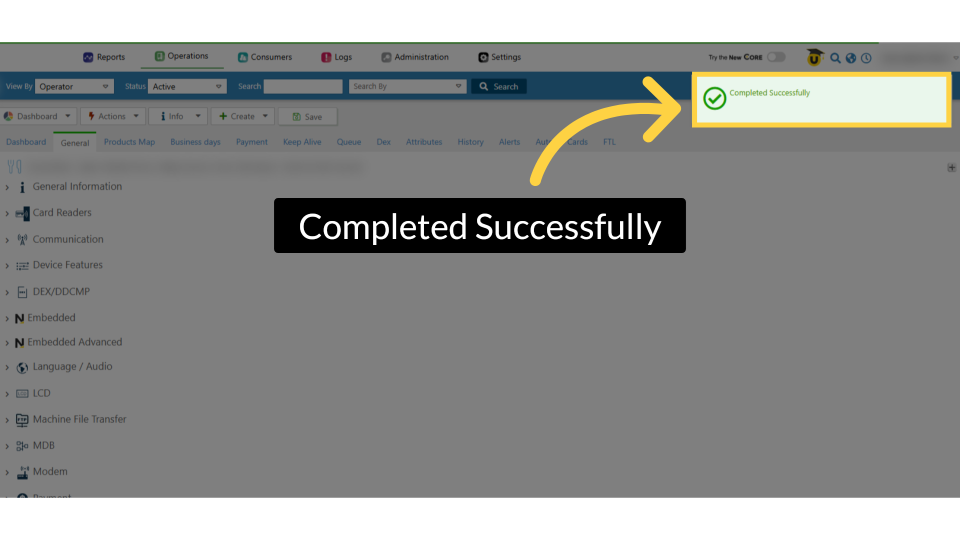
Completed Successfully
Image Attached
A confirmation that your payment method will appear as a 'Completed Successfully' message.
Thank you!
Did you find this article helpful?
Related articles
How to Set a Default Homepage in Nayax Core | ReportsHow to Create an Instant Refund via Monyx Wallet | ConsumersHow to Edit Predefined Message Templates for Monyx Refunds | ConsumersHow to Add Monyx Wallet for a Payment Method Operator Level | AdministrationBenefits of Monyx Wallet for Your BusinessWhat Is 2 Tier Pricing and How to Configure It in Nayax Core