
How to Activate or Deactivate a Machine | Operations
Learn how to activate or deactivate a virtual machine in Nayax Core to keep your dashboard accurate and up to date.
Video Guide
00:00: Learn how to activate or deactivate a virtual machine in Nayax Core to keep your
00:04: dashboard accurate and up to date.
00:07: On the Dashboard of your Nayax Core platform, click on the operations tab and then on
00:12: machines from the drop-down menu, as highlighted.
00:15: Fill in your operator's name and other fields, then click search as highlighted.
00:20: Locate and click on the operator machine from the hierarchy.
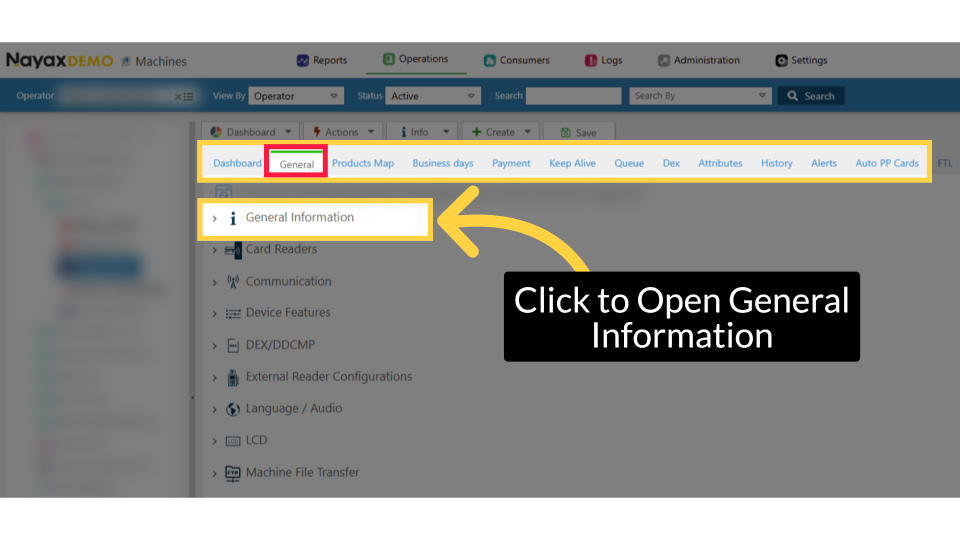
00:24: From the General page click open the General Information option as highlighted in
00:29: RED.
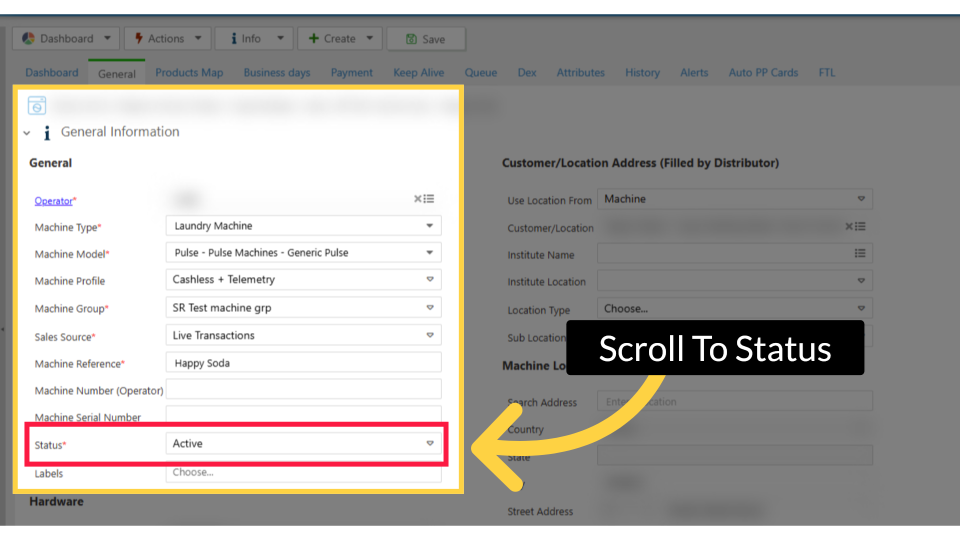
00:30: Scroll to the Status field.
00:32: Here you can change the machine status to Active or Not Active.
00:35: This only affects the virtual machine,
00:38: not the physical point‑of‑sale device. To stop billing for the device, use the Nayax U link
00:43: on the screen.
00:45: Click on the Save button to save your status change.
00:48: Wait for the confirmation
00:49: pop-up: Completed Successfully. Your machine status
00:52: has now been changed.
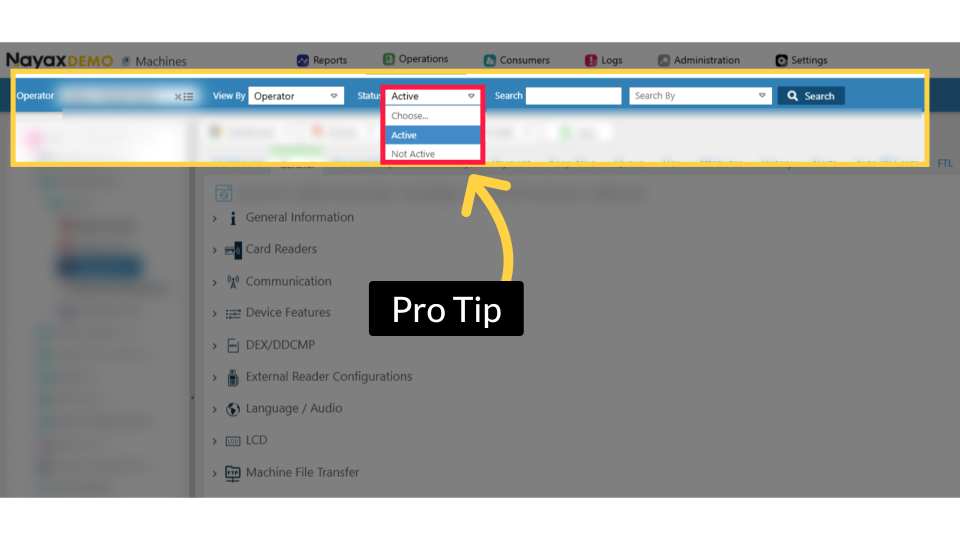
00:54: Pro tip: Changing the status of a machine does not delete it from your dashboard.
00:57: You
00:58: can view different status machines in the search bar as highlighted, and select an
01:02: option from the drop-down. If
01:04: you select 'Choose', you will view all existing machines in your Dashboard, regardless
01:08: of their status.
Click Operations
Image Attached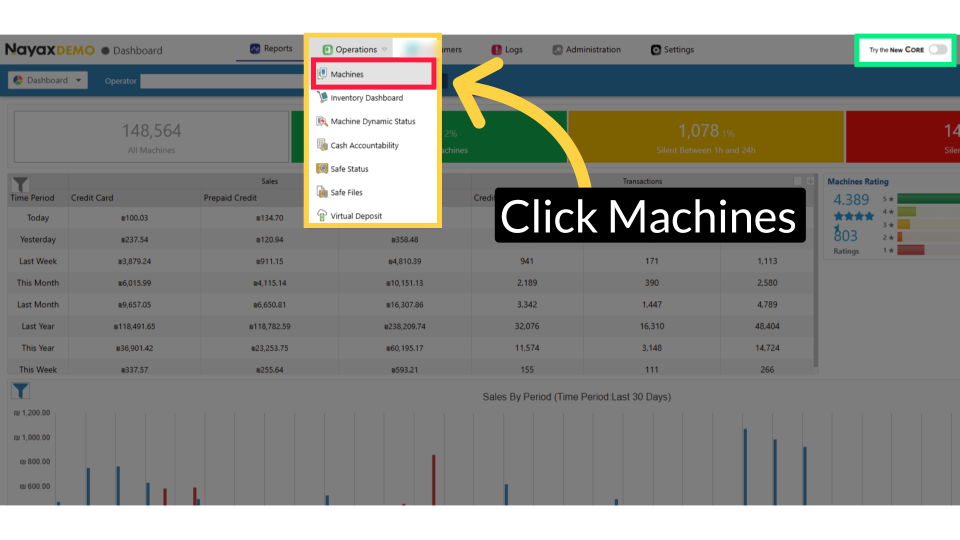
Fill in Operator Details
Image Attached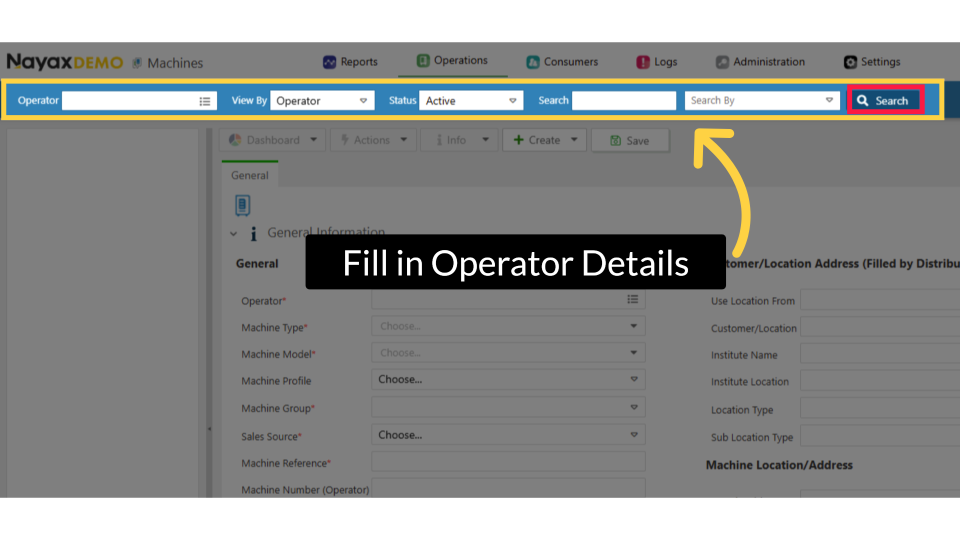
Locate the Machine
Image Attached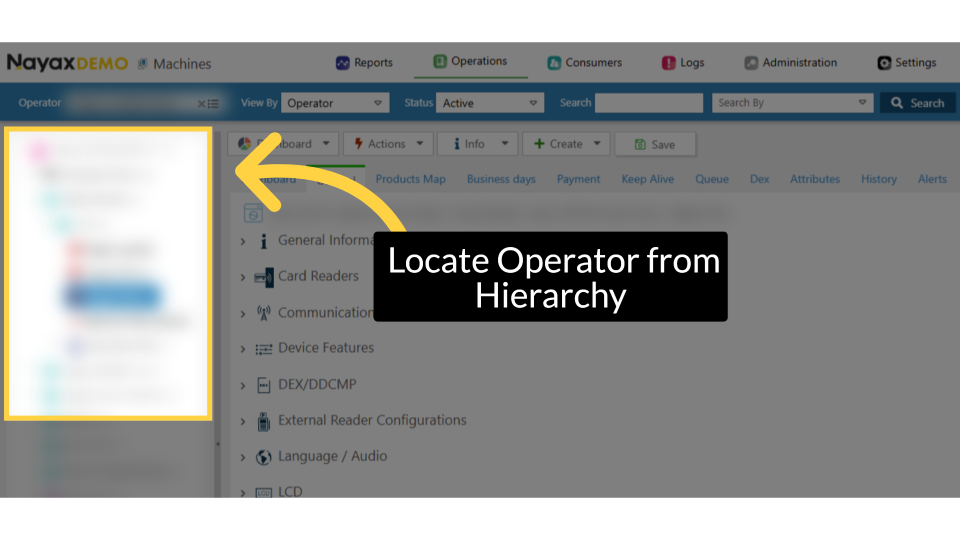
Click General Information
Image AttachedFrom the General page click open the General Information option as highlighted in RED.
Status Options
Image AttachedHere you can change the Status of your machine by choosing Active or Not Active.
Please Note: If the activation option is unavailable, it may be due to compliance restrictions. In that case, please contact Nayax Support for assistance.
Click Save Button
Image Attached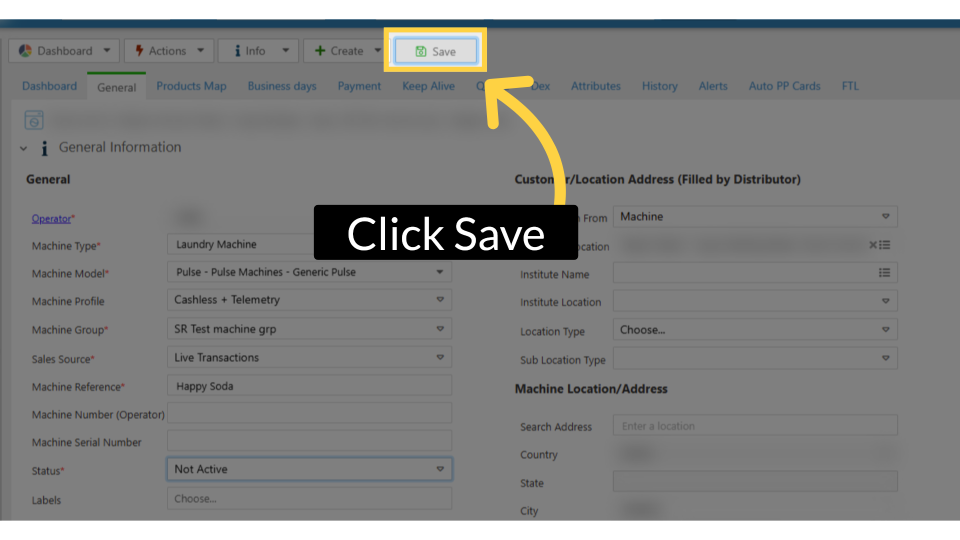
Completed Successfully Message
Image Attached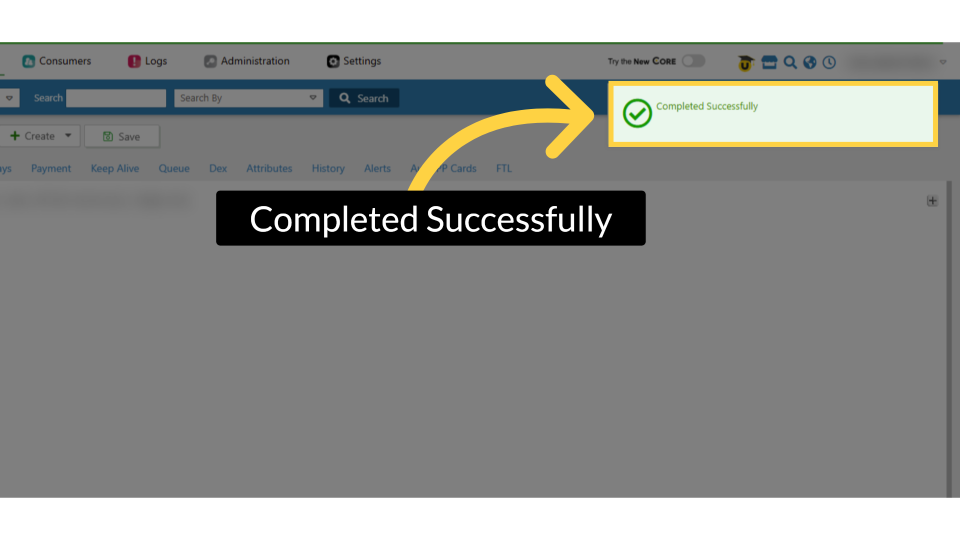
Set Status
Image AttachedPro tip: Changing the status of a machine does not delete it from your dashboard.
You can view different status machines in the search bar as highlighted, and select an option from the drop-down. If you select 'Choose', you will view all existing machines in your Dashboard, regardless of their status.
Deactivate Billing
Please NOTE: This action will only affect the virtual machine's status NOT THE DEVICE.
Thank you!
Did you find this article helpful?