
Overview to Understanding your Nayax Invoices | Nayax AU
As a Nayax operator, you may receive up to three invoice types: a one-time onboarding fee, a monthly service fee, and a monthly processing fee. This guide explains each, when to expect them, required actions, and how to dispute them if needed.
Prerequisites: Before You Start
Before You Start
- 1. You have an active Nayax Core account.
- 2. You have access to the email address registered with your Nayax account invoices are delivered there.
- 3. You have Microsoft Excel or compatible software available if you need to review fee breakdowns in the attached invoice files.
Your Three Invoice Types
Every Nayax operator receives the following invoices. The first is a one-time charge; the remaining two recur monthly.
| Invoice type | When issued | Payment method | Action required? |
|---|---|---|---|
| AML / KYC Onboarding | Once, at account activation | Direct Debit on due date | None — auto-debited Direct Debit |
| Monthly Service Fee (MSF) | 1st week of each month | Direct Debit on the 20th | None — auto-debited Review charges |
| Monthly Processing Fee (MPF) | Monthly, in arrears | Already deducted from settlements | None — for reference only Paid in Full |
Video Guide
00:00: This guide provides a clear overview of how to understand Nayax invoices.
00:05: The first invoice covers the one-time charge for the AML KYC verification
00:09: process, essential and mandatory for activating your Nayax account.
00:14: Find the invoice details, including the Direct Debit scheduled date as well as due
00:18: date, on the right-hand side of the invoice.
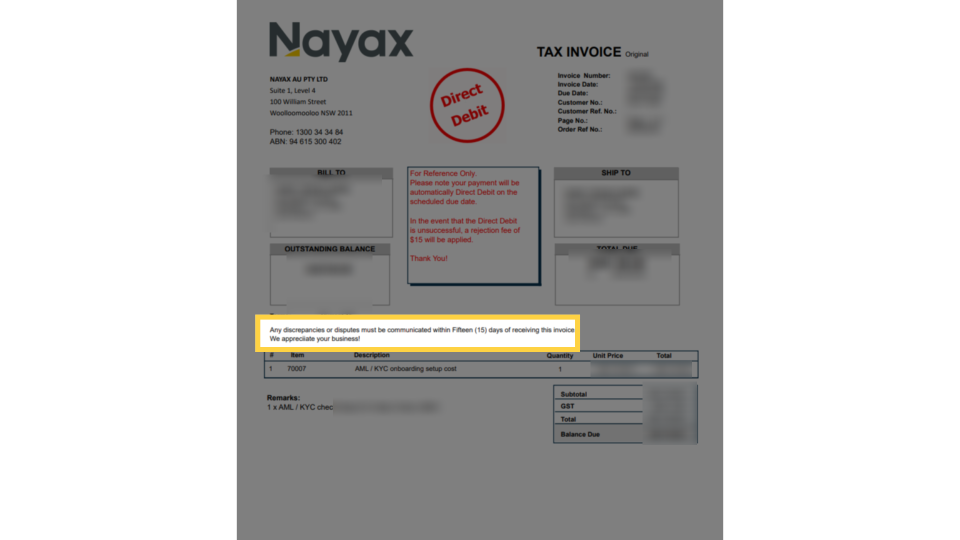
00:33: Any discrepancies, must be communicated within 15 days of receiving the invoice.
00:38: This applies to all and any Nayax invoices.
00:42: Please Note, Nayax operates on an arrears billing cycle, issuing invoices in
00:46: the current month for prior month services. You will receive two invoices: Monthly
00:50: Service Fee and Monthly Processing Fee.
00:54: This invoice is generated based on the number of active devices connected to your account,
00:58: including a fixed $20.00 Monthly Merchant Account Fee.
01:01: Expect this invoice by the 1st week of the month, with direct debit on the 20th.
01:07: Review the breakdown of the invoice for billed quantities.
01:09: Please note ny discrepancies should be reported within 15 days of
01:13: receipt.
01:15: This invoice reflects the total processing fees collected for the previous month, issued
01:19: as a Tax Invoice.
01:29: Thanks for watching!
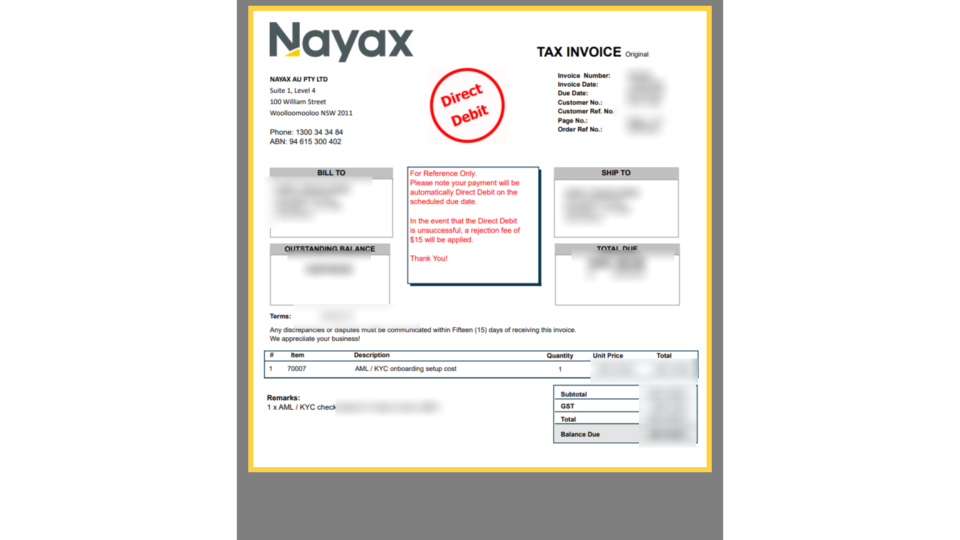
AML / KYC Onboarding Invoice - First Nayax Invoice
Image AttachedThis one-time fee covers the cost of that verification process.
When you receive this invoice, here is what to look for:
| Invoice field | What it shows |
|---|---|
| Direct Debit stamp | Confirms payment will be automatically collected on the scheduled due date — no manual action needed |
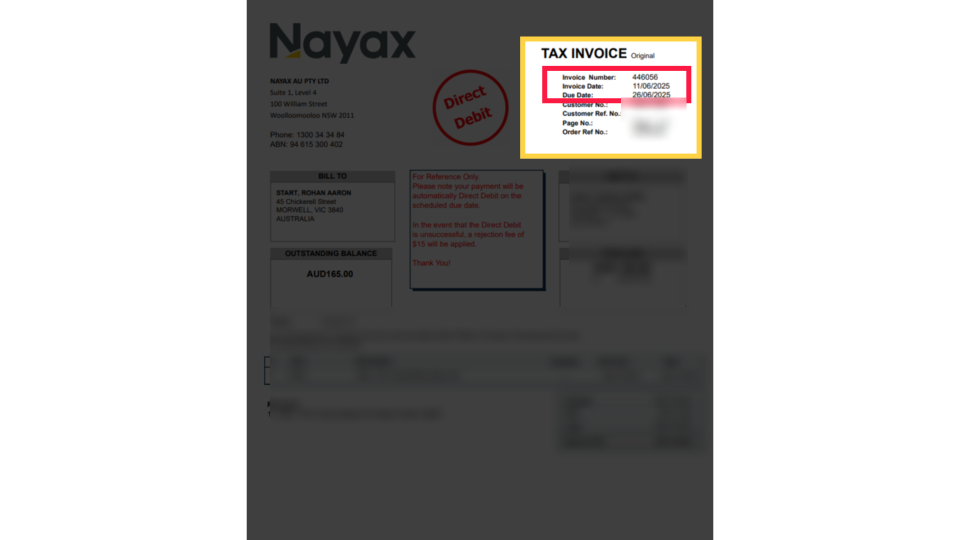
| Invoice Date / Due Date | Located on the right-hand side of the invoice header |
| Item 70007 | AML / KYC onboarding setup cost - a single line item with quantity 1 |
| Subtotal / GST / Total | Displayed in the bottom-right of the invoice, GST is included |
| Outstanding Balance | The amount that will be direct debited |
| Rejection fee | A $15 fee applies if the Direct Debit attempt is unsuccessful |
Invoice Details
Image AttachedWhen you receive this invoice, here is what to look for:
| Invoice field | What it shows |
|---|---|
| Direct Debit stamp | Confirms payment will be automatically collected on the scheduled due date - no manual action needed |
| Invoice Date / Due Date | Located on the right-hand side of the invoice header |
| Item 70007 | AML / KYC onboarding setup cost - a single line item with quantity 1 |
| Subtotal / GST / Total | Displayed in the bottom-right of the invoice, GST is included |
| Outstanding Balance | The amount that will be direct debited |
| Rejection fee | A $15 fee applies if the Direct Debit attempt is unsuccessful |
Direct Debit Charges
Image Attached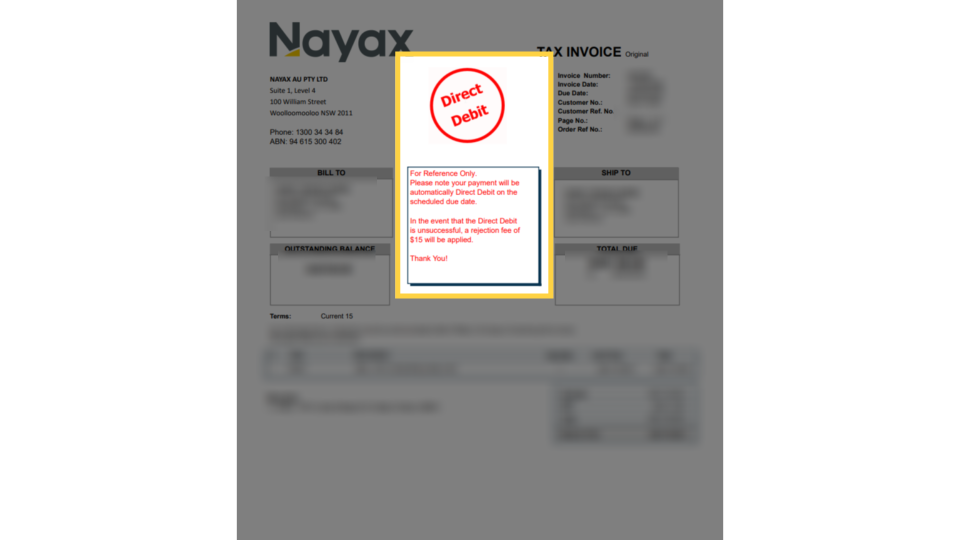
Disputes and Discrepancies
Image Attached| Situation | What to do |
|---|---|
| Device count on MSF looks wrong | Check active devices in Nayax Core, then contact your local Nayax office with the correct count within 15 days |
| Unexpected charge on any invoice | Contact your local Nayax office by email or phone include the Invoice Number and the line item in question |
| Direct Debit taken on incorrect date | Contact your local Nayax office within 15 days of the debit date |
| MPF fees don't match reimbursement report | Compare against your Reimbursement Report and raise a Finance Query within 15 days |
Monthly Invoices Overview
Image Attached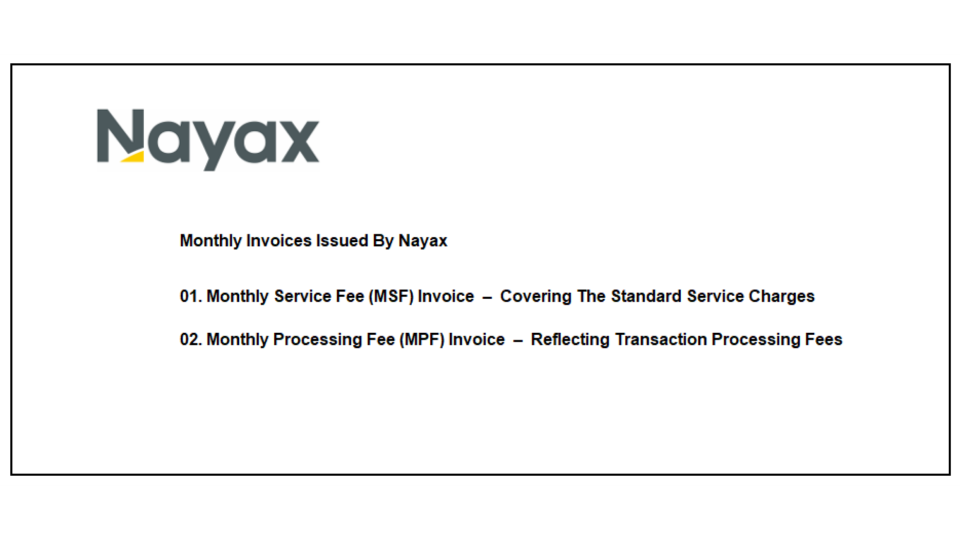
Monthly Service Fee (MSF) Invoice
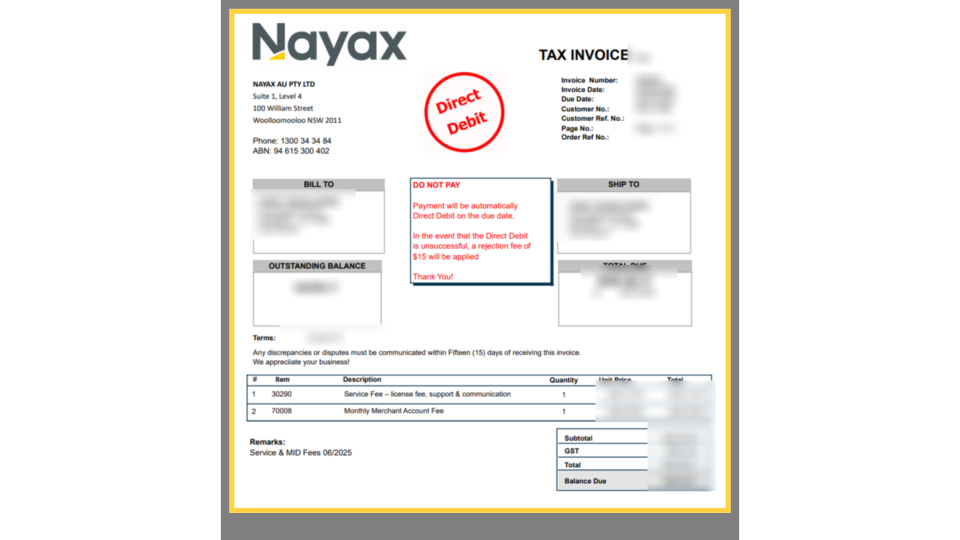
Image AttachedThe MSF invoice is issued in the first week of each month and covers standard service charges for the prior month. Payment is automatically collected via Direct Debit on the 20th of the month.
| Invoice field | What it shows |
|---|---|
| DO NOT PAY stamp | Payment is automatic - no manual bank transfer is needed |
| Item 30290 | Service Fee - licence fee, support & communication; quantity = number of active devices |
| Item 70008 | Monthly Merchant Account Fee - fixed charge of $20.00 per account |
| Remarks field | Shows the billing period (e.g., "Service & MID Fees 06/2025") |
| Subtotal / GST / Total | Full fee breakdown including 10% GST |
| Outstanding Balance | Amount that will be direct debited on the 20th |
Breakdown of Service Fee
Image Attached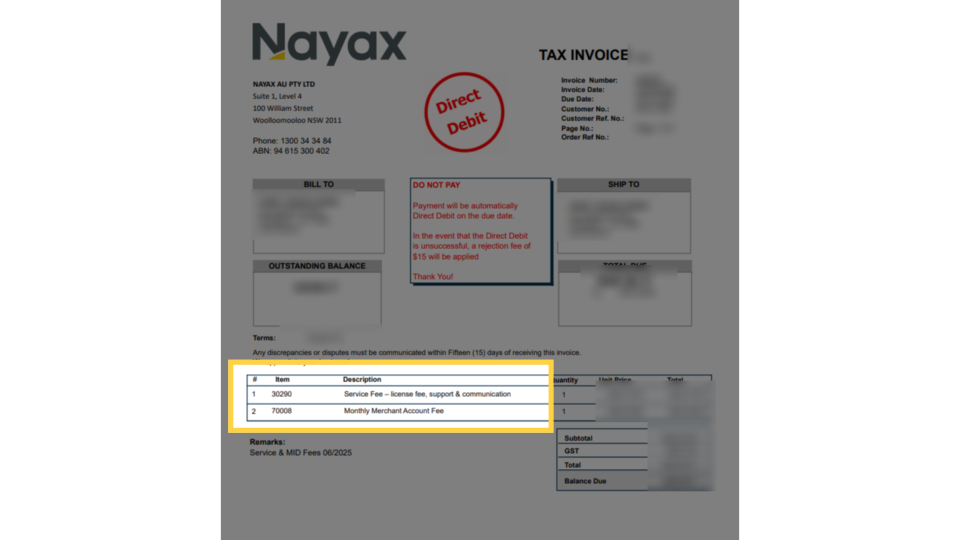
Monthly Processing Fee (MPF) Invoice
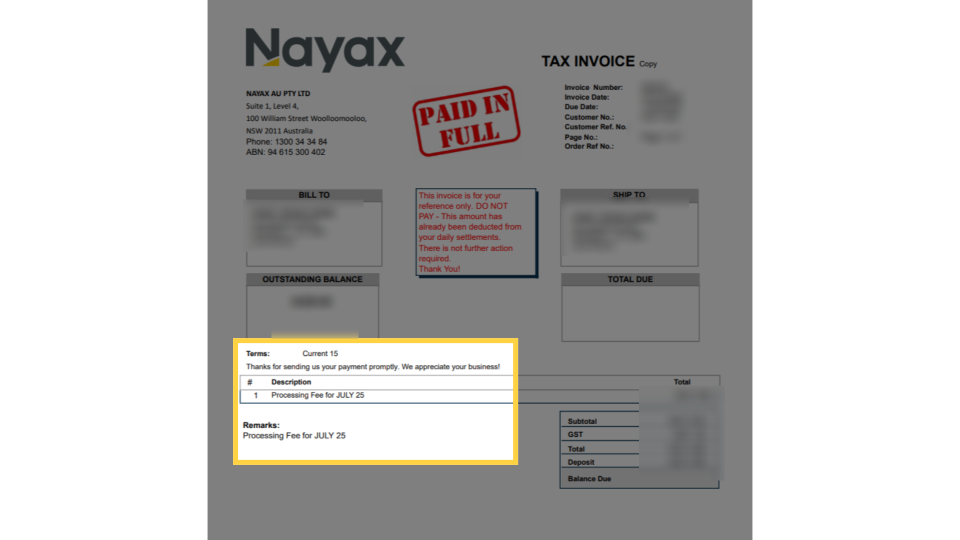
Image Attached| Invoice field | What it shows |
|---|---|
| PAID IN FULL stamp | Confirms all fees have already been collected via daily settlement deductions |
| Description line | Processing Fee for [month] - e.g. "Processing Fee for JULY 25" |
| Deposit field | Total amount already deducted from settlements during the period |
| Balance Due | Will show $0.00 — confirming no payment is outstanding |
Payment Status
Image Attached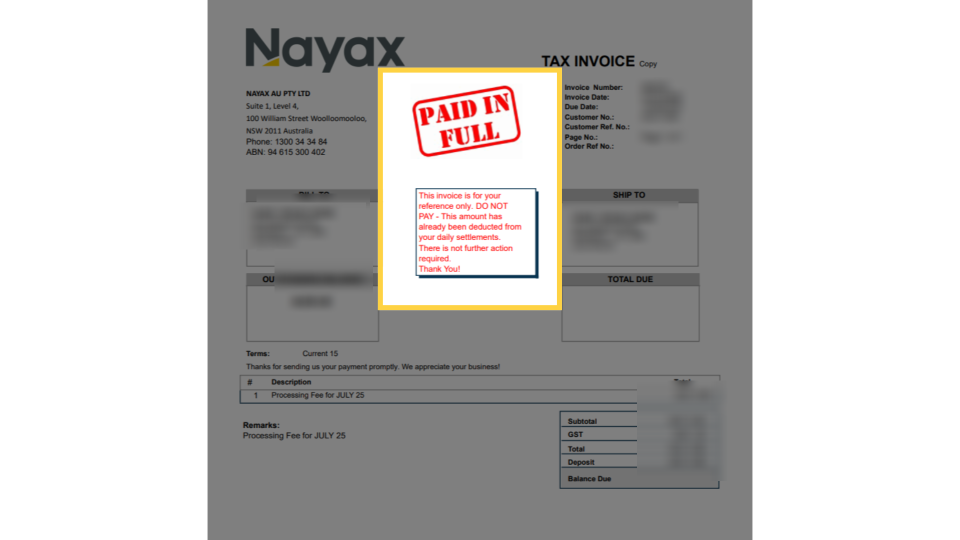
Thank you!
Did you find this article helpful?