
How to Read Your Nayax Reimbursement Report | Nayax AU
Your Nayax Reimbursement Report is an Excel file that details how your payout is calculated from gross sales to final deposit. This guide explains each section so you can verify earnings, understand deductions, and confidently resolve discrepancies.
PREREQUISITES: Before You Start
- Have you already requested and received your reimbursement report by email? If not, see How to Access a Reimbursement Report first.
- You have Microsoft Excel or a compatible spreadsheet program (such as Google Sheets or LibreOffice Calc) installed.
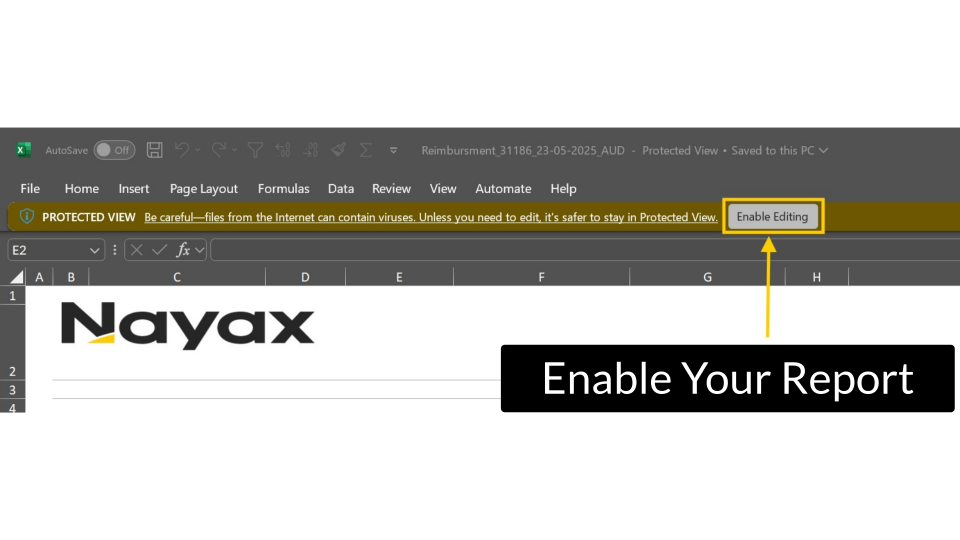
- You clicked Enable Editing in Excel, but the report arrives in Protected View and will not display correctly until editing is enabled.
Video Guide
Understand Nayax Settlement Timeline
Image Attached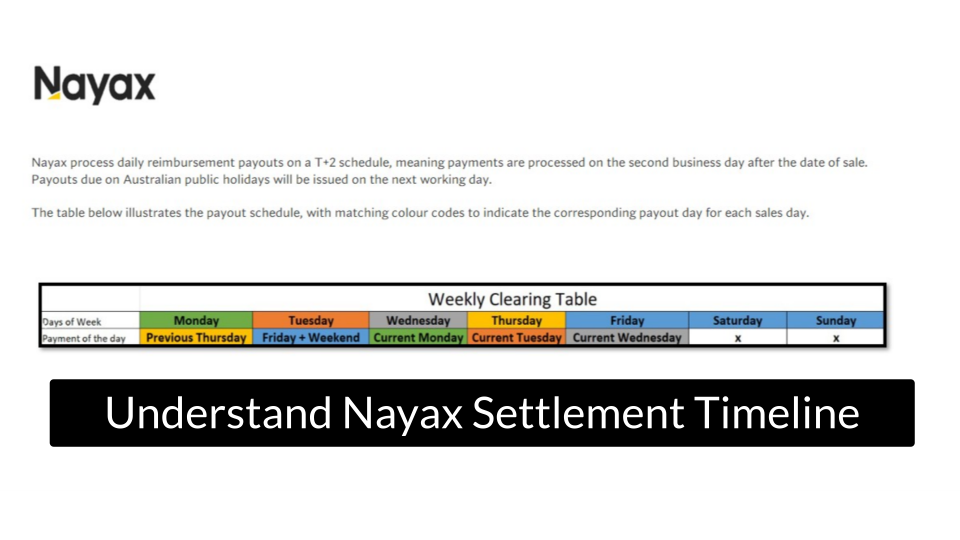
Enable Your Report
Image Attached-
Open the report file in Microsoft Excel or compatible spreadsheet software. Click Enable Editing in the yellow Protected View banner at the top of the screen.
⚠️Note: Until you enable editing, some sections and data fields may not display correctly. This step is required before reviewing any figures.
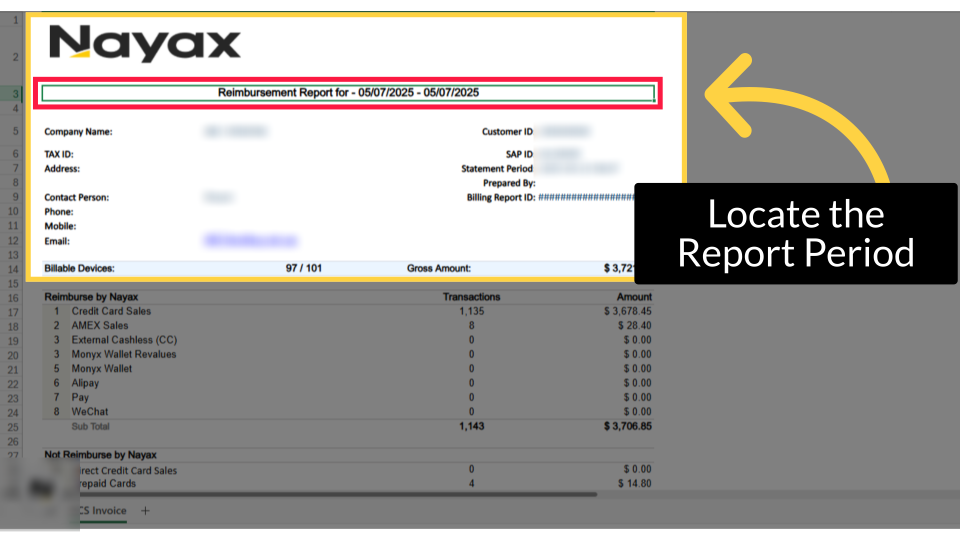
Locate the Report Period
Image AttachedOnce you open the report, locate the Reimbursement Report Period section at the top of the report to confirm the sales dates covered.
Review Gross Amount Section
Image Attached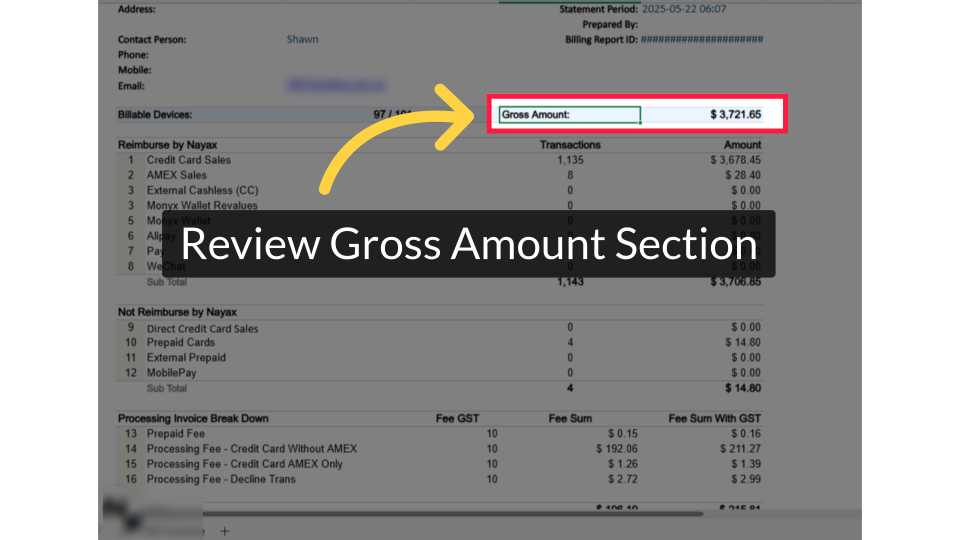
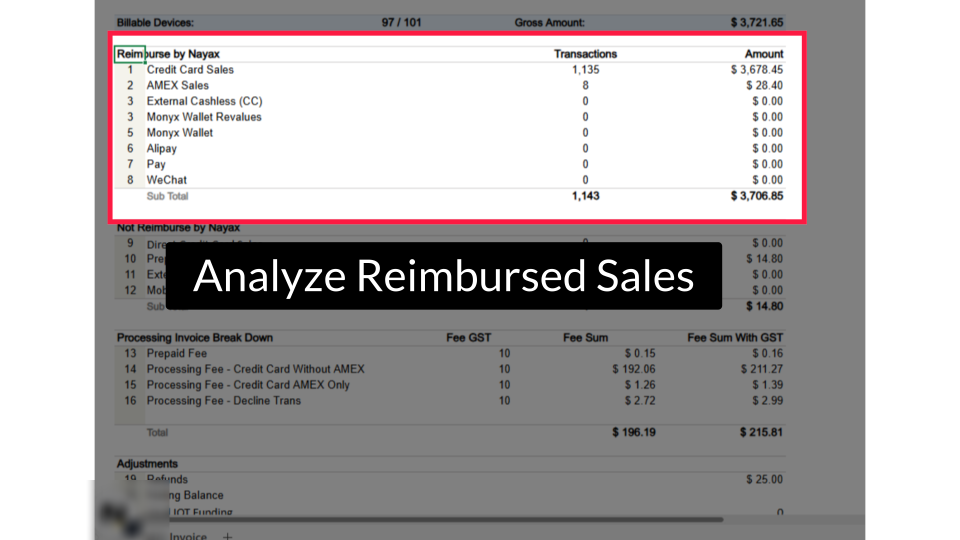
Analyze Reimbursed Sales
Image Attached| Line item | What it means |
|---|---|
| Credit Card Sales | Transactions processed via credit card through the Nayax terminal |
| AMEX Sales | American Express card transactions (may have a separate fee rate) |
| External Cashless (CC) | Cashless transactions routed through an external processor |
| Monyx Wallet | Sales paid using the Monyx consumer wallet |
| Alipay / Pay / WeChat | Alternative payment method transactions |
| Sub Total | Total of all reimbursable transactions before fees |
Check Non-Reimbursed Sales
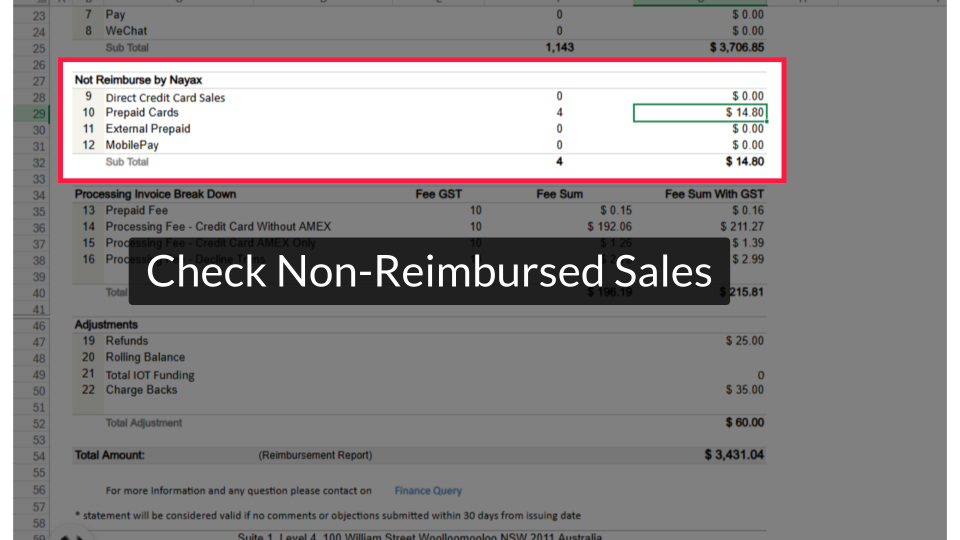
Image AttachedReview the Not Reimbursed by Nayax section to understand which sales are excluded from your payout.
Examine Processing Fee Breakdown
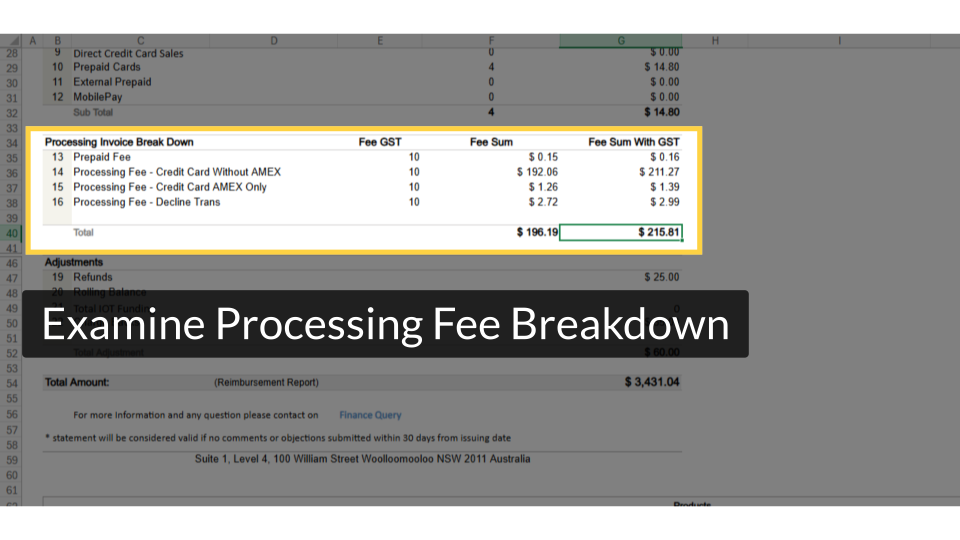
Image Attached| Column | What it shows |
|---|---|
| Fee GST | GST percentage applied to processing fees (typically 10% in Australia) |
| Fee Sum | Total processing fee amount before GST |
| Fee Sum With GST | Total processing fee including GST — this is the amount deducted |
Review Adjustments Section
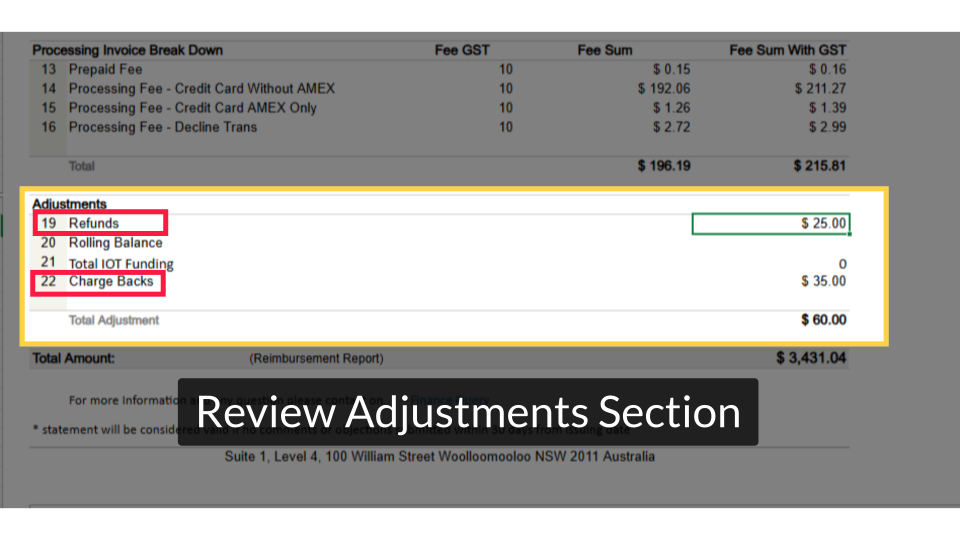
Image AttachedCheck the Adjustments section for any refunds, charge-backs, rolling balance, or IOT funding amounts applied during the reporting period.
Confirm Total Reimbursement Amount
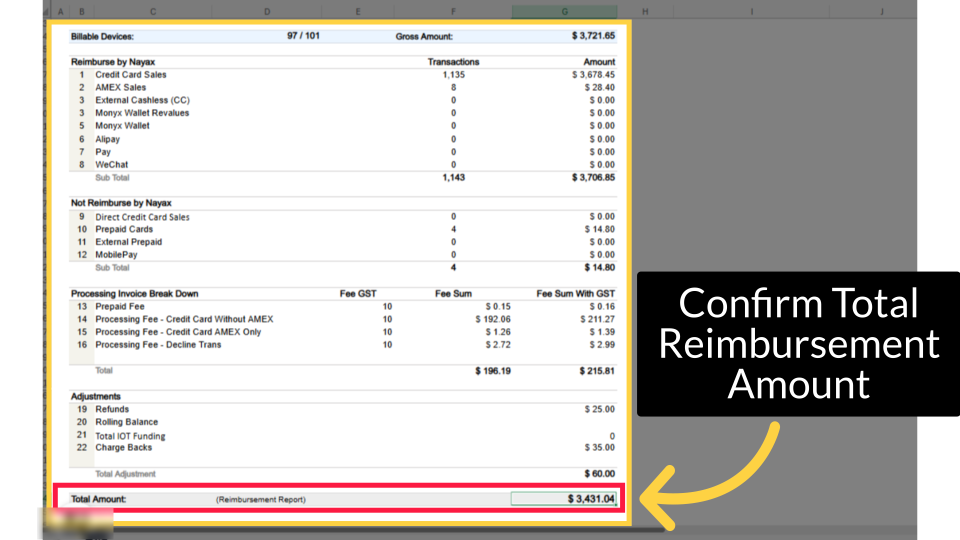
Image AttachedLocate the Total Amount (Reimbursement Report) row. This is the final figure deposited into your nominated bank account.
View Account Devices
Image Attached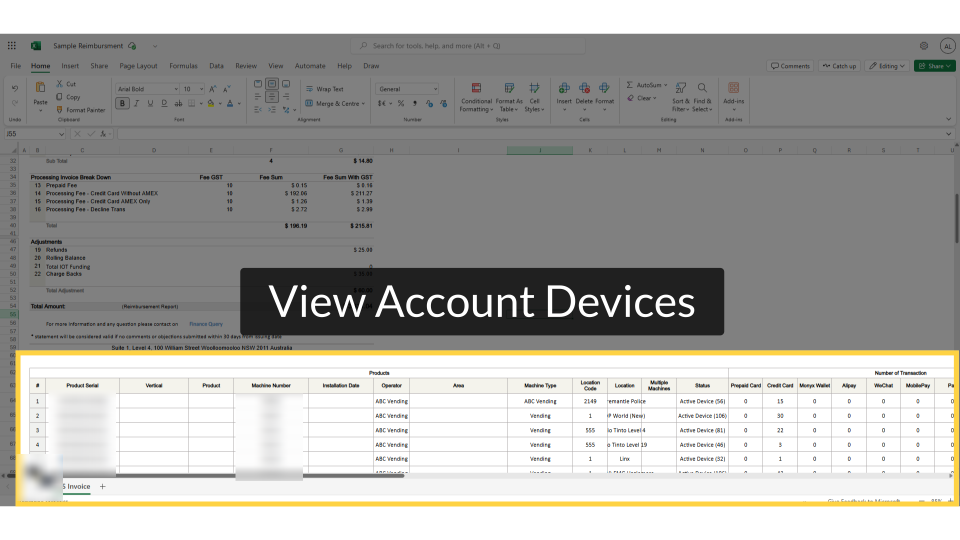
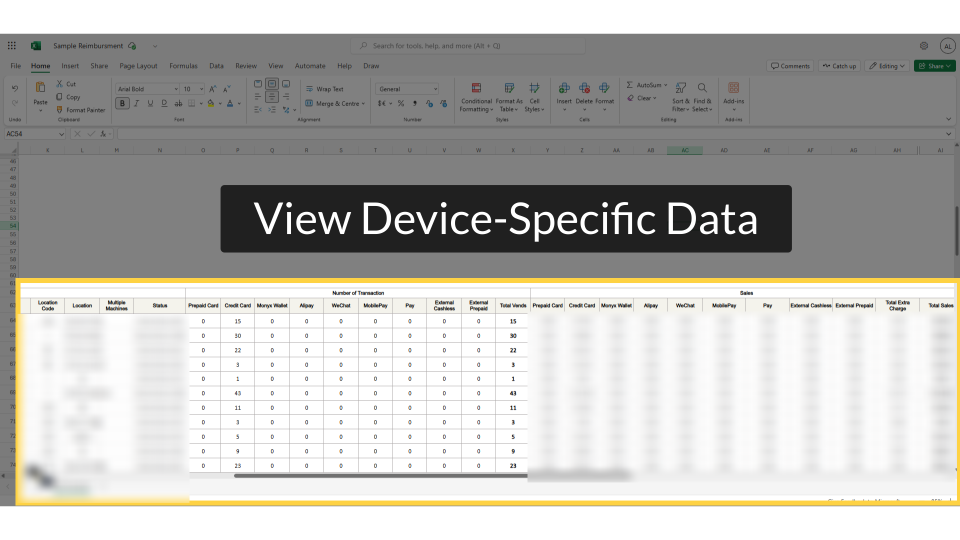
View Device-Specific Data
Image AttachedScroll right within the same table to view the sales and fee breakdown for each individual device.
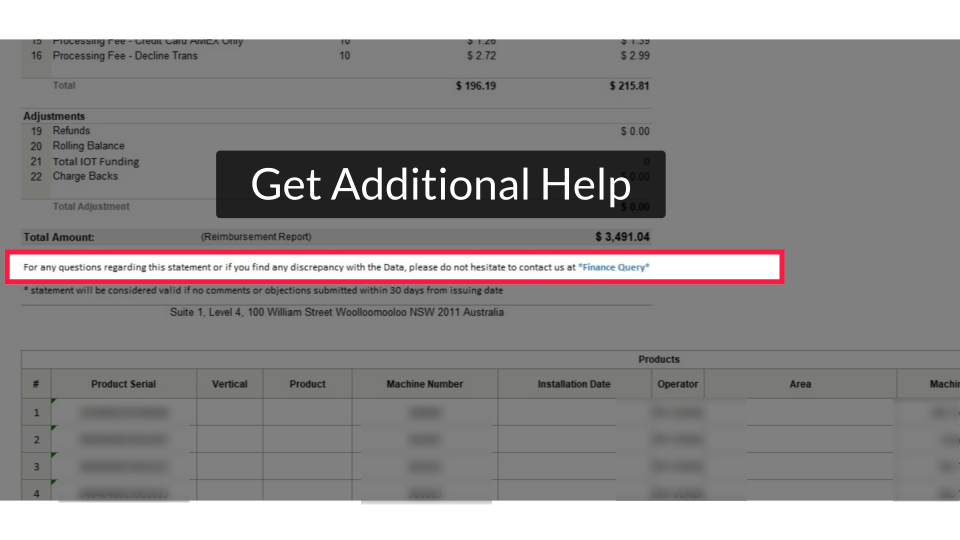
Get Additional Help
Image AttachedIf you have questions about a specific line item or discrepancy, click the Finance Query link at the bottom of the report to submit a formal inquiry to the Nayax finance team.
You know how your gross sales are calculated, which transactions are reimbursed and which are not, how processing fees and adjustments are applied, and how to check your payout at both account and device level. If figures look incorrect, use the Finance Query link within 30 days to raise a formal dispute.
Thank you!
Did you find this article helpful?