
How to Set Payment Preset Tab for your Charge Point Operator (CPO) | Administration
Control payment methods and limits for this CPO. Configure defaults for new chargers and apply settings across all sub-CPOs and connected charge points.
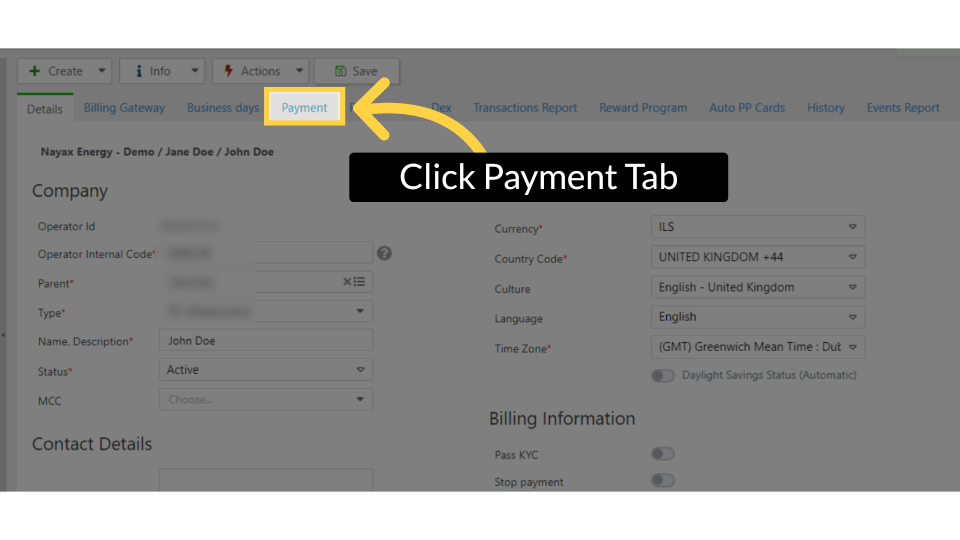
What is Payment Options Preset Tab?
This tab lets you configure or restrict various payment options for the selected CPO.
Important: These settings apply at the CPO level and will automatically cascade to all sub-CPOs and charge points under this CPO.
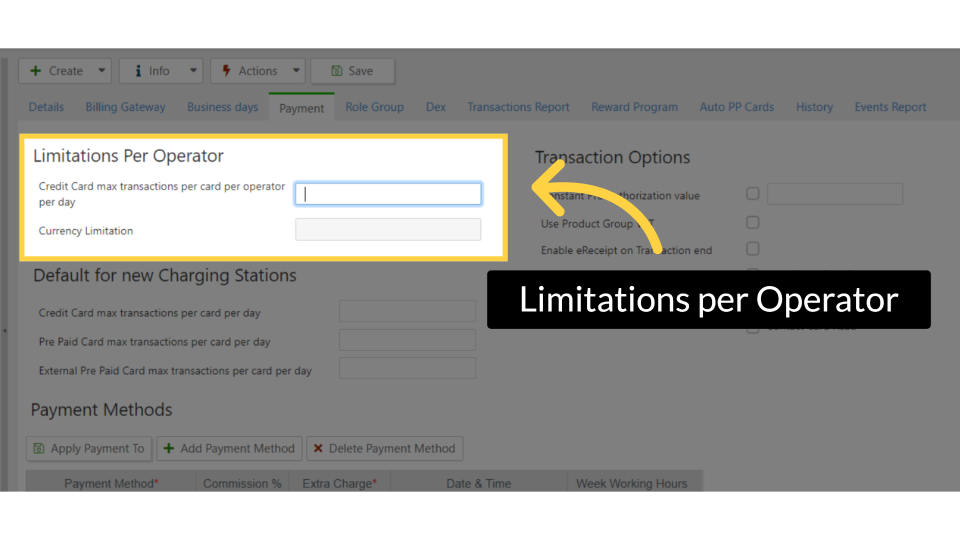
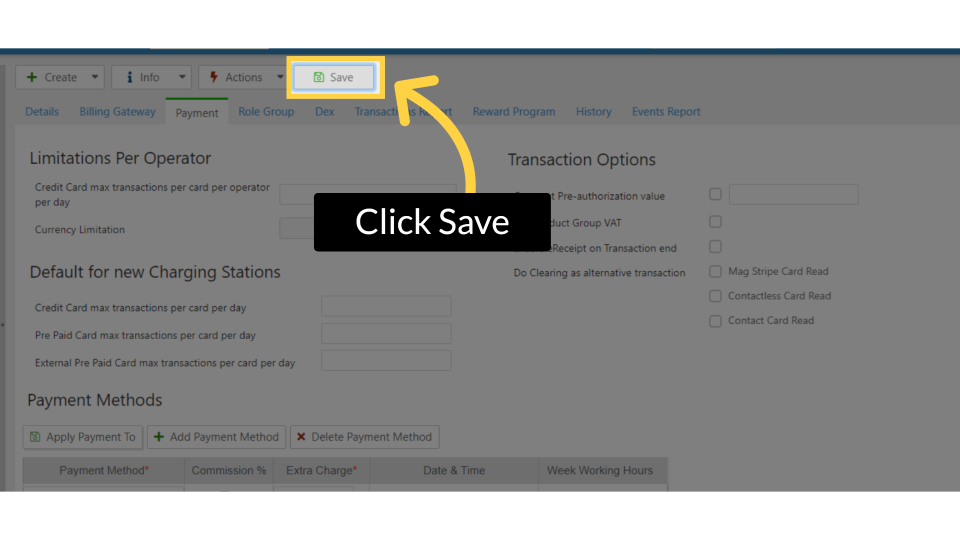
Operator-Level Limitations
-
Credit Card – Max Transactions per Card per Operator per Day
Define the maximum number of transactions a single credit card can perform on this CPO’s charge points.
Note: This limit applies only to this CPO’s network and does not affect transactions on other CPOs. -
Pass Limitations to Sub-Actors
Tick the checkbox next to “Pass amount limit to Sub Actors” to apply these restrictions to sub-CPOs as well.
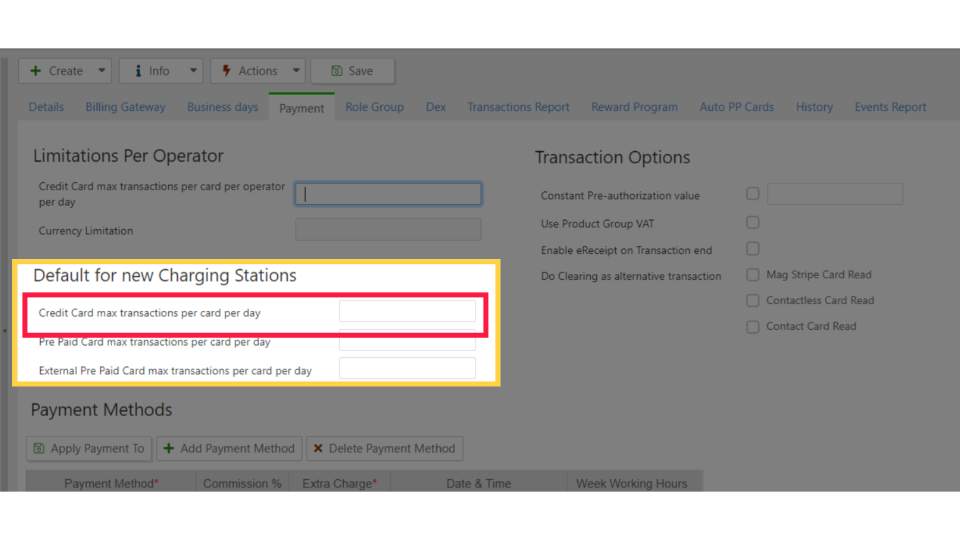
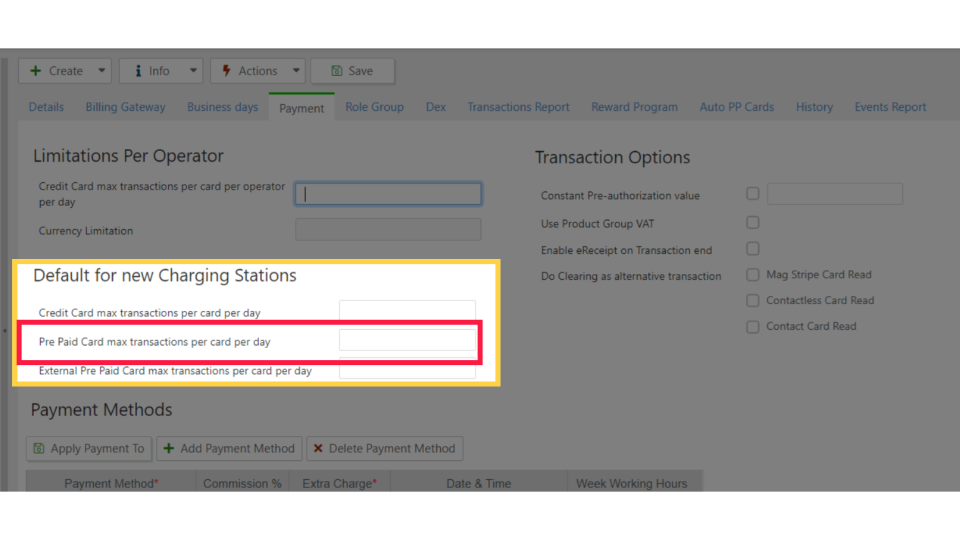
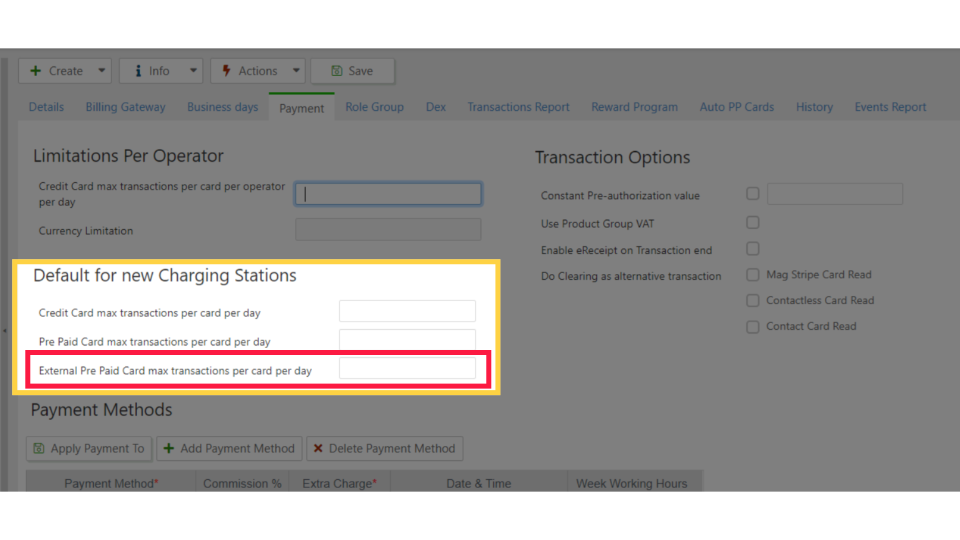
Default Settings for New Chargers
These limitations will apply to every new charge point created under this CPO.
-
Credit Card – Max Transactions per Card per Day
Set the maximum number of transactions a credit card can perform on this CPO’s charge points.
Note: This does not restrict transactions on other CPOs. -
Prepaid Card – Max Transactions per Card per Day
Define the maximum number of transactions a prepaid card can perform on a specific charge point.
Transactions are processed and stored on Nayax servers and recorded in the Nayax database, enabling analysis in the HIVE management suite. -
External Prepaid Card – Max Transactions per Card per Day
Set the maximum number of transactions for external prepaid cards on a specific charge point.
Note: These transactions are not processed on Nayax servers.
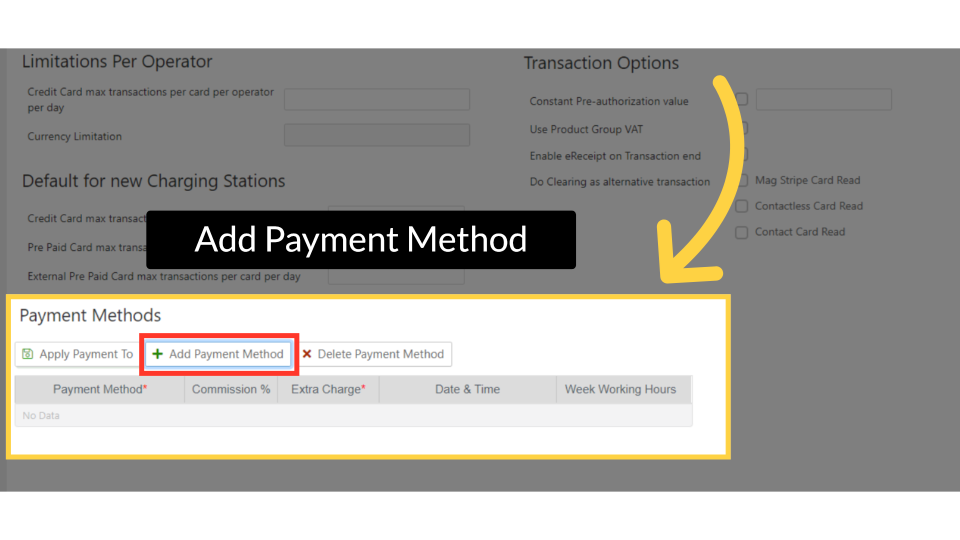
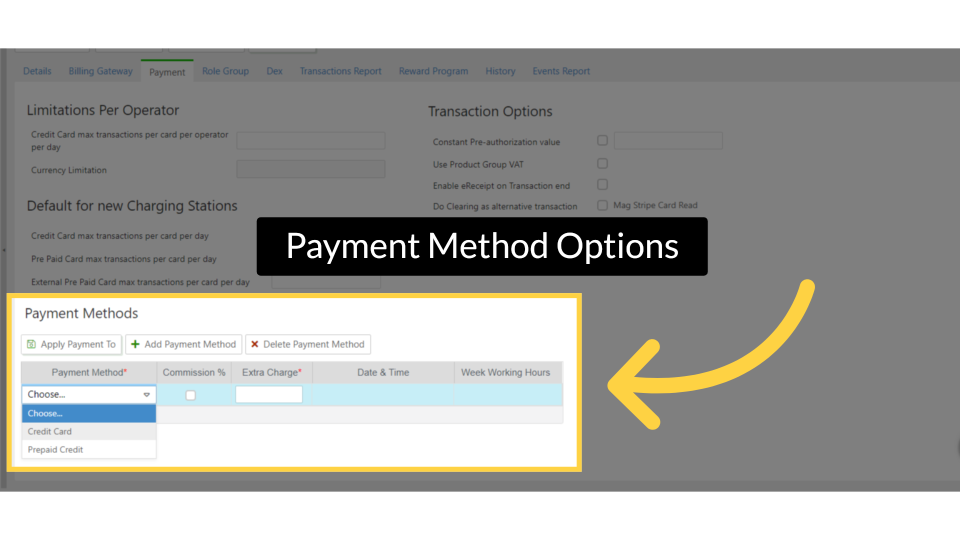
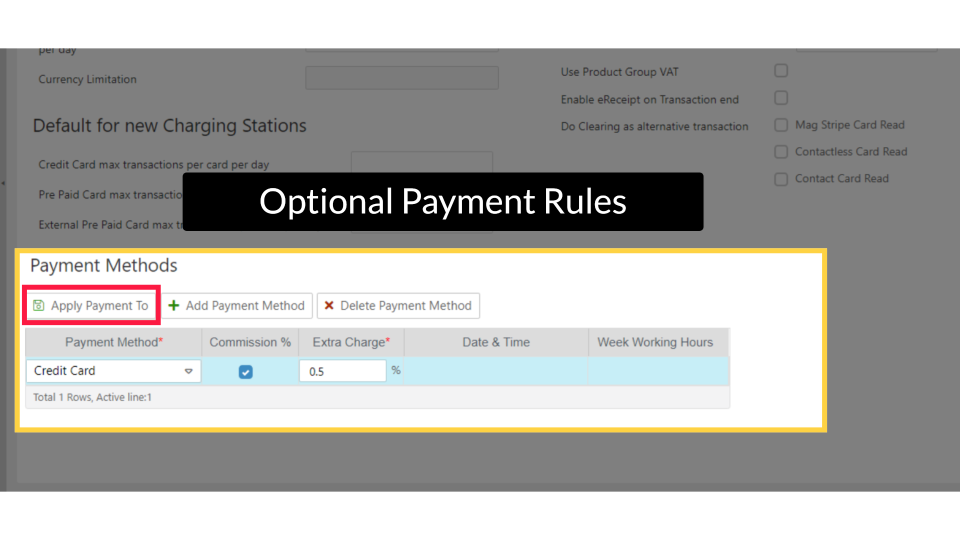
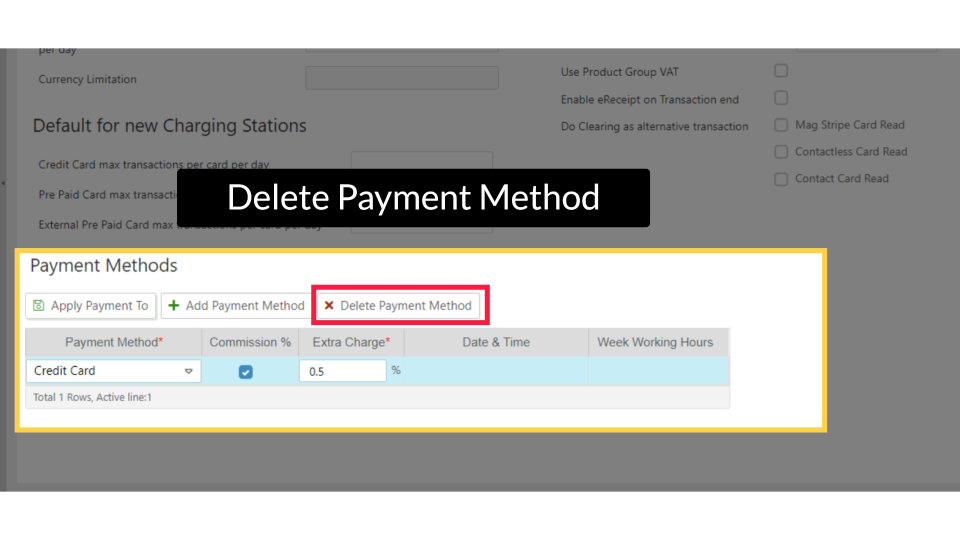
Payment Methods
Adding a payment method in this table enables its use across all sub-CPOs and charge points under this CPO.
If a payment method is missing from the list, configure it at a higher hierarchy level.
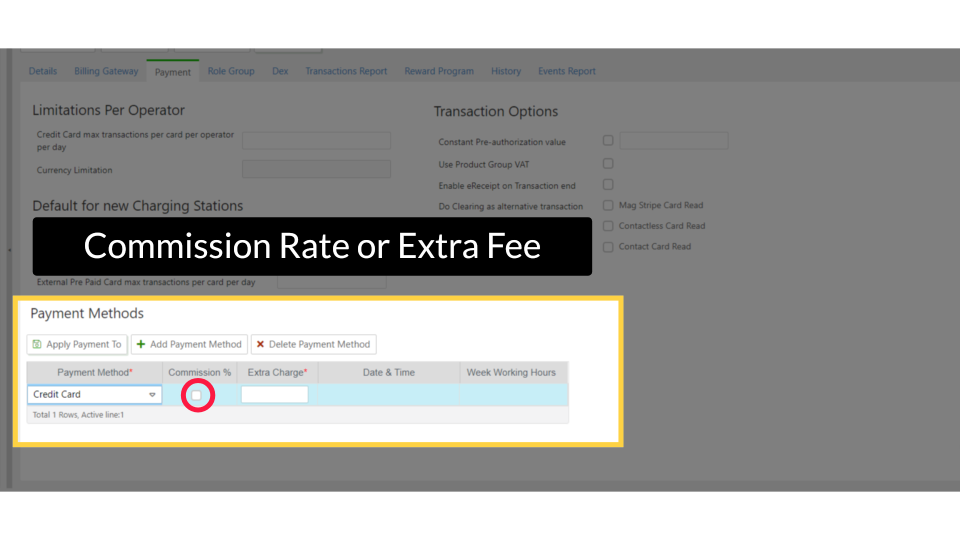
You can:
- Set a commission rate or extra fee for each payment method.
- Apply these settings to all sub-CPOs.
- Define working hours for each payment method.
Did you find this article helpful?