
How to Configure Charging Tariffs | Administration
Managing charging tariffs effectively is crucial for any EV charging operation. This guide will show you how to configure both standard charging rates and connection fees using the Nayax Energy Core.
Video Guide
00:00: This guide will help you set up and configure charging tariffs for your charging station within Nayax Energy Core.
00:08: On the Dashboard of your Nayax Energy Core platform, click on the Administration tab.
00:14: In the dropdown menu, locate and click on the Tariff tab.
00:19: Find the Actor Name you want to configure tariffs for and click on it to proceed.
00:25: On the Machine Actors page, to set the charging session fees, click on "Add Fee" tab as highlighted.
00:31: In the pop-up window: Click on Price Strategy to view available options, then select Fixed Price from the menu as highlighted in RED.
00:39: Enter the cost per kW (excluding VAT) in the designated field, highlighted in red.
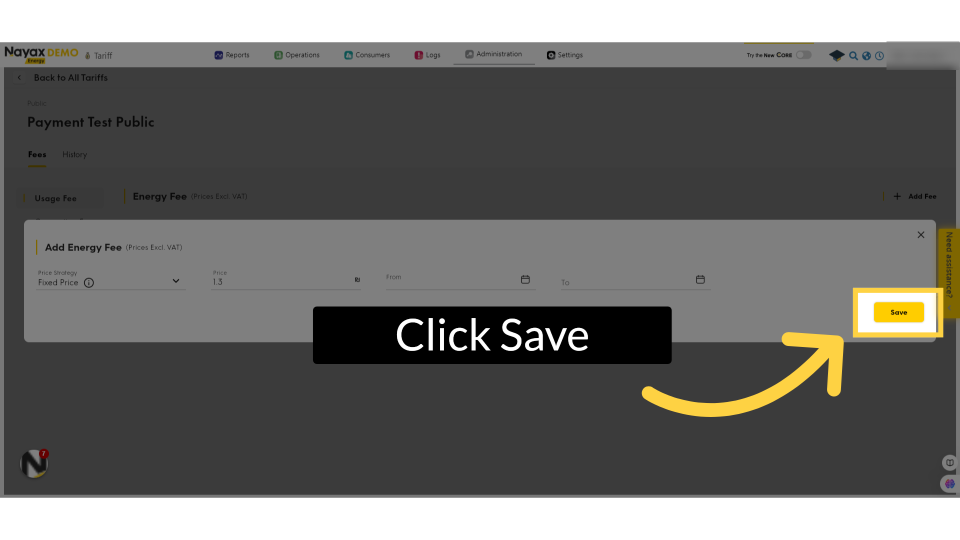
00:45: Click save, the changes made.
00:47: To add a connection fee, follow the same process and click on the Add Fee button as highlighted in RED.
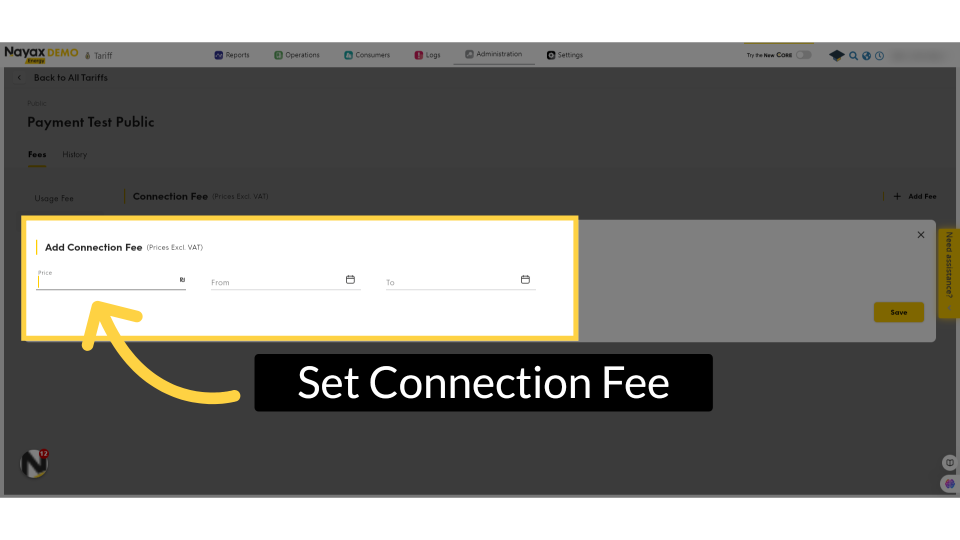
00:53: A window will pop up and here you can set your connection fee by filling
00:57: the field with the amount you want to set.
01:02: Click on the save button to save your progress.
Click Administration
Image Attached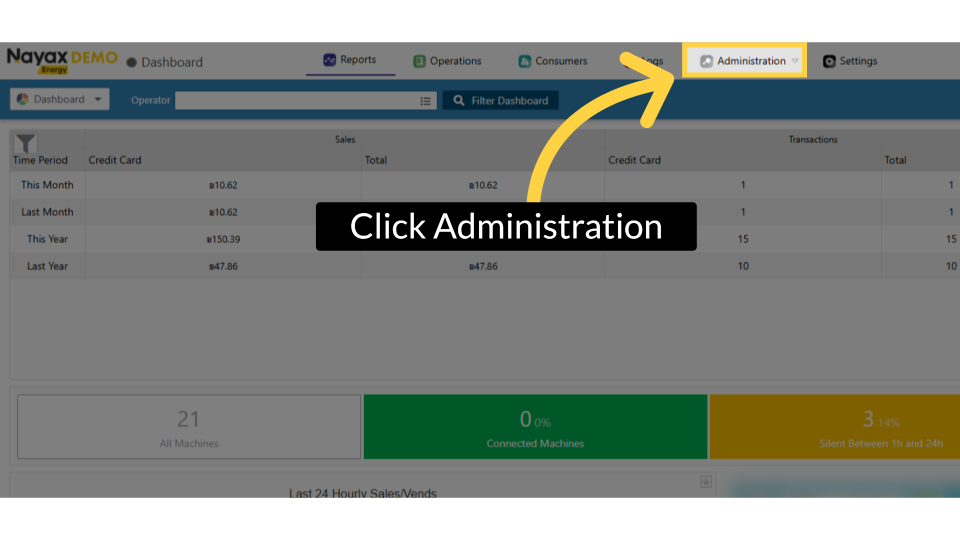
Click Tariff
Image Attached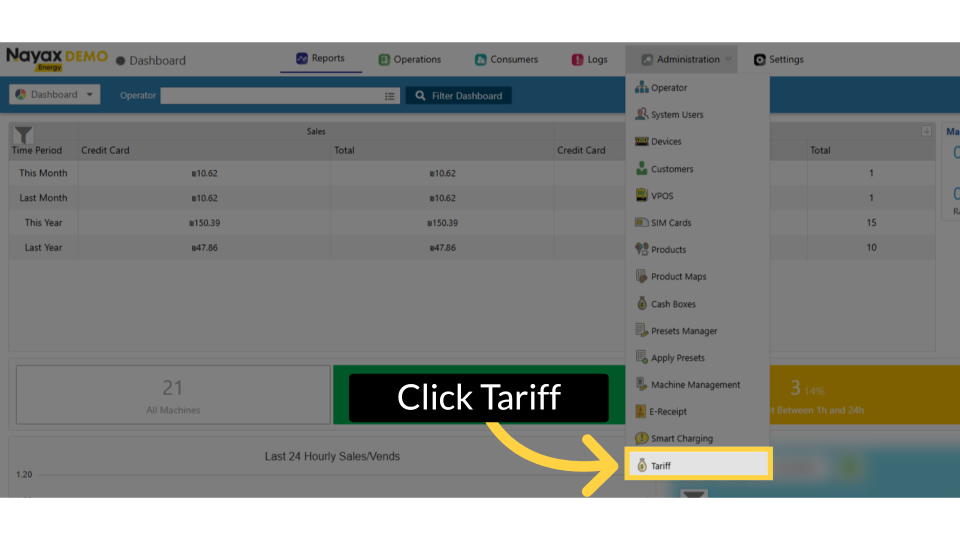
Locate and Click on Actor Name
Image Attached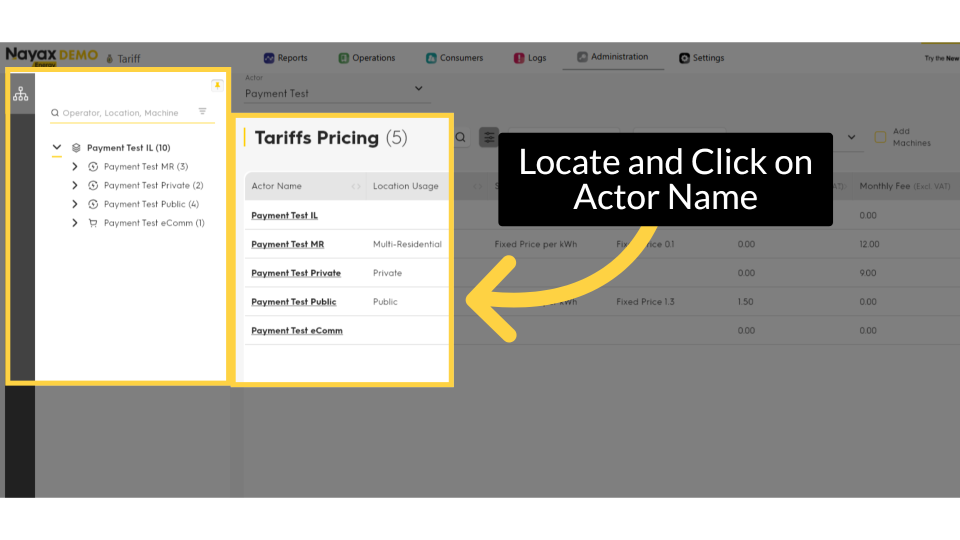
Click + Add Fee
Image Attached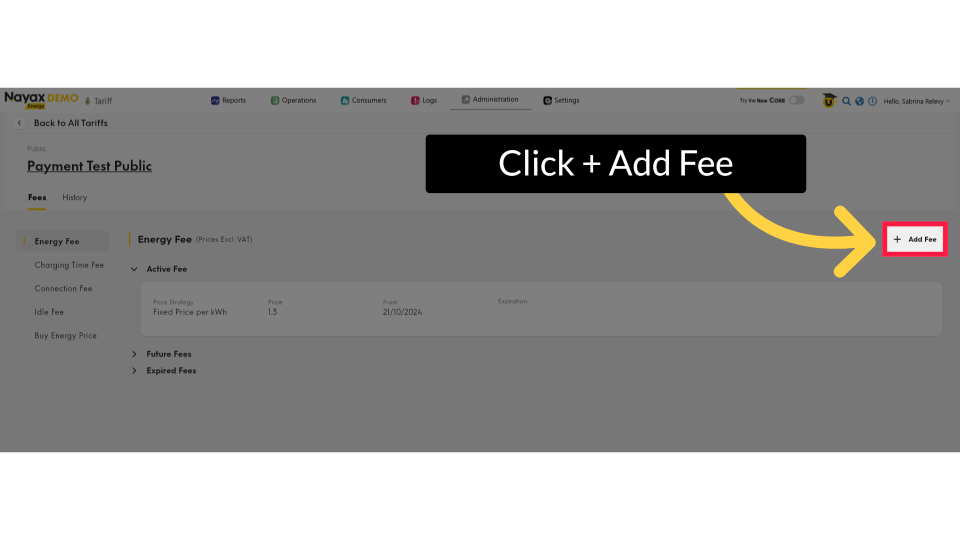
Set Tariff
Image Attached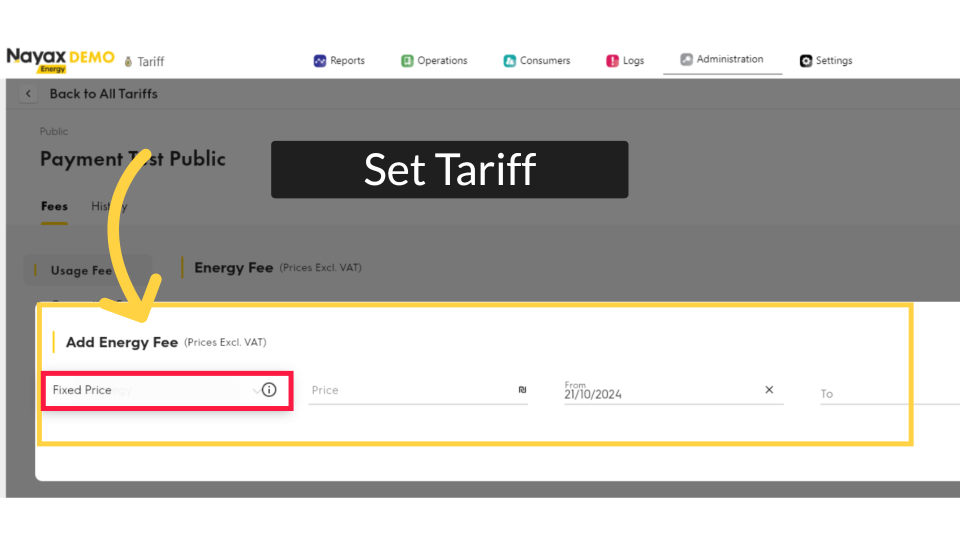
Set Price
Image Attached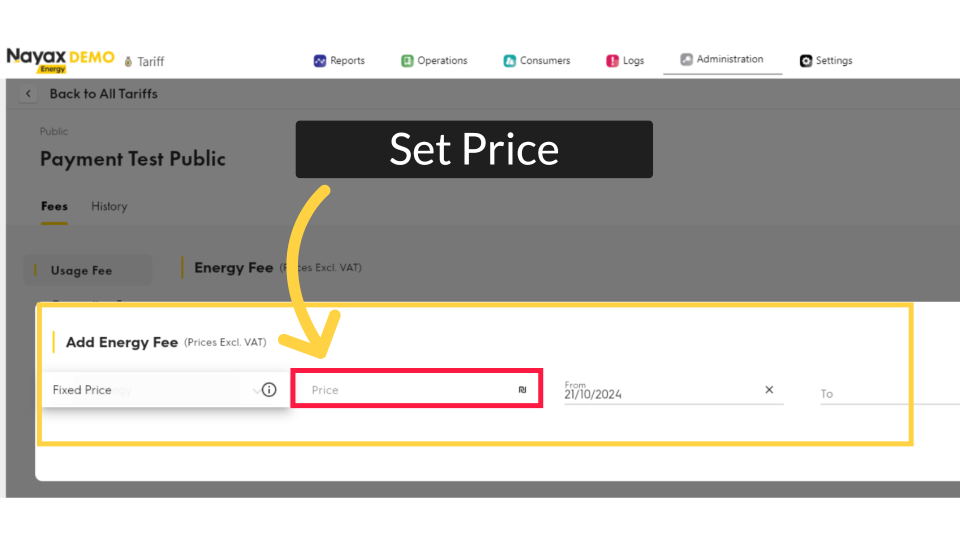
Click Save
Image AttachedClick on the save button to save your progress.
Connection Fee
Image Attached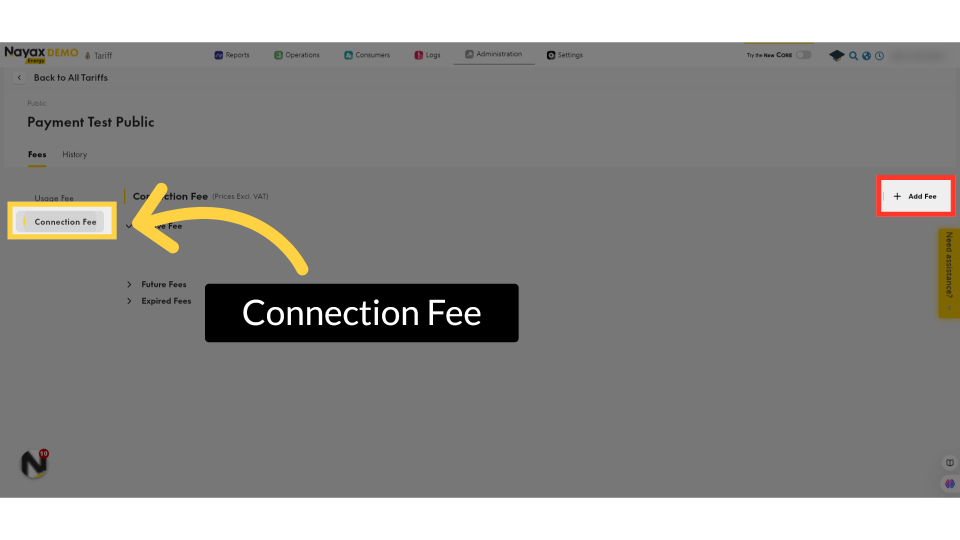
Set Connection Fee
Image AttachedA window will pop up and here you can set your connection fee by filling the field with the amount you want to set.
Click Save
Image Attached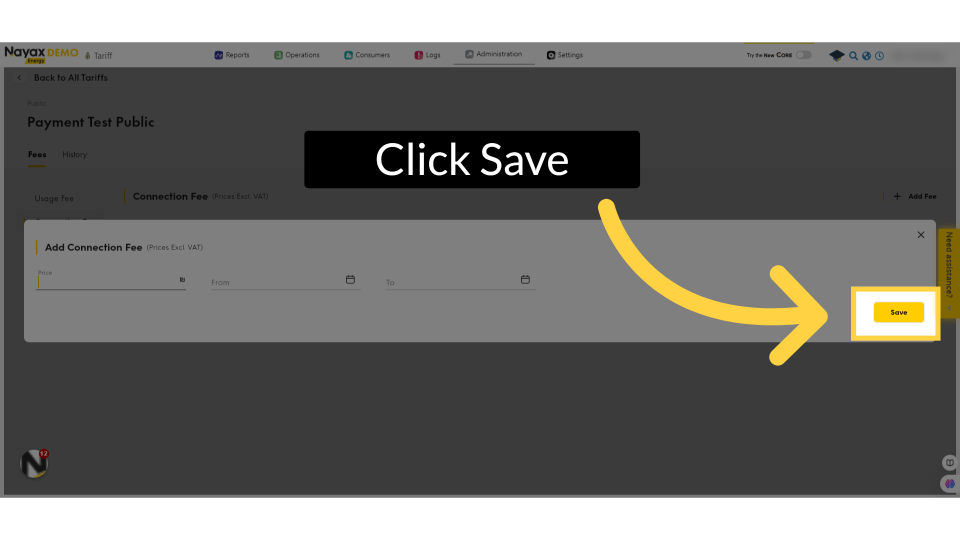
Thank you!
Did you find this article helpful?