00:00: Send customers a branded digital receipt
00:02: after purchases. Learn how to configure your E-Receipt in Nayax Classic Core, from
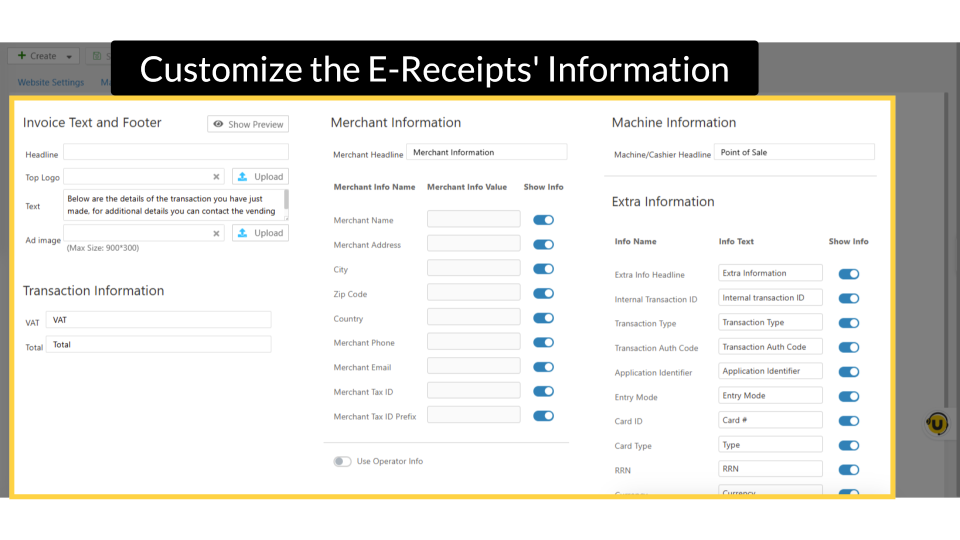
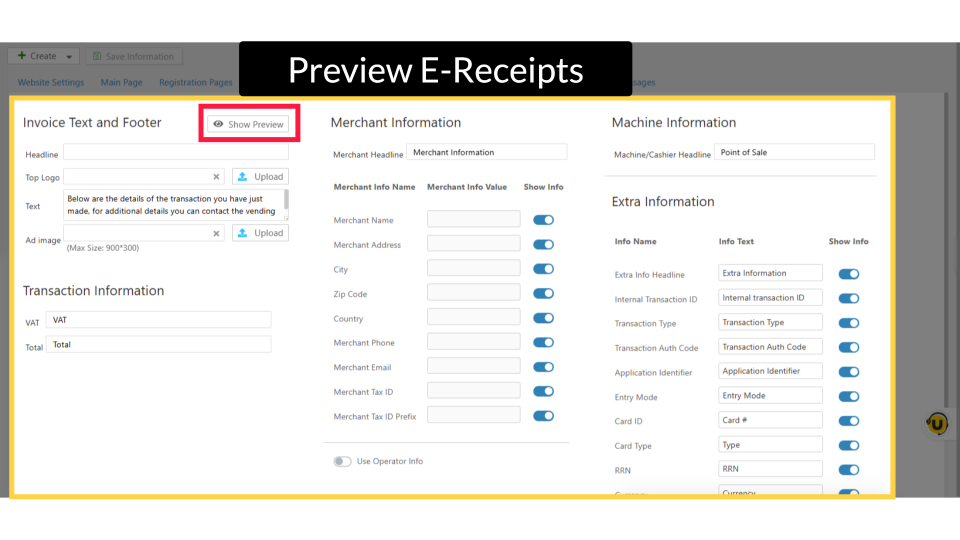
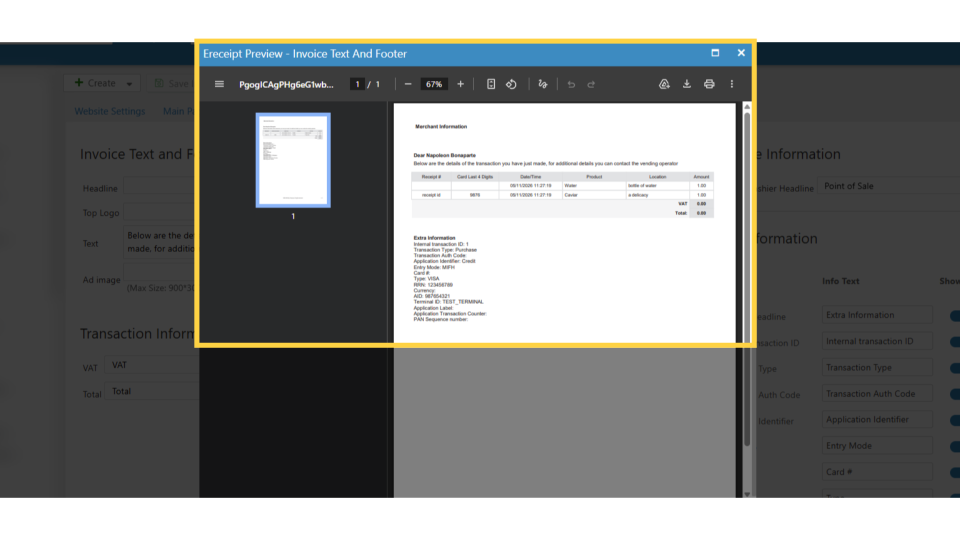
00:07: entering operator details to customizing invoice layout and previewing
00:11: what customers see.
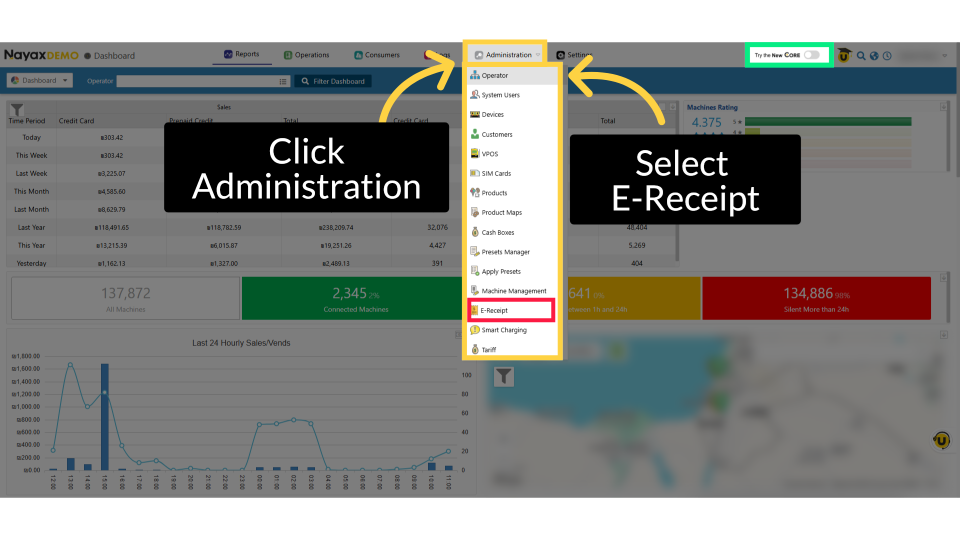
00:13: From the dashboard of your Nayax Classic Core platform and select the Administration tab. Next, click on Operator in the drop-down menu.
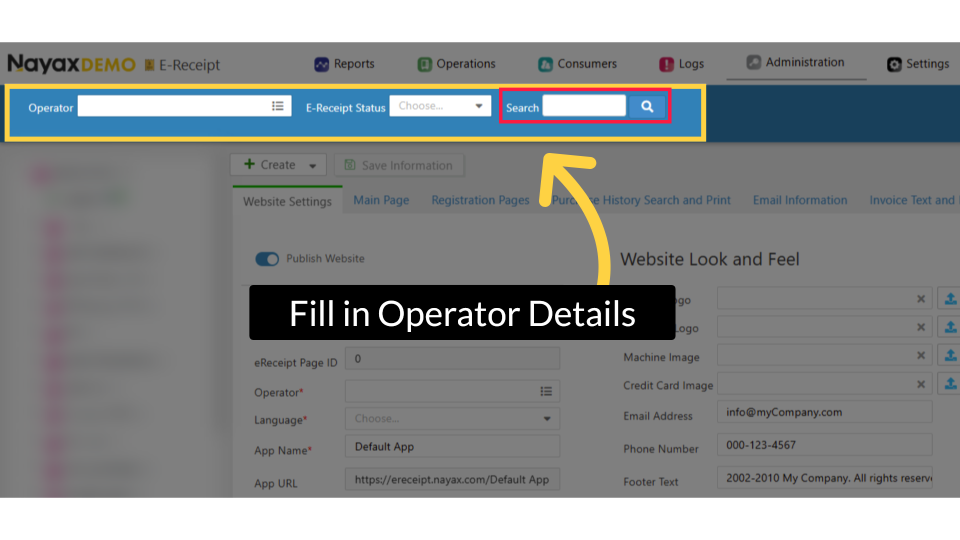
00:21: To locate your machine, type in your Operator name.
00:24: Then click the search button.
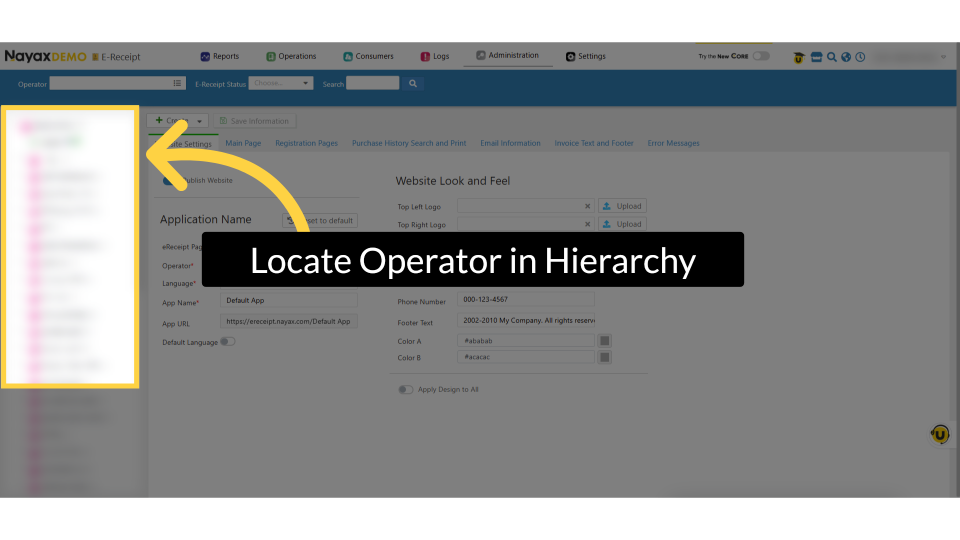
00:26: Locate and click on your operator and machine within the hierarchy tree.
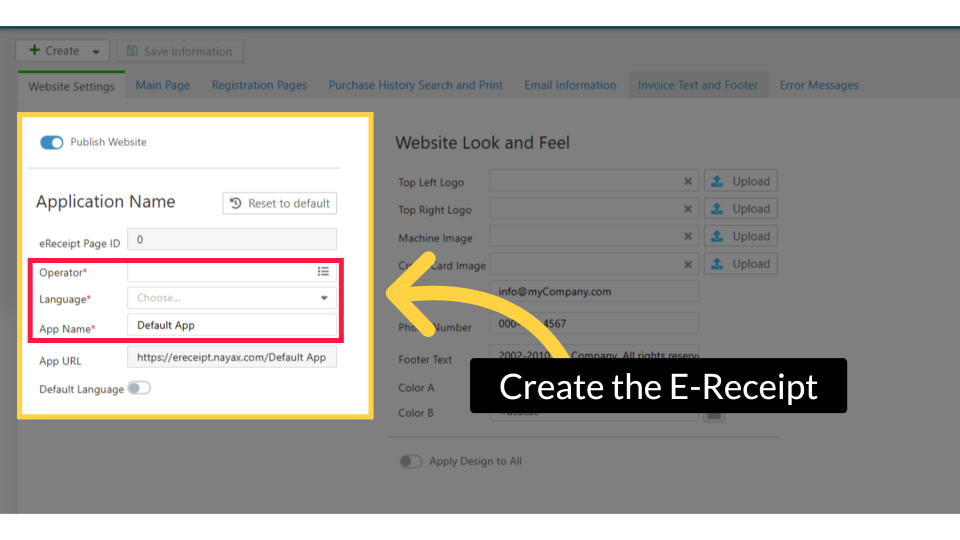
00:31: In this section, you only need to input the information highlighted with a
00:00: This tutorial guides you through configuring e-receipt options and machine settings in
00:04: the Nayax platform.
00:06: From the dashboard of your Nayax Classic Core platform and select the Administration tab. Next, click on Operator in the drop-down menu.
00:14: To locate your machine, type in your Operator name.
00:17: Then click the search button.
00:19: Locate and click on your operator and machine within the hierarchy tree.
00:24: In this section, you only need to input the information highlighted with a