
How to Change or Edit a Machine Name | Operations
This guide will walk you through the process of easily making changing or editing a machine in Nayax Core.
Video Guide
00:00: This guide will walk you through the process of changing or editing a Machine Name in Nayax Core.
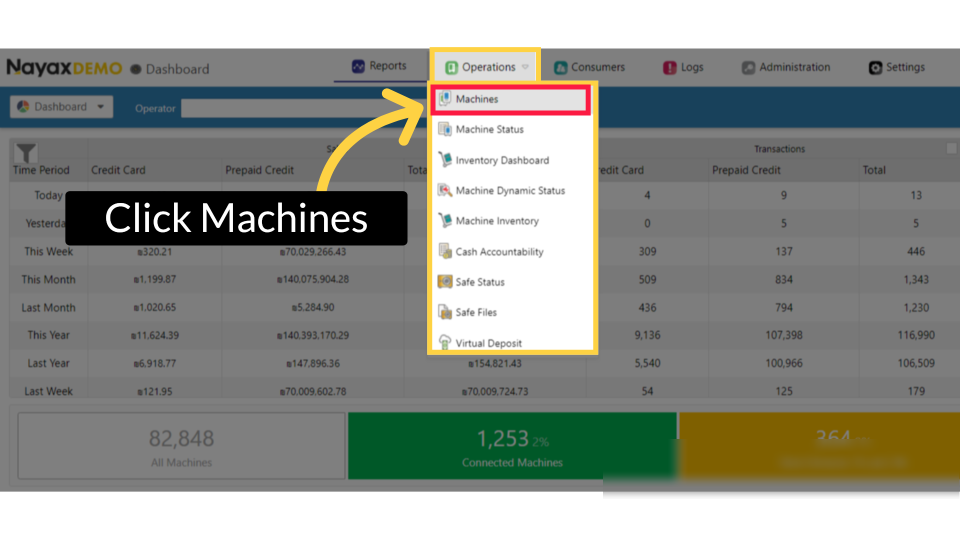
00:05: On the dashboard of your Nayax Core platform, click on the Operations tab, then
00:09: click on Machines from the drop-down menu.
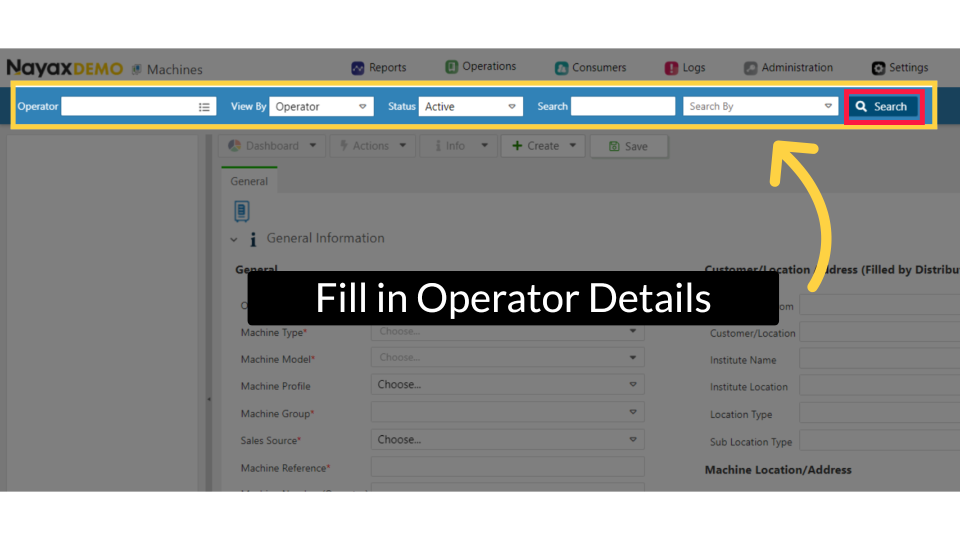
00:12: On the machine page, enter your machine name and fill in any other required fields
00:16: to locate your machine. Then, click the Search button.
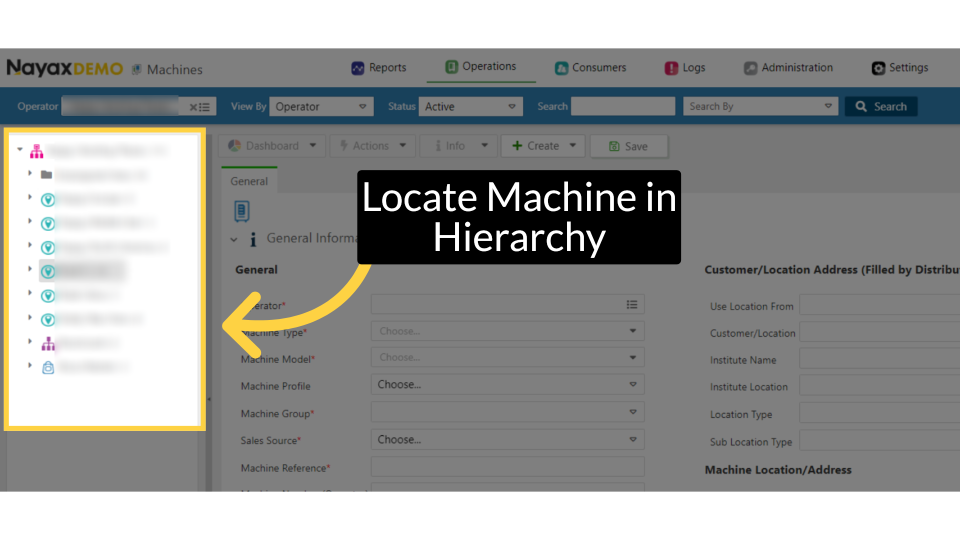
00:20: Locate and click on the machine from the hierarchy.
00:23: Under Machine reference, you can edit the machine name by typing the name you choose for
00:27: the machine.
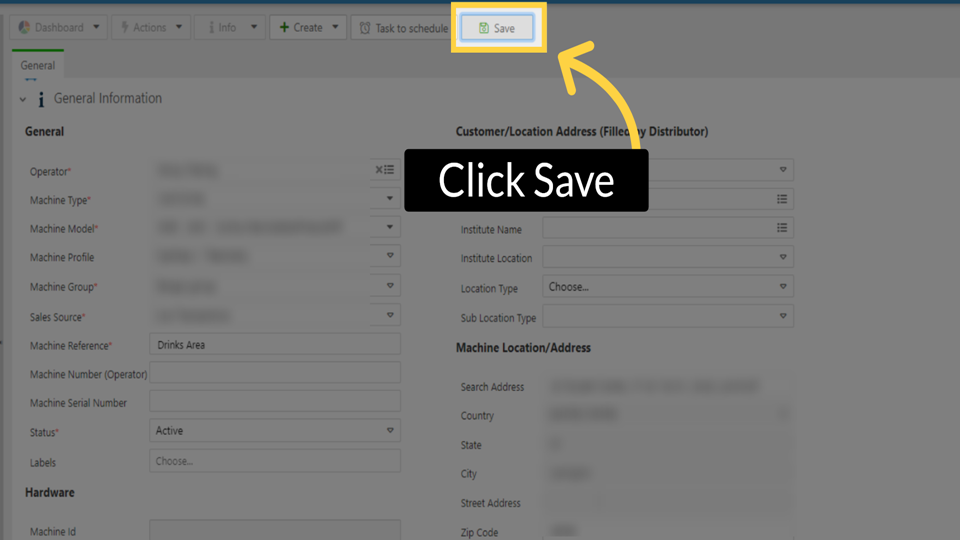
00:28: Click on the Save button to save your changes.
Click Operations Tab
Image AttachedOn the dashboard of your Nayax Core platform, click on the Operations tab, then click on Machines from the drop-down menu.
Fill in Operator Details
Image AttachedOn the machine page, enter your machine name and fill in any other required fields to locate your machine. Then, click the Search button.
Locate Machine in Hierarchy
Image AttachedLocate and click on the machine from the hierarchy.
Enter Machine Reference
Image Attached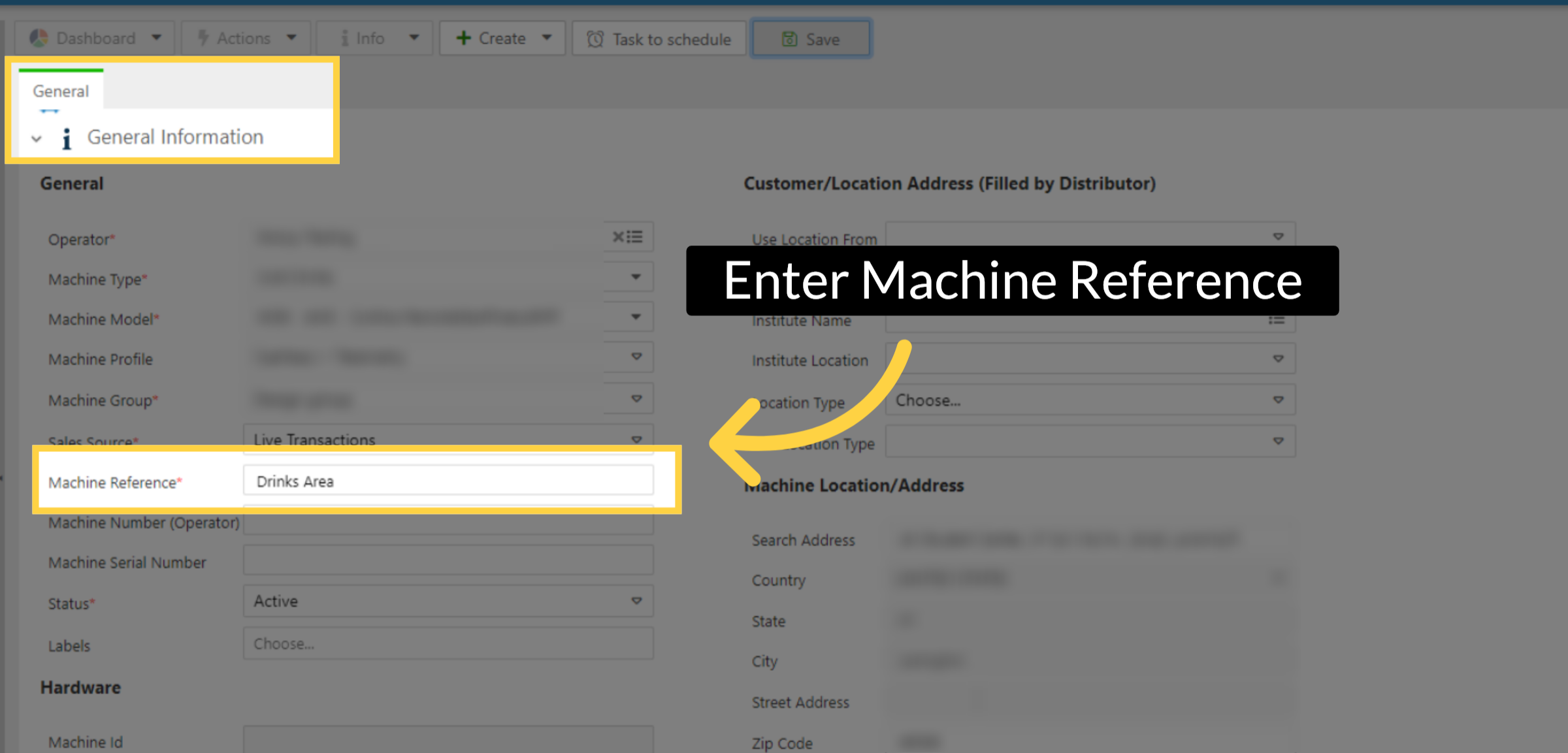
Click Save
Image AttachedClick on the Save button to save your changes.
Thank you!
Did you find this article helpful?