
How to Activate and Login to Nova Market | Nova Market
Activate your Nova Market to sync sales and inventory with the Nayax Core platform. This setup ensures secure transactions and accurate reporting. Let’s get your kiosk online and ready to sell!"
Video Guide
00:01: Learn how to easily activate your Nova Market to sync with Nayax Core for real-time transaction tracking, remote inventory management, and accurate sales reporting.
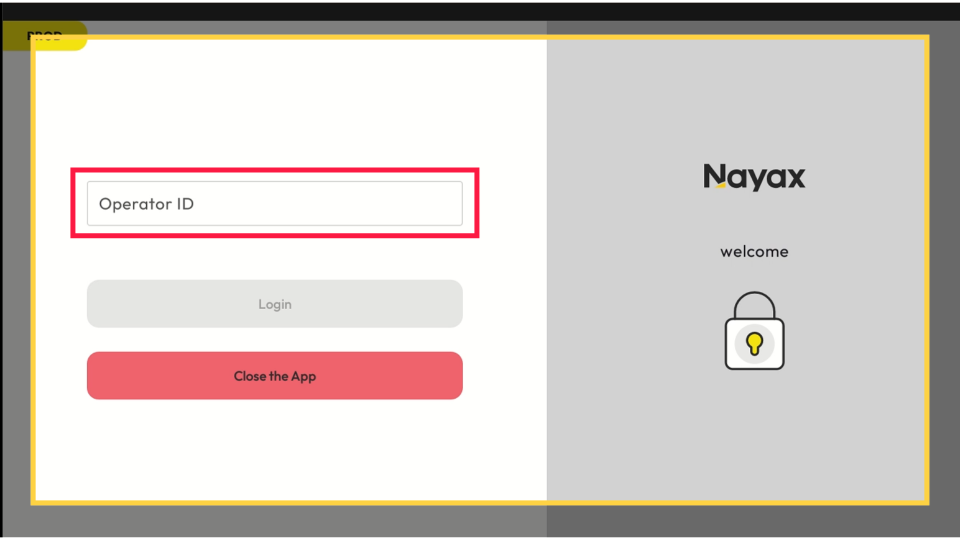
00:12: On the Nova Market device, when you activate it, the device will prompt you for your Nayax Operator ID.
00:17: Please enter the company operator ID and tap the login button.
00:23: Log in using your Nayax Core credentials. If you do not have access to your Nayax Core credentials, please contact Nayax Support at [email protected].
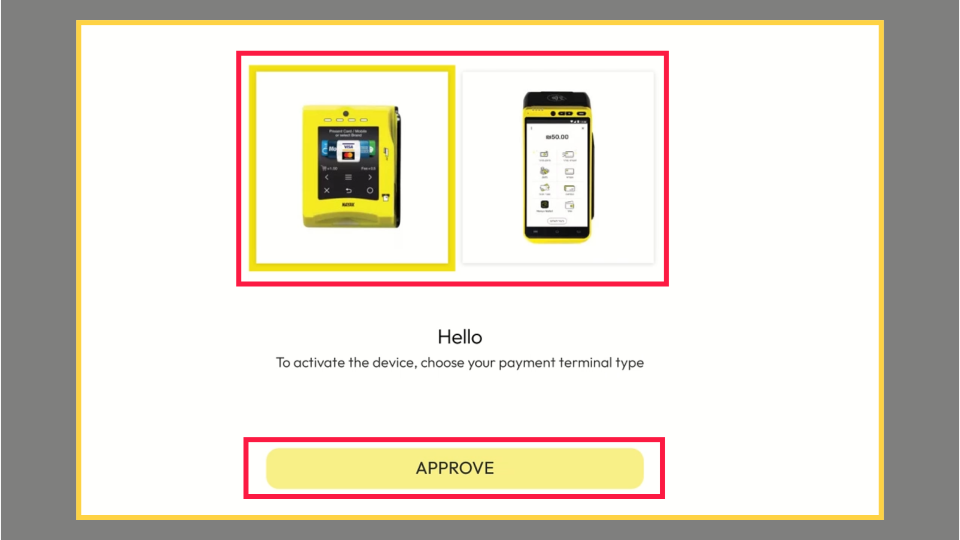
00:35: The screen will show the devices available in your Nayax Account for activation.
00:40: Tap the device image linked to your Nova Market, then select Approve.
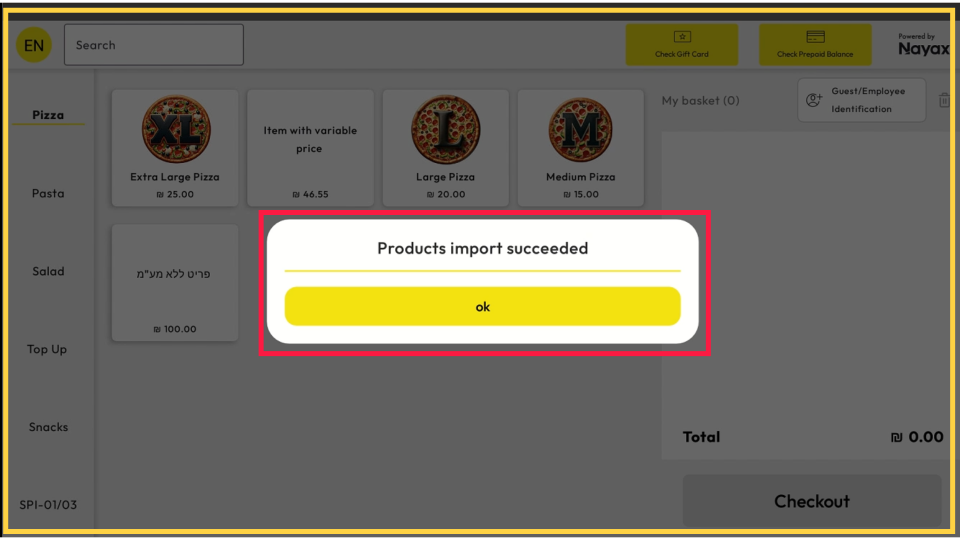
00:46: A pop-up message will appear, confirming that the products have been imported successfully.
00:51: Tap the "Ok" button to proceed and start using your Nova Market.
Nayax Operator ID
Image AttachedOn the Nova Market device, when you activate it, the device will prompt you for your Nayax Operator ID. Please enter the company operator ID and tap the login button.
Log in with Nayax Core Credentials
Image Attached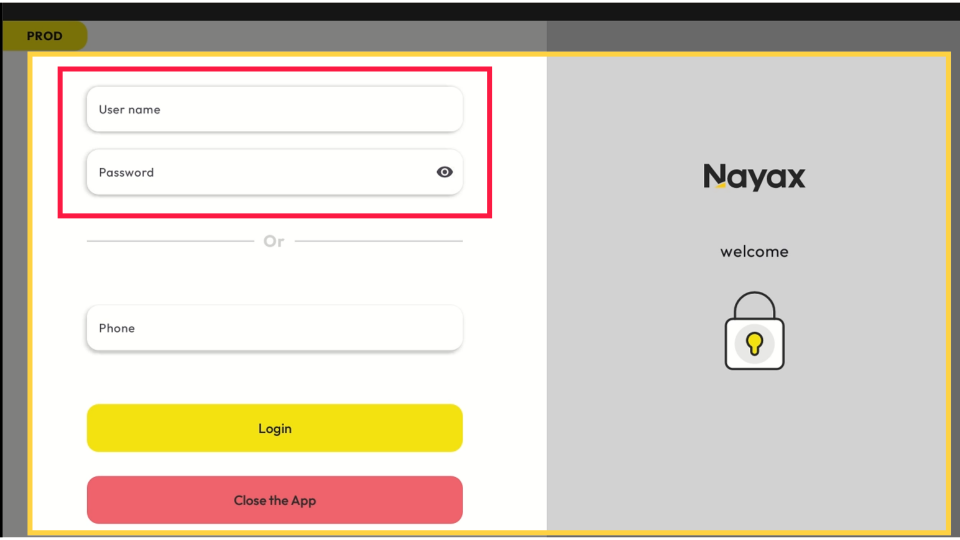
Confirm Nova Market POS Device
Image AttachedThe screen will show the devices available in your Nayax Account for activation. Tap the device image linked to your Nova Market, then select Approve.
Products Import Succeeded
Image AttachedA pop-up message will appear, confirming that the products have been imported successfully. Tap the "Ok" button to proceed and start using your Nova Market.
Thank you!
Did you find this article helpful?