
How to Activate a Public or Multi-Residential EV Meter Pay / Pay² Charging Station | VPOS Media 4 Mini
When you power on the VPOS Media 4 Mini charging Station for the first time, the following steps will guide you through the onboarding process. Please follow the instructions on each screen carefully to complete the setup.
Video Guide
Welcome Screen
Image Attached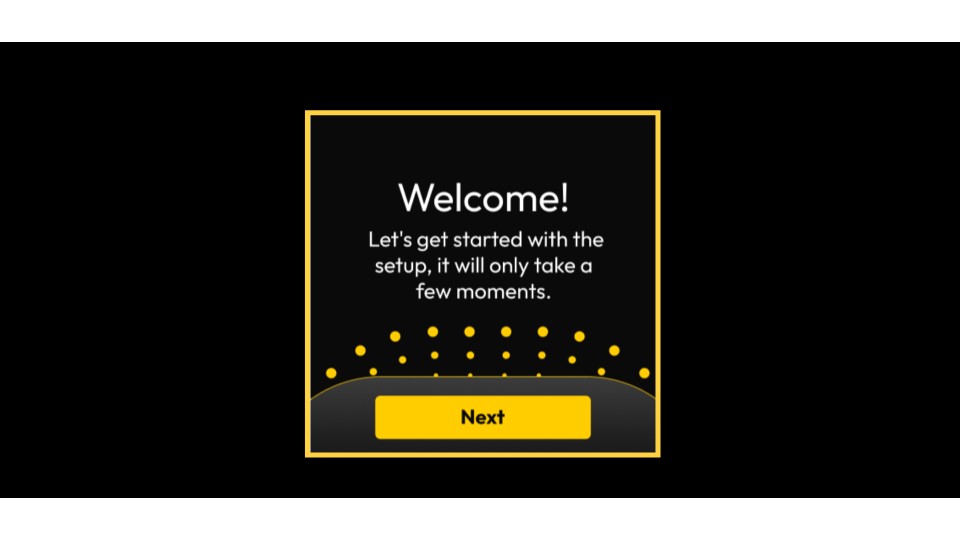
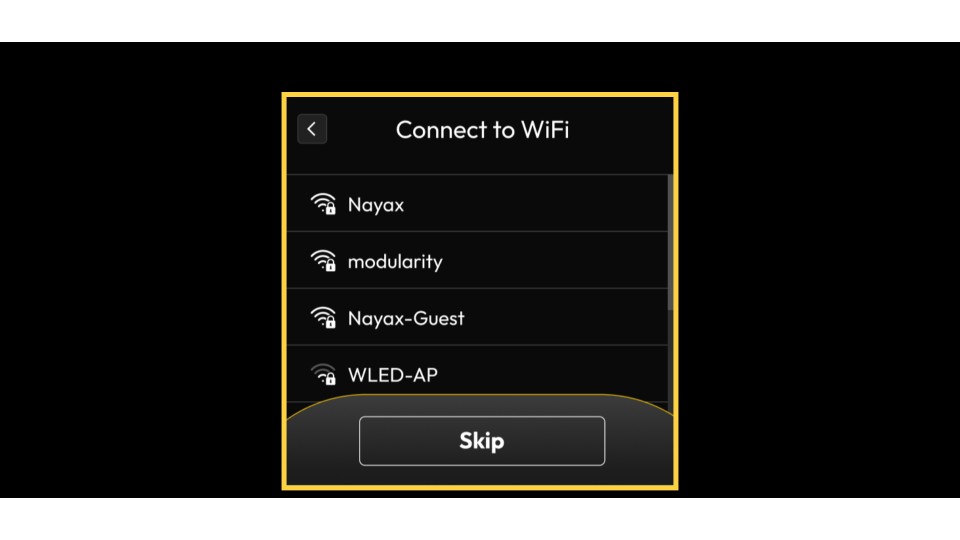
WiFi Configuration
Image AttachedView the list of available WiFi networks
- Select your network from the list
- Enter your WiFi password if required
- Tap Connect
Alternatively: Tap Skip if you don't want to connect to WiFi
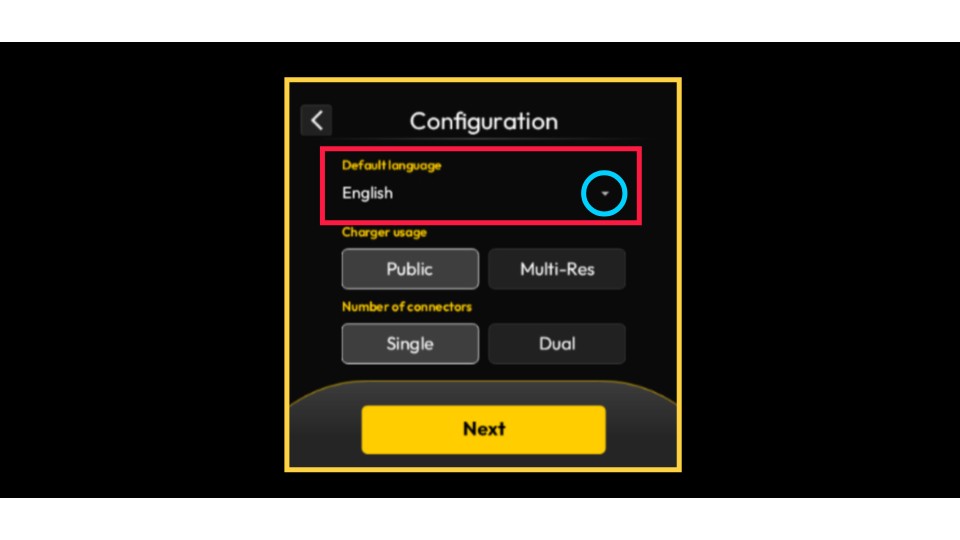
Select Device Language
Image AttachedThe default language is set to English. To change it, tap the dropdown arrow highlighted in BLUE and select your preferred language from the menu.
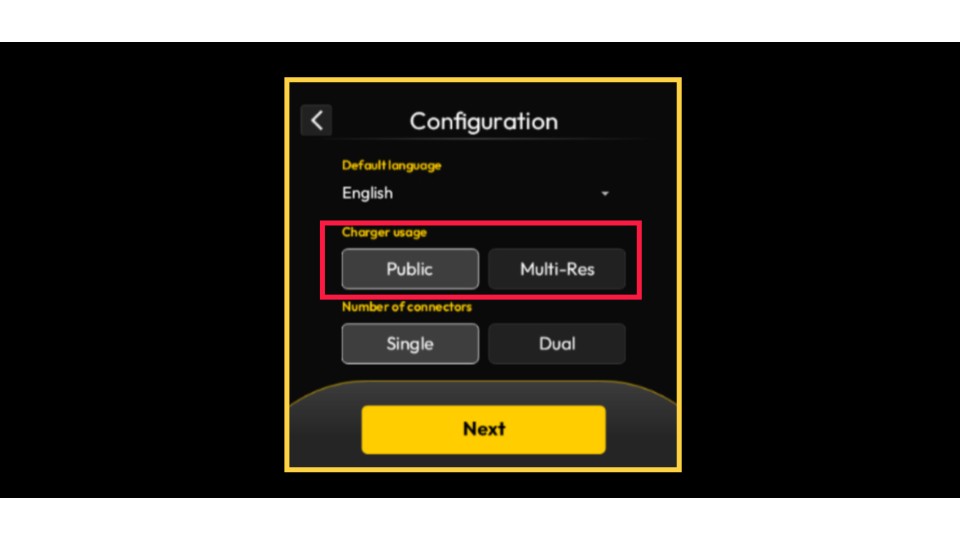
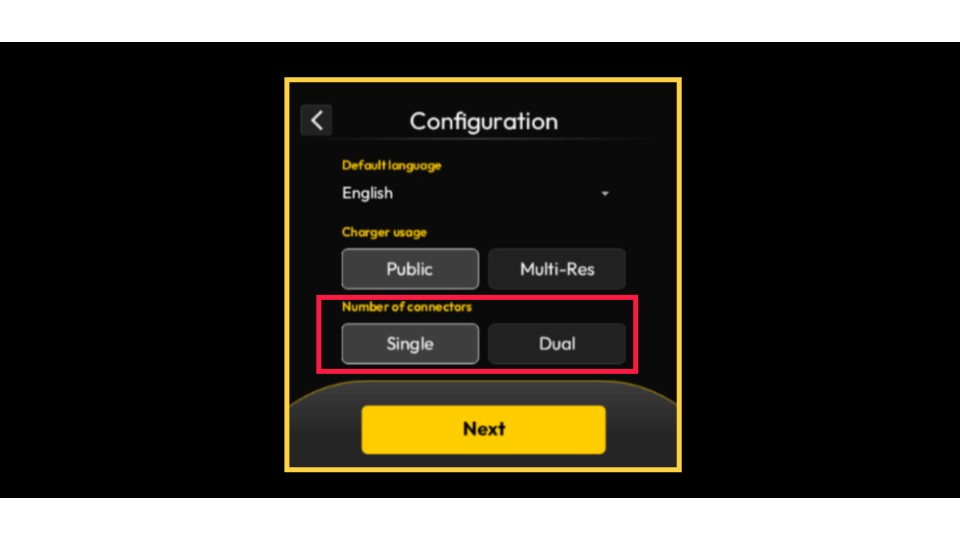
Set Charger Usage
Image AttachedSelect the charger usage configuration: Tap 'Public' for public access or 'Multi-Residential' for a private area.
Set Number of Connectors
Image AttachedSet the number of connectors to 'single' for one connector or to 'dual' for two connectors.
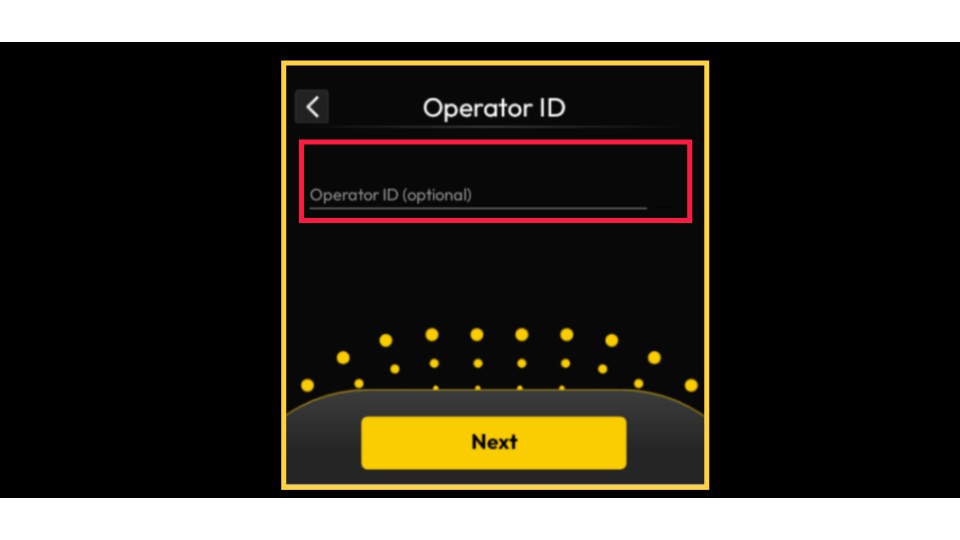
Operator ID
Image AttachedEnter your operator number from the Nayax 'Energy' Core platform and tap Next.
Please note: This step applies only to users of the Nayax Energy Core platform. For non-Nayax Energy Core users, tap Next.
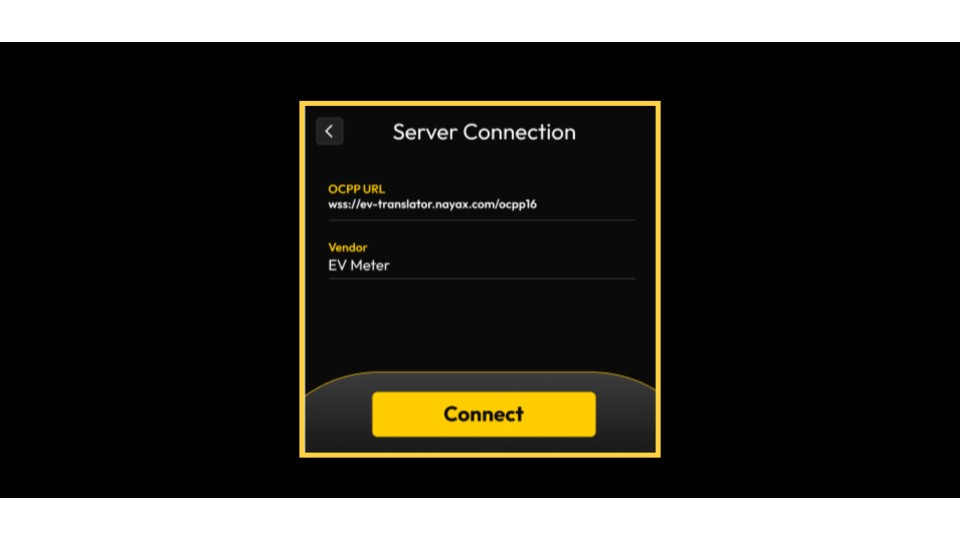
Server Setup
Image AttachedPlease note that if you are not using the Nayax Energy Core platform, you can add your own OCPP URL here.
EVSE Configuration: Configure Current Limit
Image AttachedSelect the appropriate current limit for your setup from the options as highlighted:
- No Limit: Only if you are certain your electrical infrastructure can safely handle the full, unrestricted power draw.
- DLM (Dynamic Load Management): This is the default and our recommended setting to maximize charging speed without risking an overload.
- Custom (**A): If you need to enforce a specific, fixed current cap due to local electrical limitations or safety requirements, or if DLM is not an option.
Warning: Selecting an inappropriate current limit could overload your electrical system, potentially causing circuit breakers to trip or even creating a safety hazard. When in doubt, consult an qualified technician.
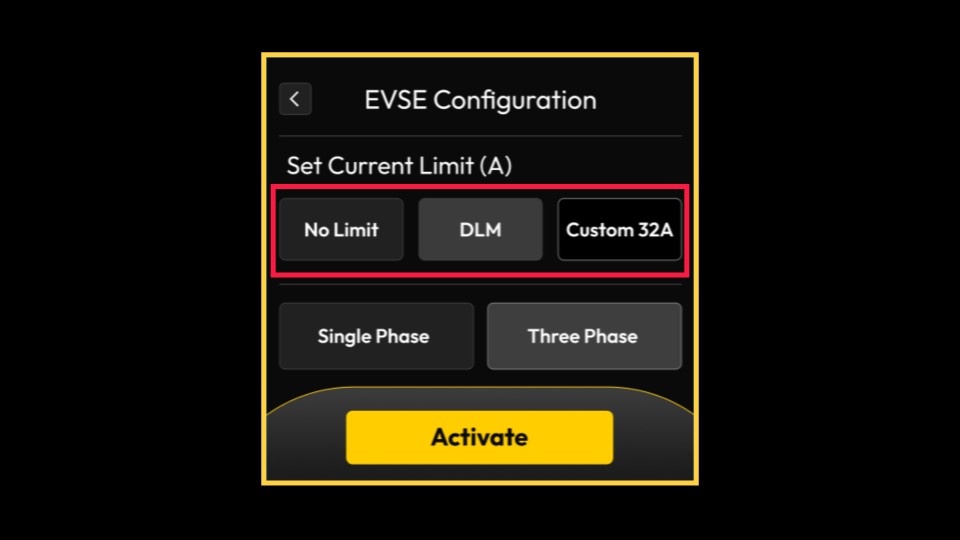
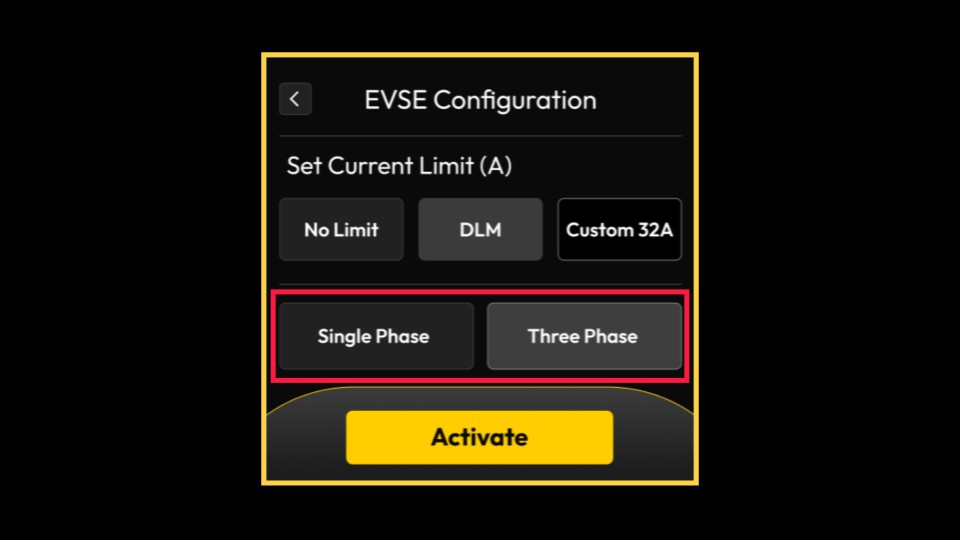
Select Power Phase
Image Attached- Single Phase
- Three Phase (default setting)
Tap 'Activate' when you are prepared to finalize the charging station activation process.
Ready to Charge
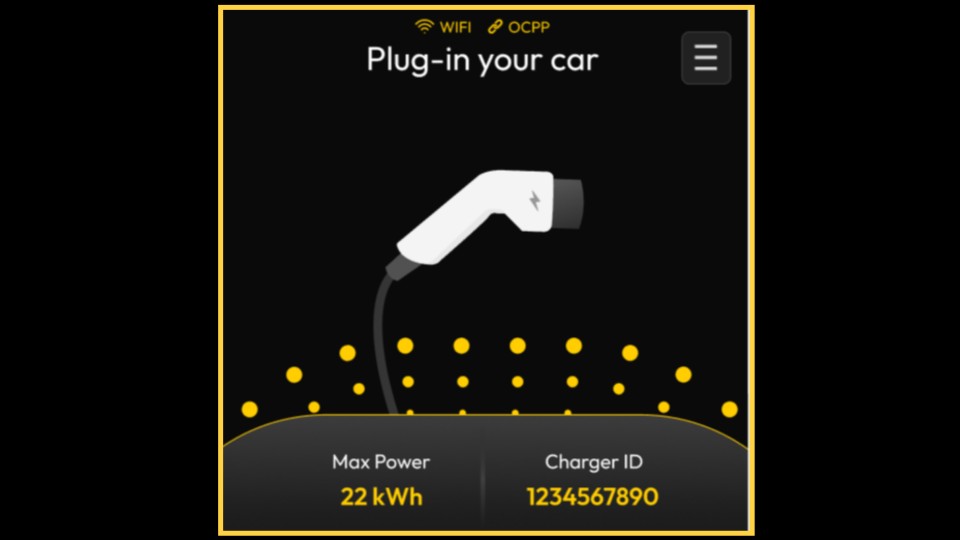
Image AttachedThe activation process is now complete.
The device will restart the system. Once this is finished, the unit will be operational and ready for charging sessions.
Thank you!
Did you find this article helpful?