
How to Create a Retail Operator in Nayax Core | Administration
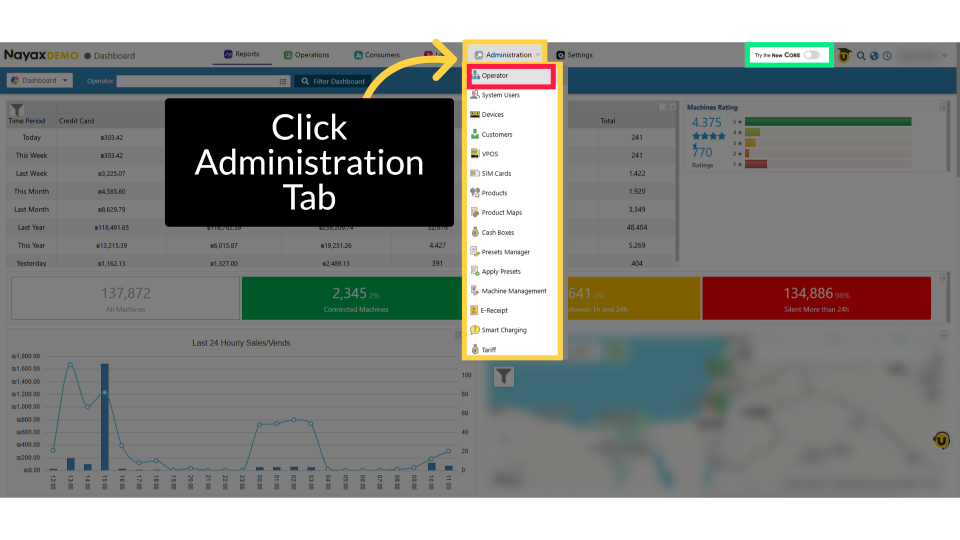
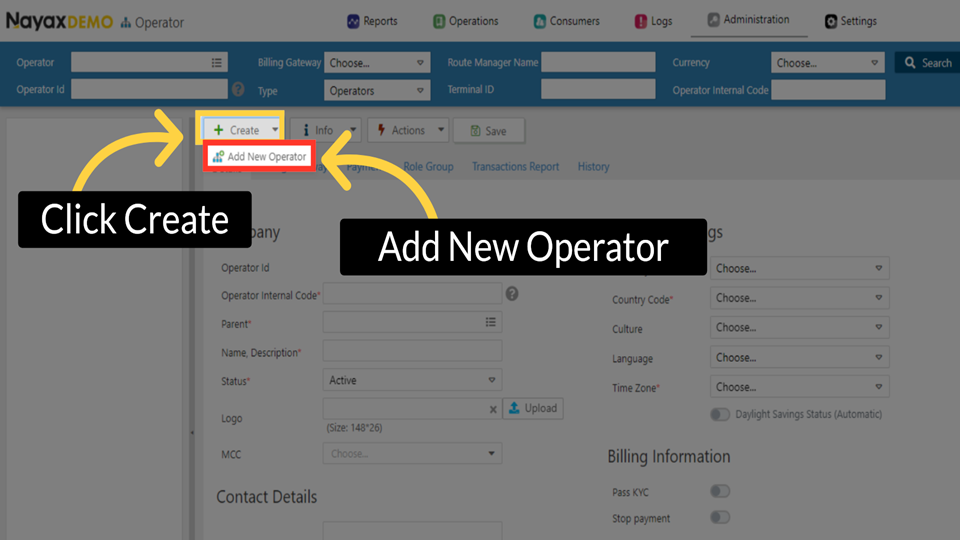
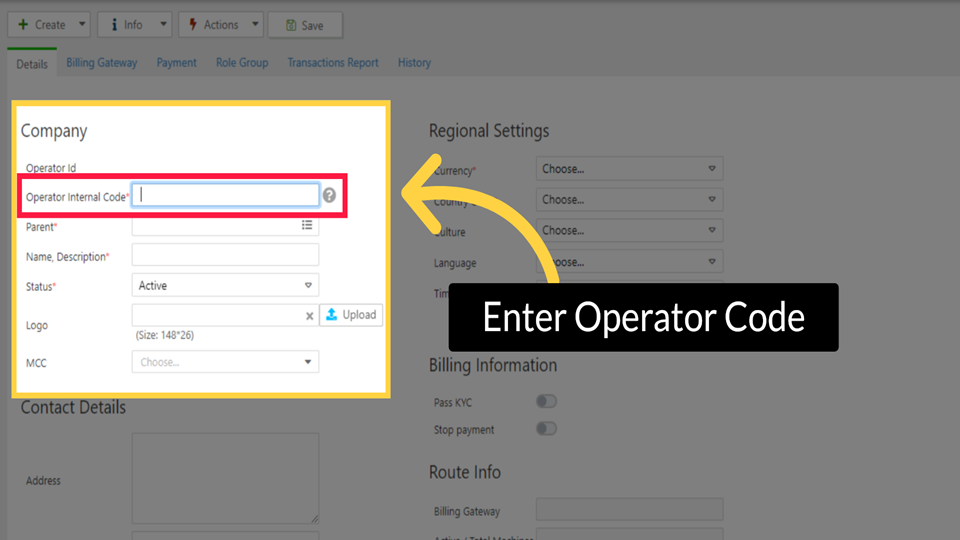
Creating a new operator in Nayax Core is essential for collaboration with Retail Core. This guide will help you set up an operator to work efficiently with Retail Core, ensuring smooth business management.
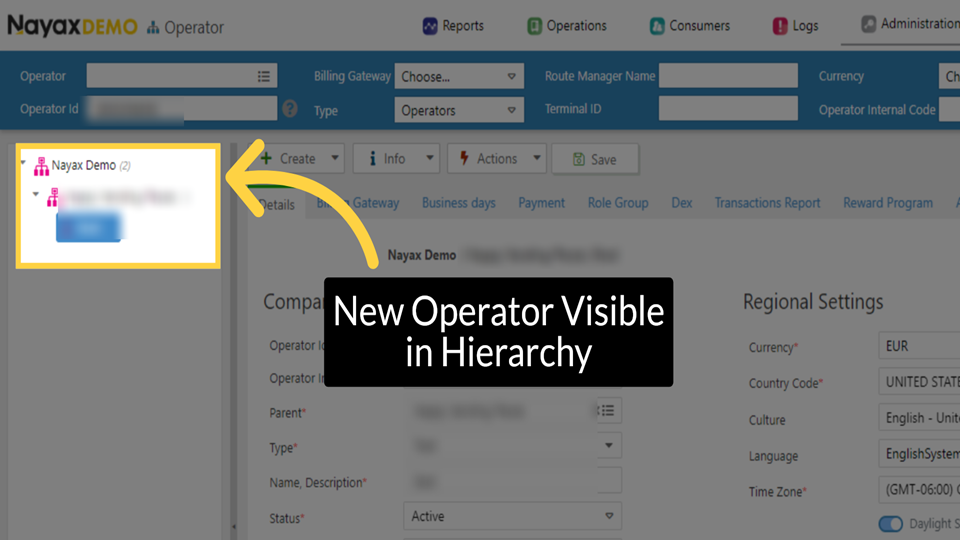
Hierarchy in Nayax Core
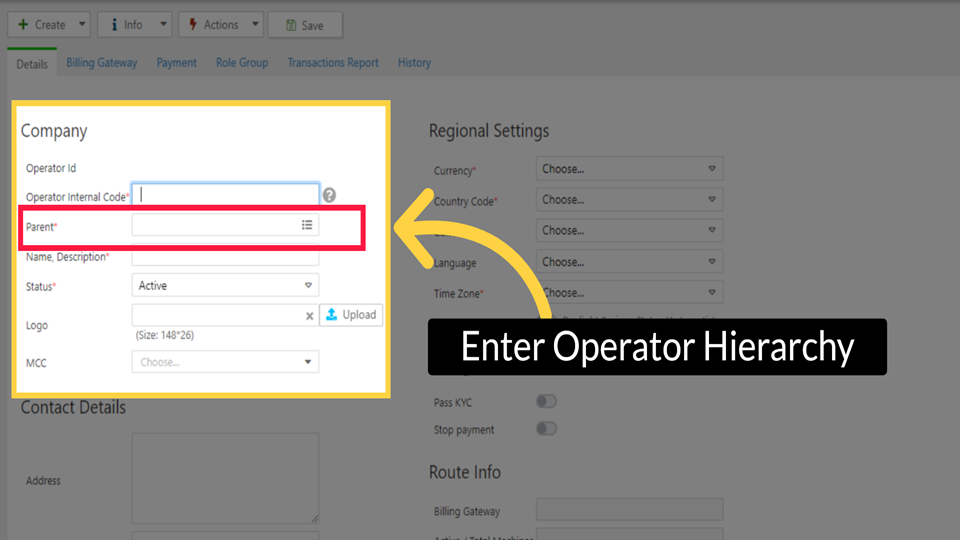
The Nayax hierarchy is a tree-like structure using three primary hierarchy levels:
- Distributors – At the top of the hierarchy level, representing the local Nayax Branch/Partner.
- Operator (Actor) – Created by the distributor, subsequent level in the hierarchy tree. All hierarchical levels are called Actors.
- Sub-Operator (Sub-actor) – Created by the operator. It can be an area, route, location and so on.
Note: The machines are located at the bottom of every sub-operator.
Did you find this article helpful?