
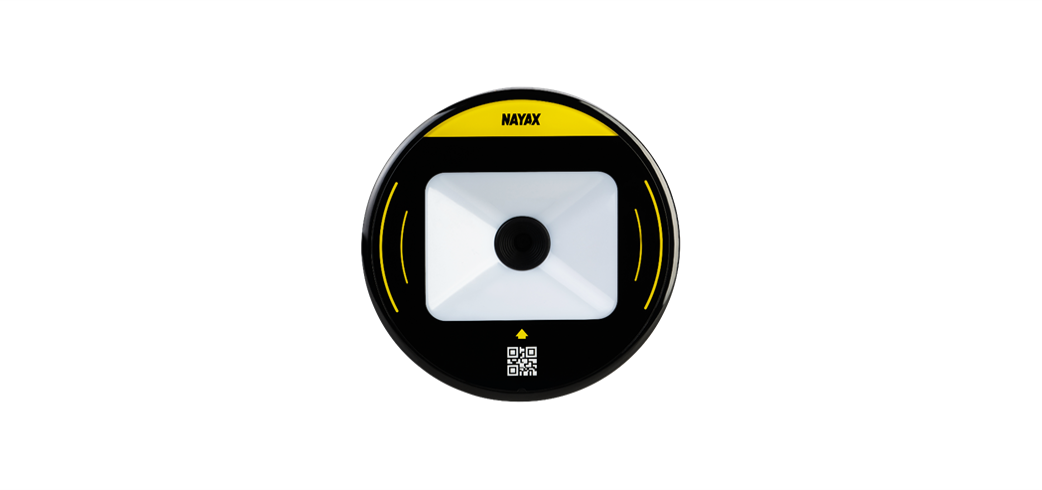
DOT QR Reader | Overview
The DOT QR Reader accepts QR code and barcode payments from paper vouchers and mobile phones. Works with Nayax Onyx and VPOS Touch to power loyalty offers and consumer tracking in Nayax Core.
General
DOT QR Reader
Accept QR code and barcode payments from paper vouchers and mobile phones on your Nayax device. Run multi-channel loyalty offers and track every scan in Nayax Core.
Overview
The DOT QR Reader lets consumers pay by scanning QR codes and barcodes from paper vouchers or mobile phones. Use it to run personalised, multi-channel loyalty offers and track every scan directly in Nayax Core.
The reader connects to your existing Nayax device; no additional back-office system is required.
How It Works
Your consumer purchases a product and receives a coupon with a unique QR code, either printed on paper or delivered digitally to their mobile phone.
The consumer presents the QR code or barcode to the DOT QR Reader. The scan is processed as a standard payment transaction, the same way a card tap or swipe is handled.
Every coupon carries a unique QR code, so each scan is individually recorded. Export transaction data from Nayax Core to analyze consumer behavior, redemption rate, usage by customer, and more — in your own platform.
Next Steps
Ready to get started? Follow these guides in order to install, configure, and activate your DOT QR Reader.
Additional Information
FAQ
FAQ
Did you find this article helpful?