
Pin Code Transactions | VPOS Media 4
This tutorial guides you through managing transactions with the PIN code that may be required for purchases over a certain amount on VPOS Media 4.
Video Guide
00:00: This tutorial guides you through managing transactions with the PIN code
00:04: that may be required for purchases over a certain amount on VPOS
00:08: Media 4.
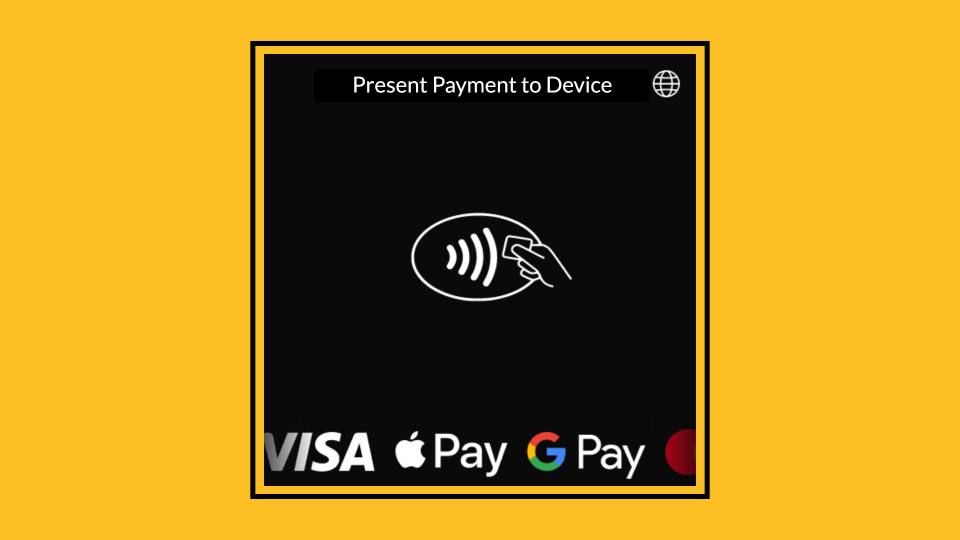
00:09: Present your payment method to the device.
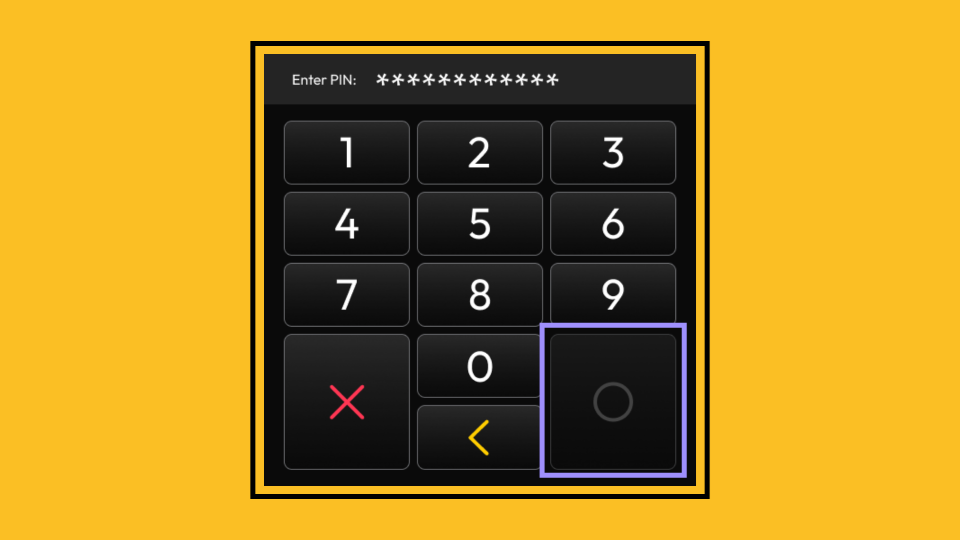
00:12: Type in your PIN code and tap the green circle to proceed.
00:15: If you need to amend the PIN, you can press the yellow button to backspace,
00:19: delete, or the red cross to clear and start again.
00:23: Once the PIN has been entered, the device
00:25: will immediately begin the authorization process for the transaction.
00:30: Once the transaction is approved, the screen will display the Nayax
00:33: 'Thank you' message.
Present Payment to Device
Image AttachedPresent your payment method to the device.
Type Pin Code
Image AttachedType in your PIN code and tap the green circle to proceed. If you need to amend the PIN, you can press the yellow button to backspace delete or the red cross to clear and start again.

Wrong Pin Code
Image AttachedIf you enter your PIN code incorrectly, an error message will prompt you to try again. After three attempts, your card may be blocked.

Disabled Actions
Image AttachedAfter three unsuccessful attempts, the Enter button will be disabled, preventing any further attempts. Your card may be blocked.
Transaction Processing
Image AttachedOnce the PIN has been entered, the device will immediately begin the authorization process for the transaction.
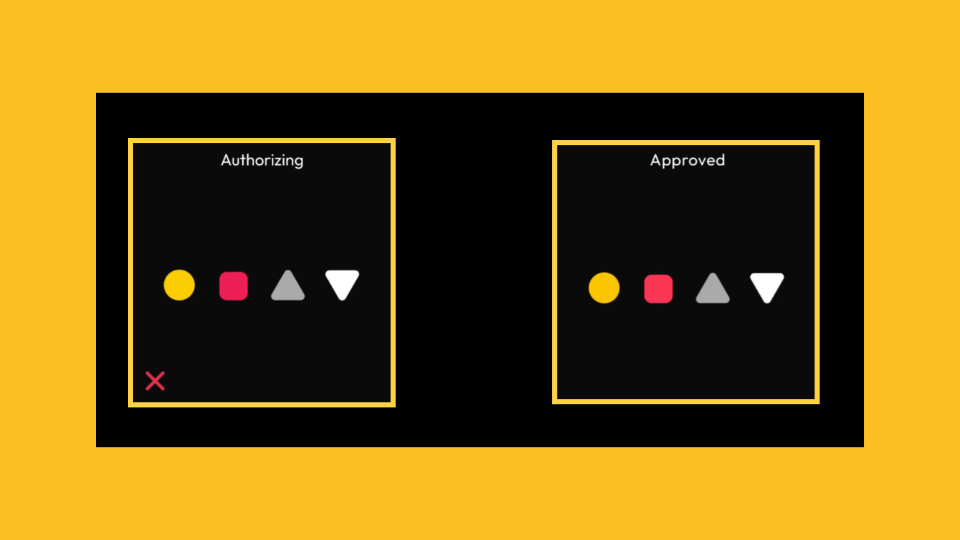
Transaction Successful
Image AttachedOnce the transaction is approved, the screen will display the Nayax 'Thank you' message.

Thank you!
Did you find this article helpful?