00:01: In this guide, you’ll learn how to select a location and view all associated chargers along with active sessions, charging status, real-time current allocation, and power limits.
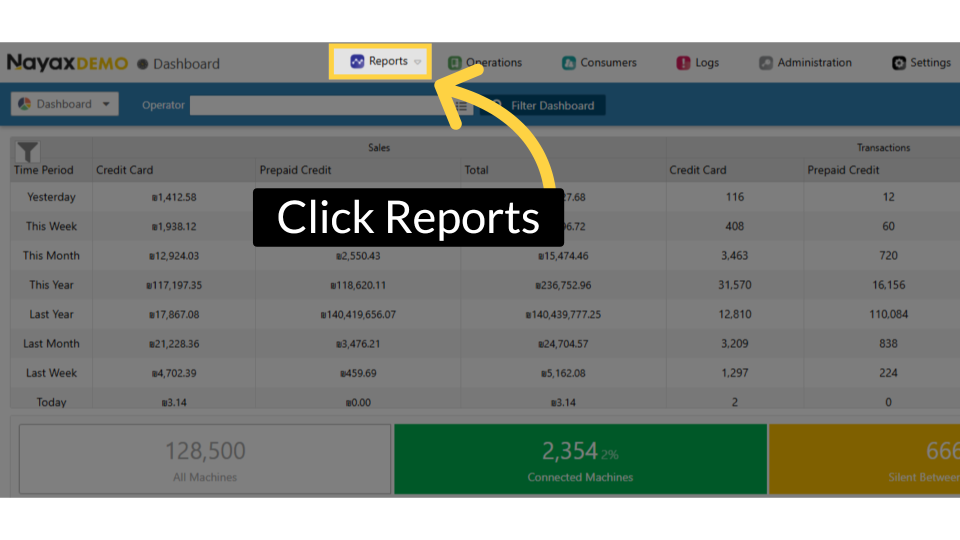
00:12: On the Dashboard of your Nayax Core platform, click on the Reports tab.
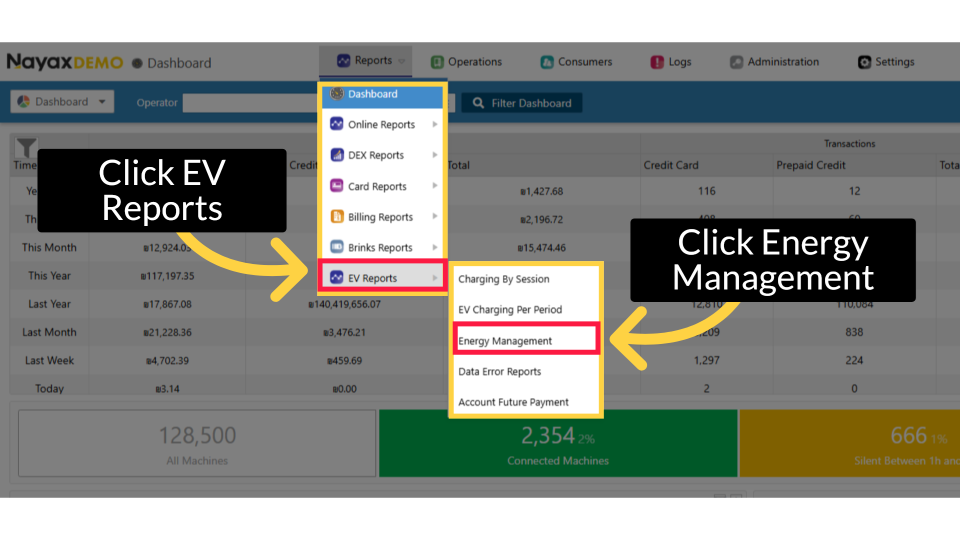
00:18: Click "EV Reports" and then select 'Energy Management' from the sub-menu, as highlighted.
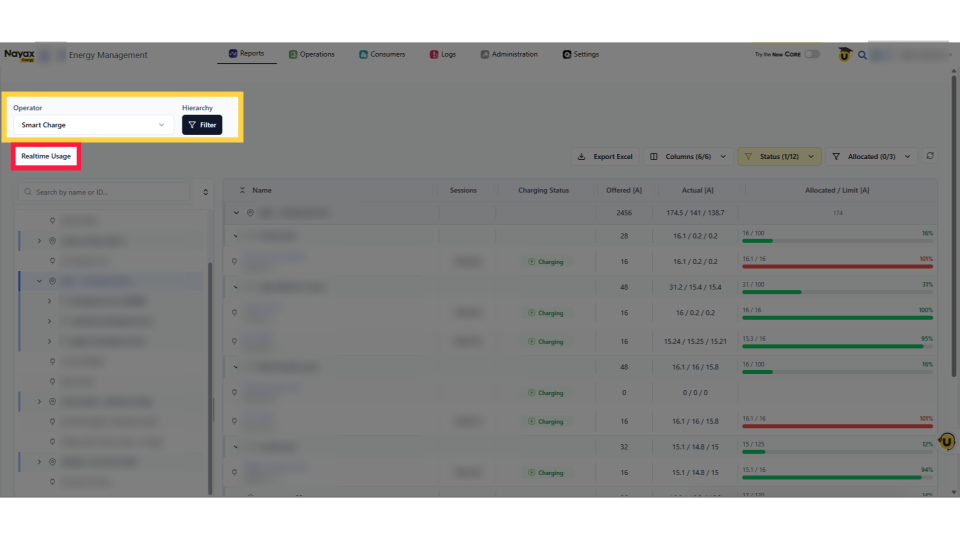
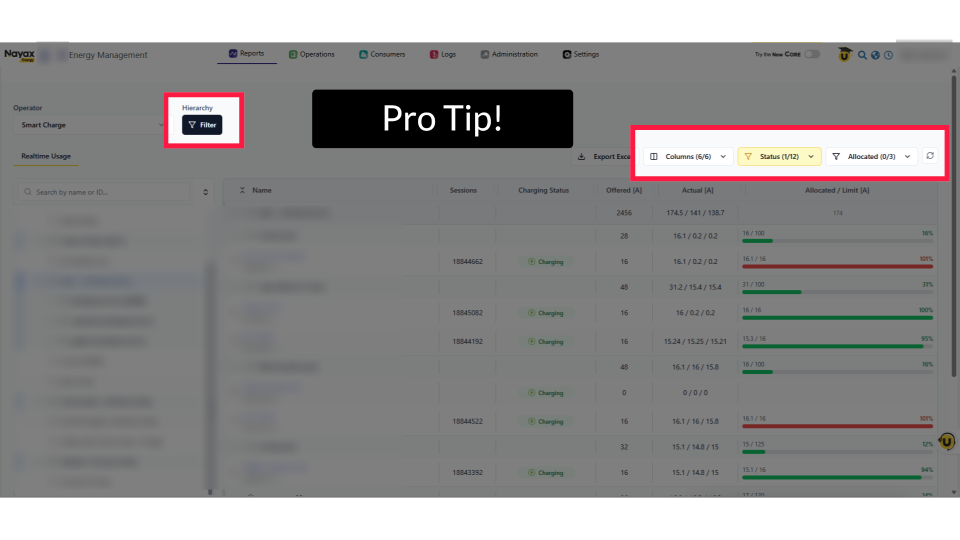
00:25: Select the Operator to view the real-time location usage for a charging station.
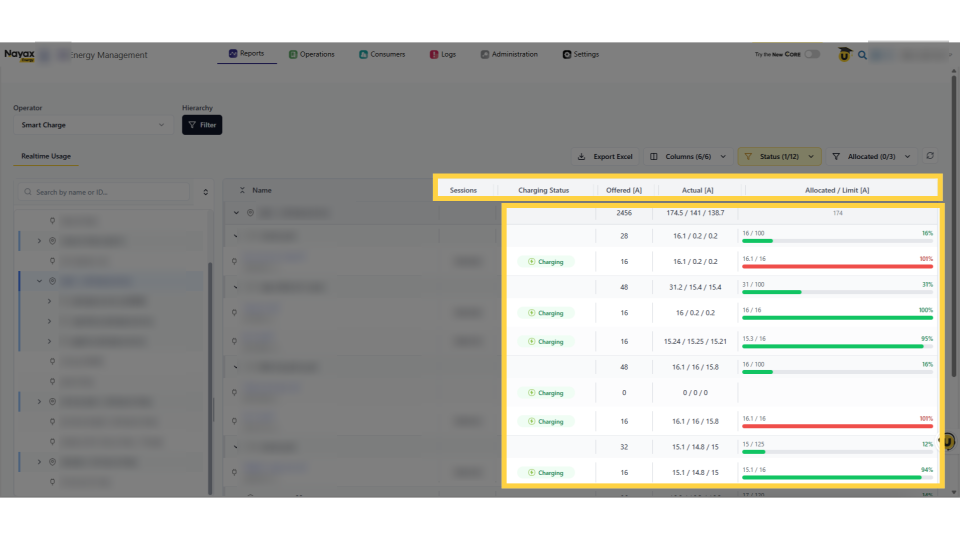
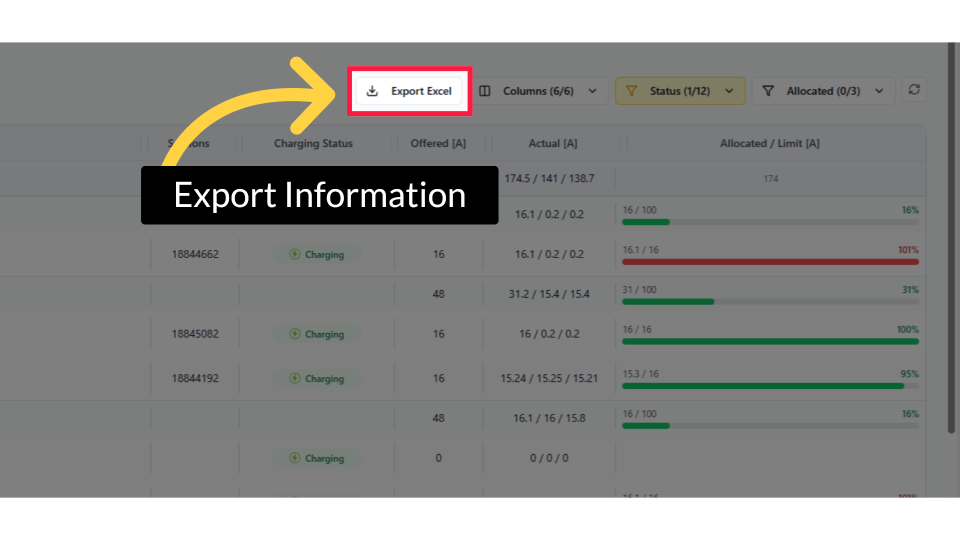
00:31: The table provides an overview of all associated chargers, including active sessions, charging status, real-time current allocation, and power limits.