
How to Top Up a Prepaid Card | Nova 55F
1
Video Guide
2
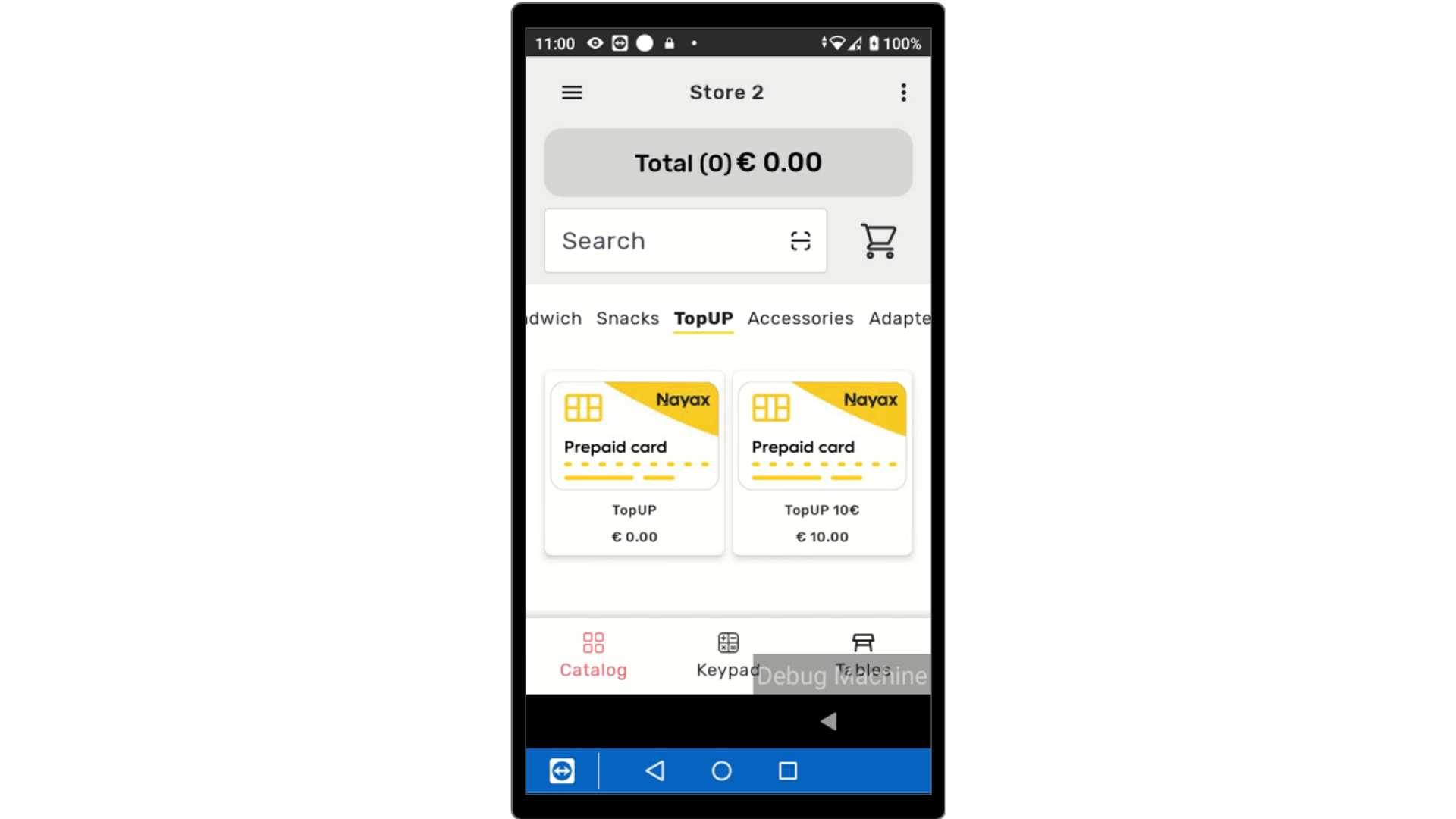
Add Top Up
Image AttachedFrom your device, tap on the top up item from the options €5, €10 or a calculator option to load a value of choice.
If you have yet to create top up items, click on the following link to create options to reload a prepaid card.
3
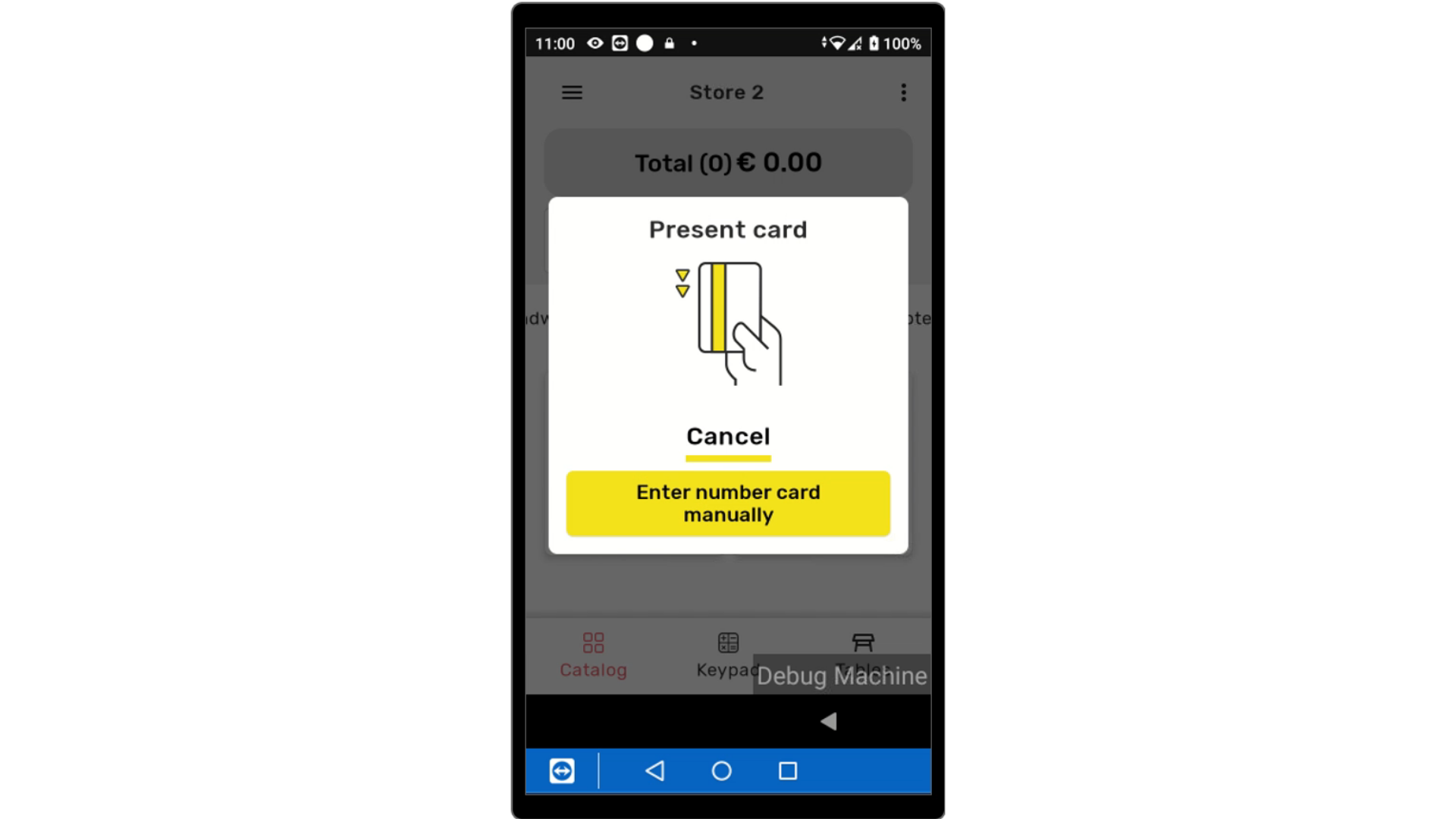
Present Prepaid Card
Image AttachedPresent the Prepaid card to the device.
4
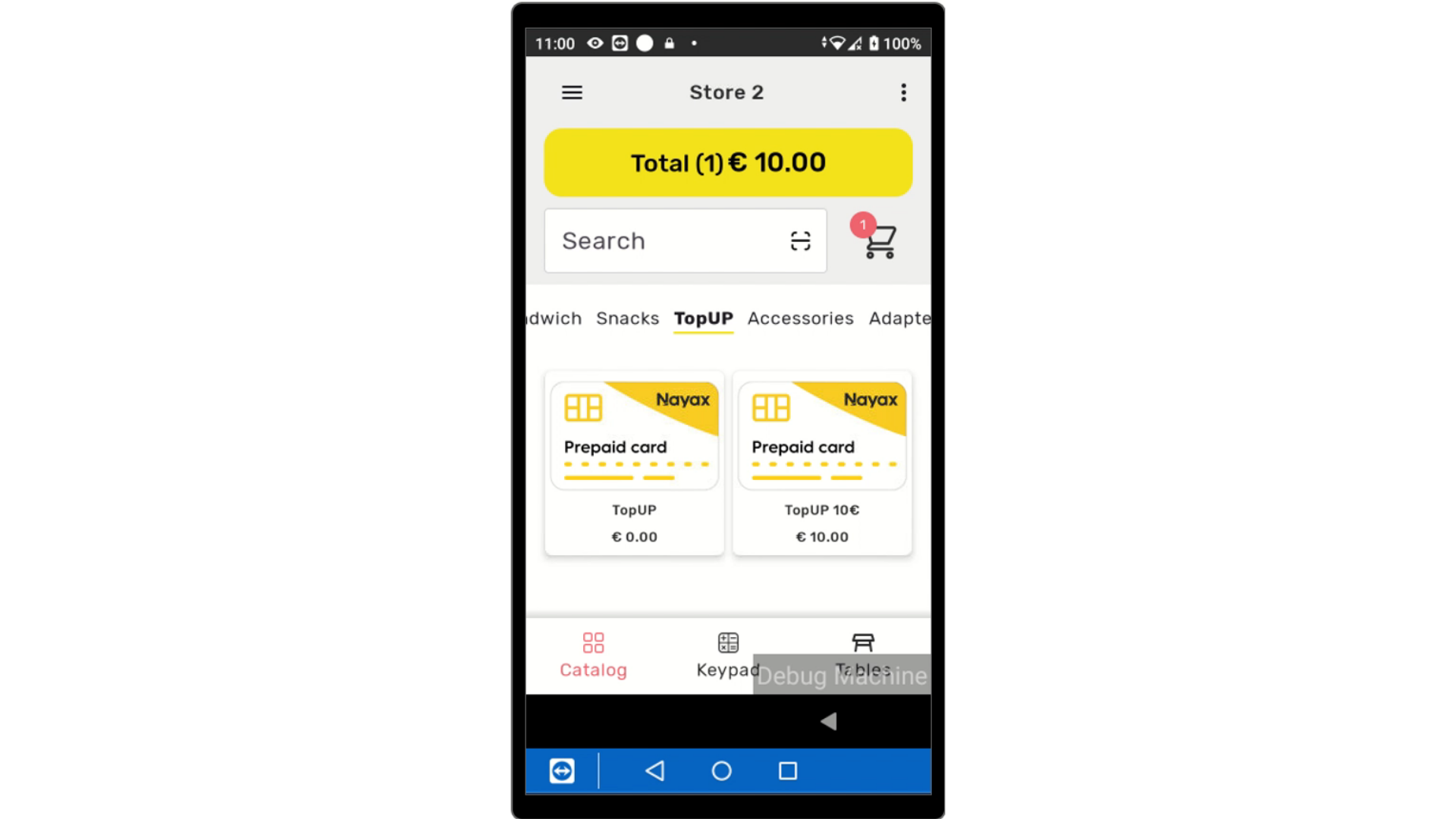
Tap to Checkout
Image AttachedTap on the total to check out.
5
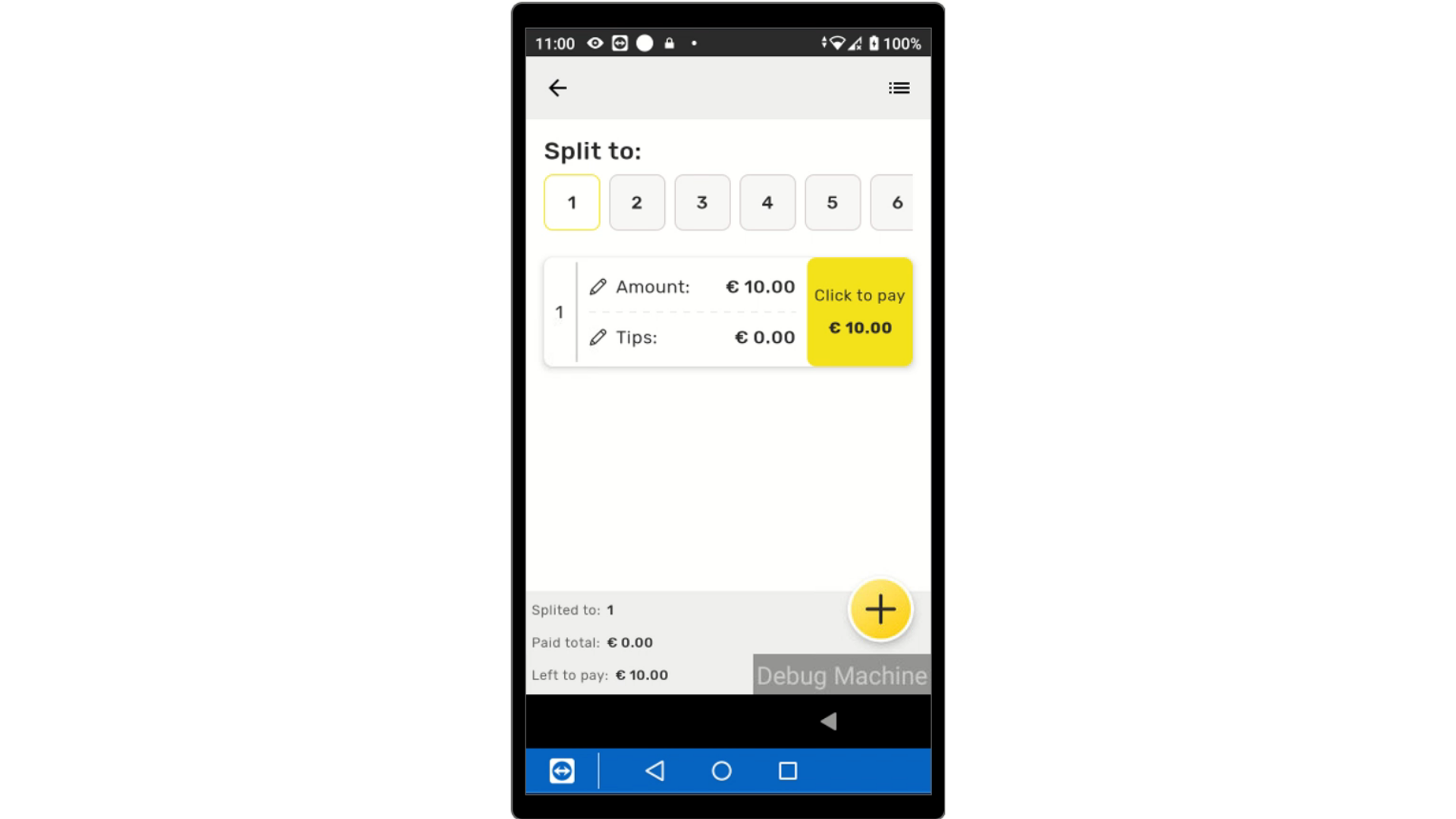
Tap to Proceed
Image AttachedThe top up charge will appear in the cart. Tap to proceed.
6
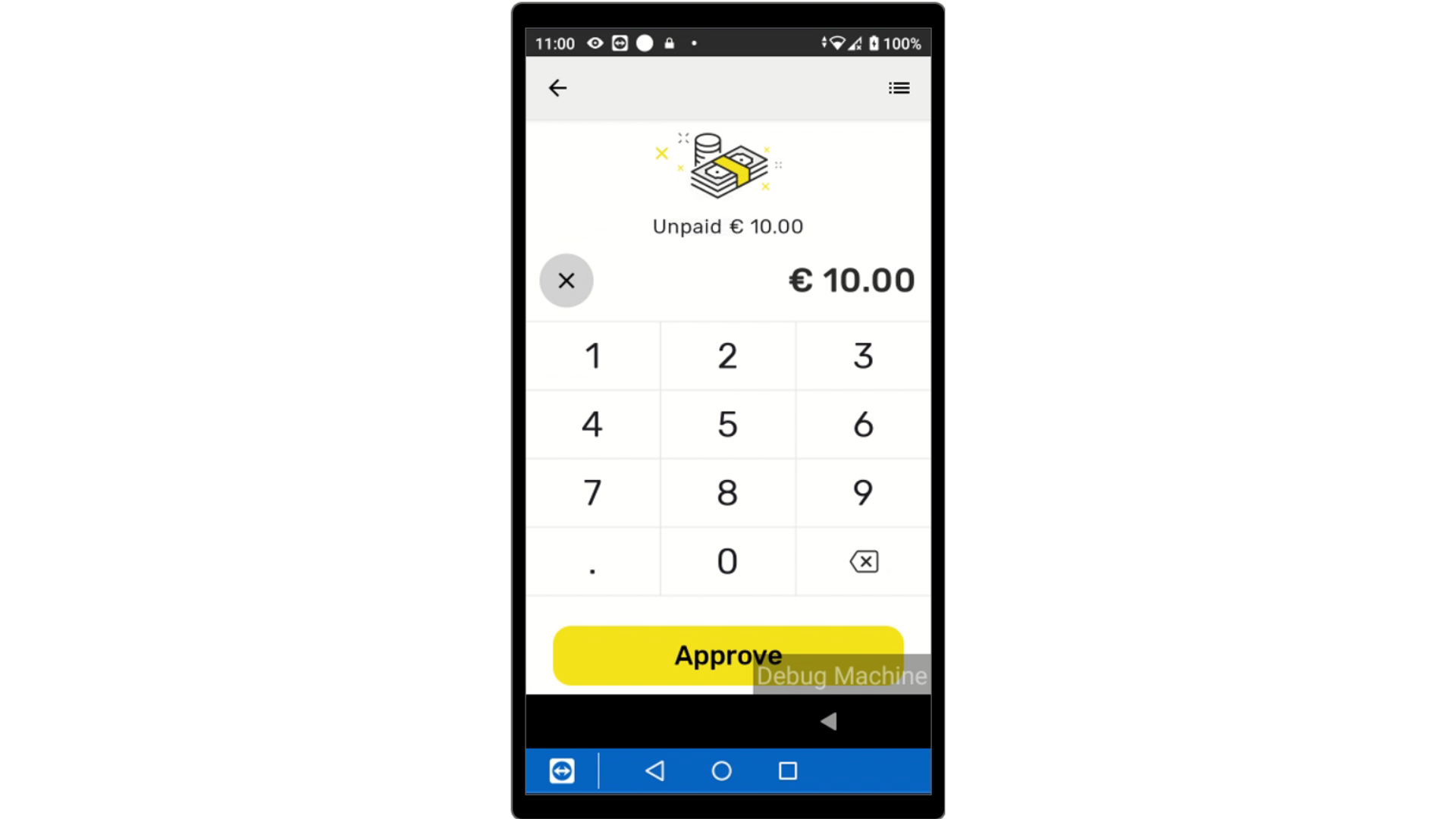
Confirm Purchase
Image AttachedTap to confirm purchase.
7
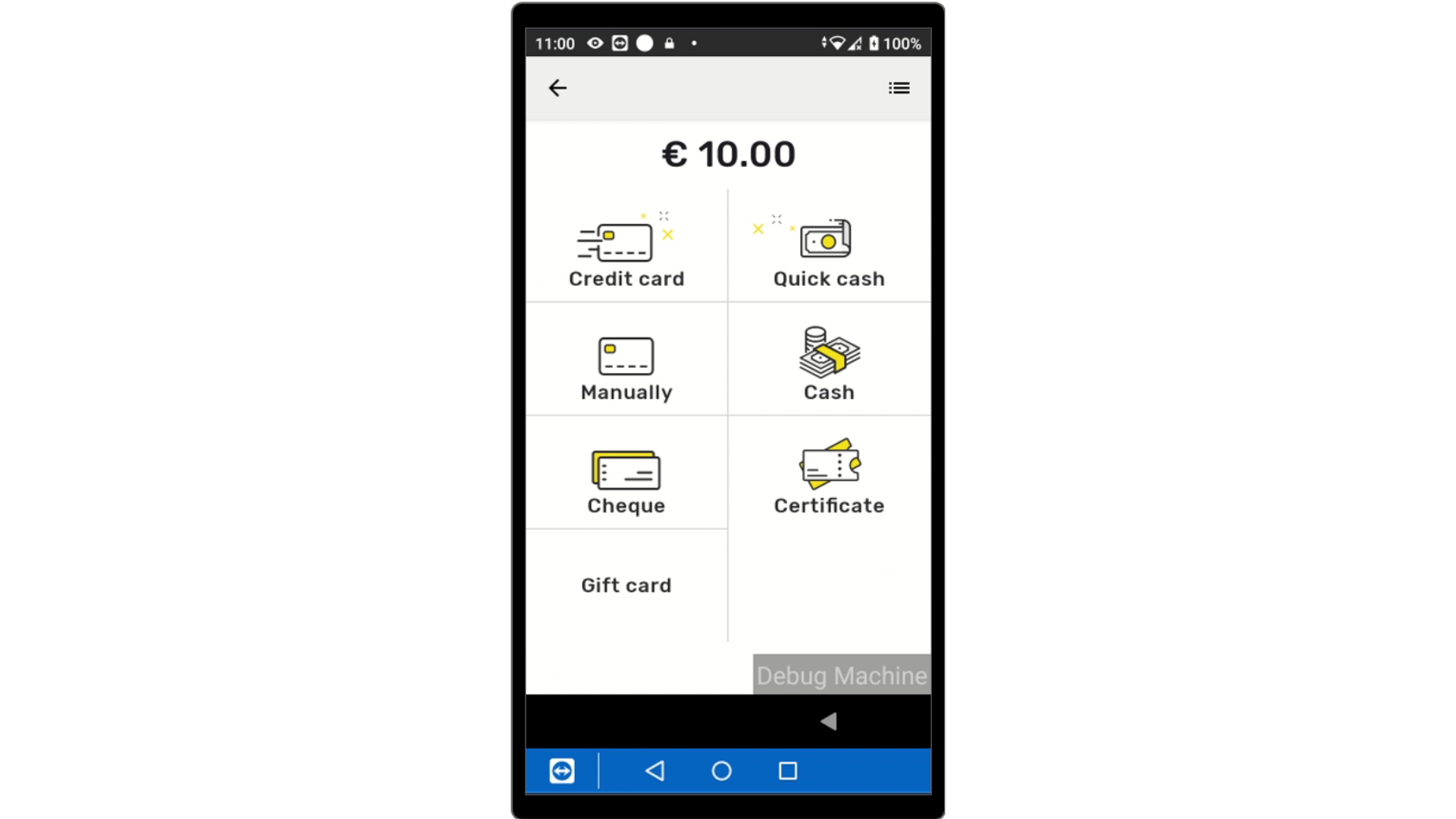
Select Payment Method
Image AttachedSelect the payment type from the options listed below.
8
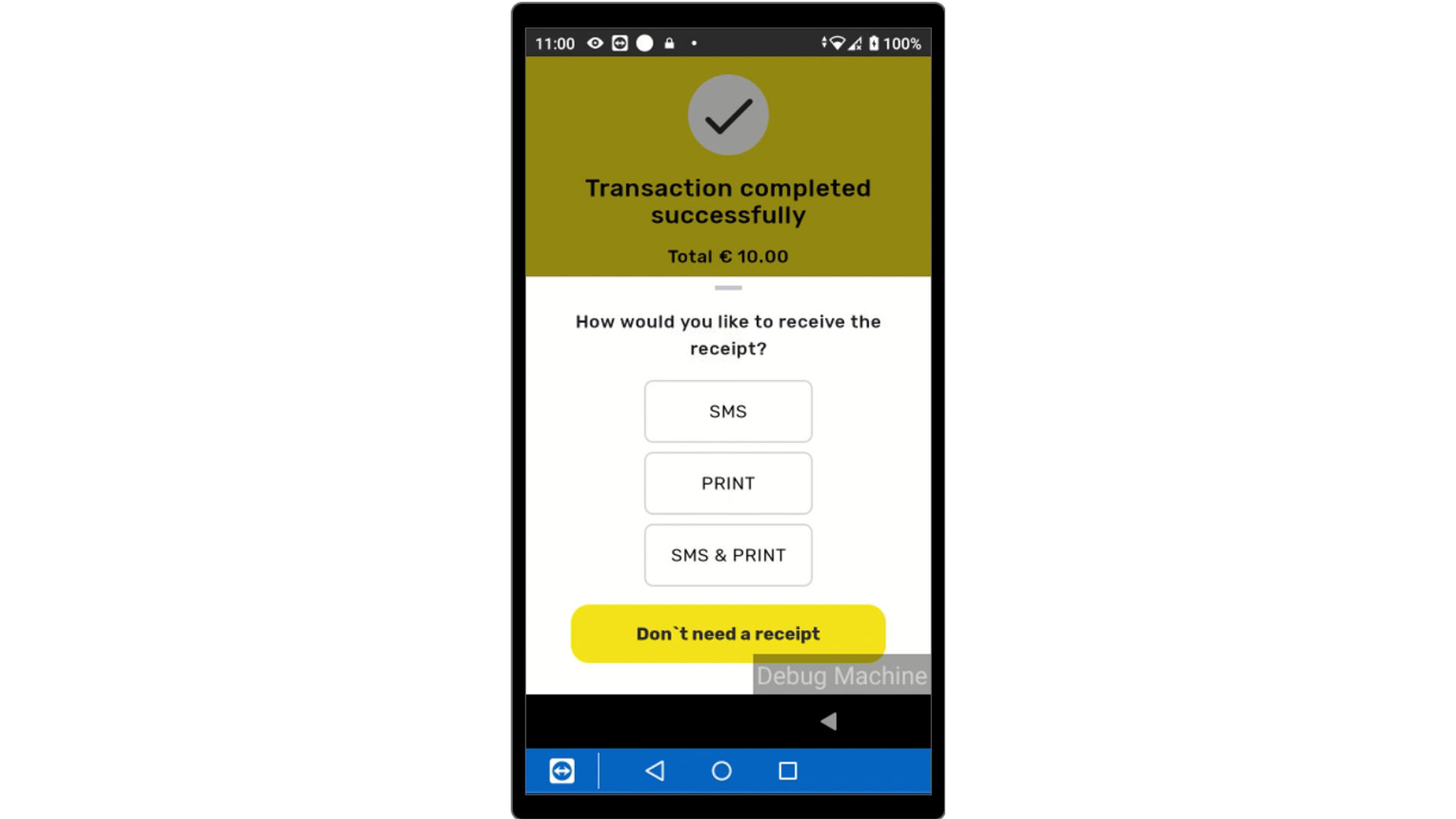
Transaction Successful
Image AttachedTransaction Successfully completed.
Thank you!
Did you find this article helpful?