
How to Remotely Start /Stop a Charging Session | Operations
This step-by-step guide will walk you through the process of remotely starting and stopping a charging session.
Video Guide
Click Operators Tab
Image Attached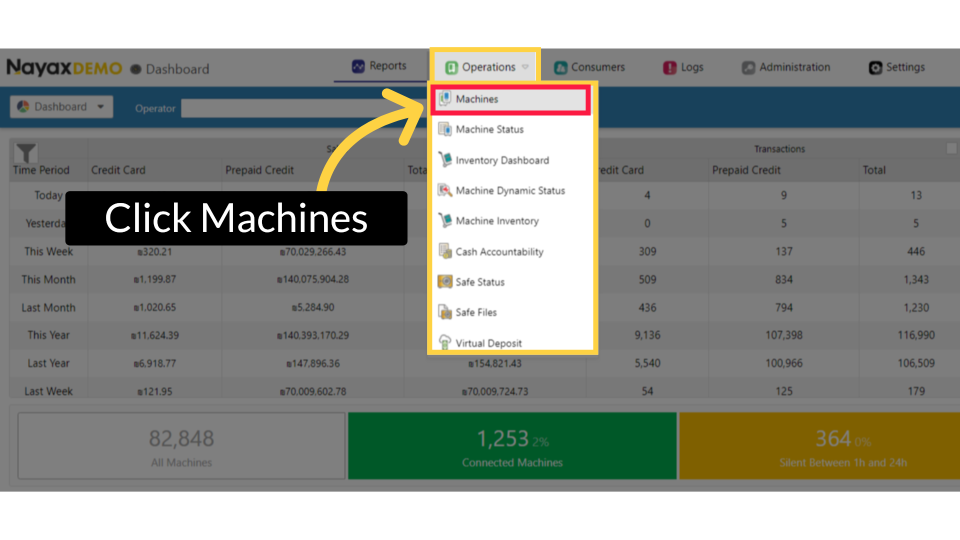
Fill in Operator Details
Image Attached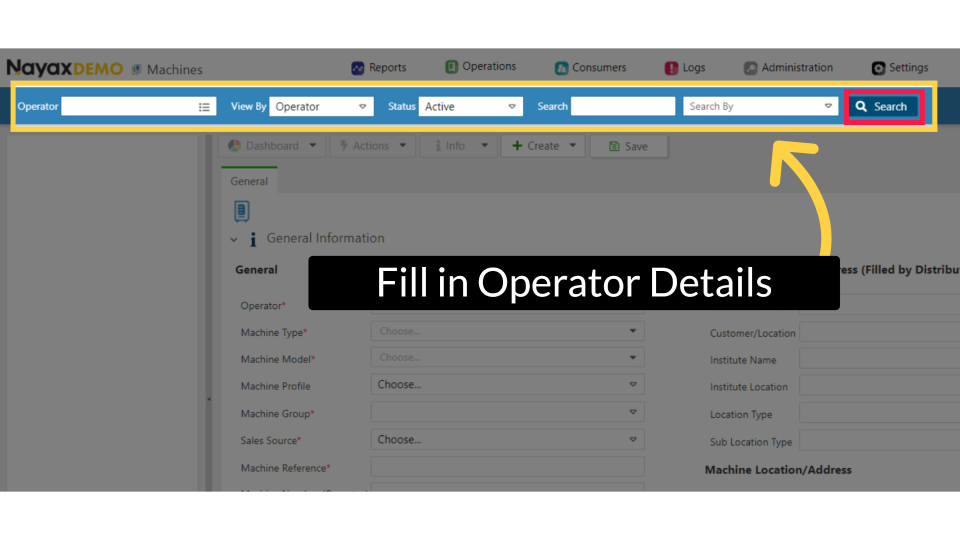
Locate Charging Point in Hierarchy
Image Attached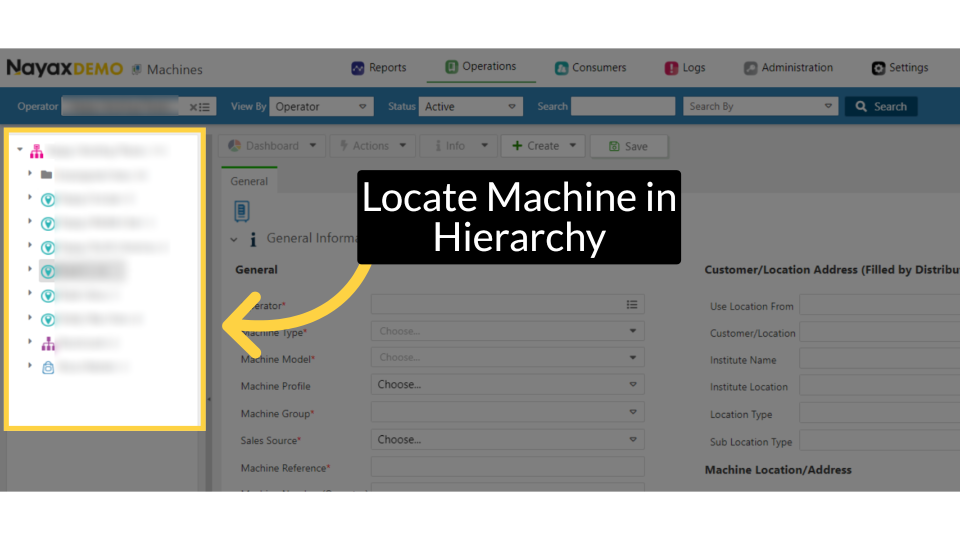
Click Attributes Tab
Image Attached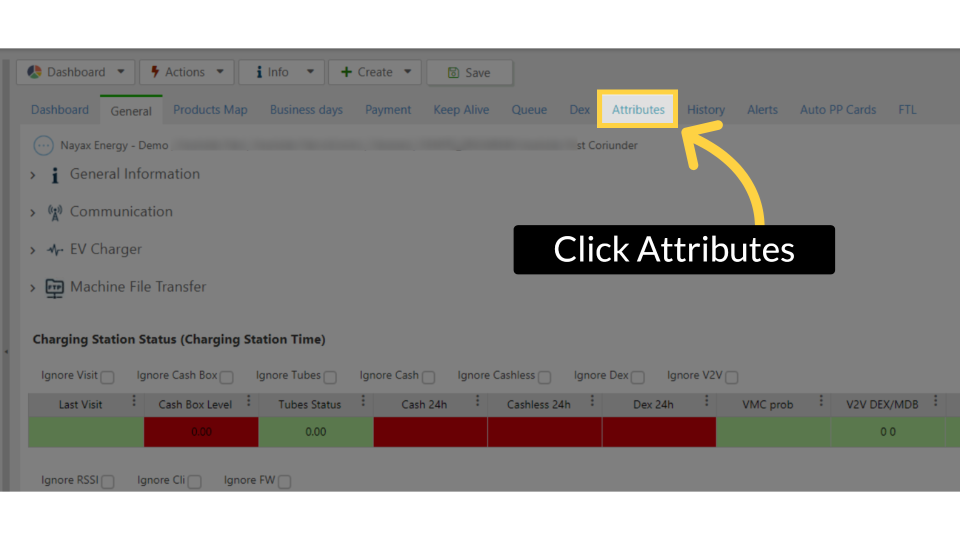
Click on EV Charger
Image Attached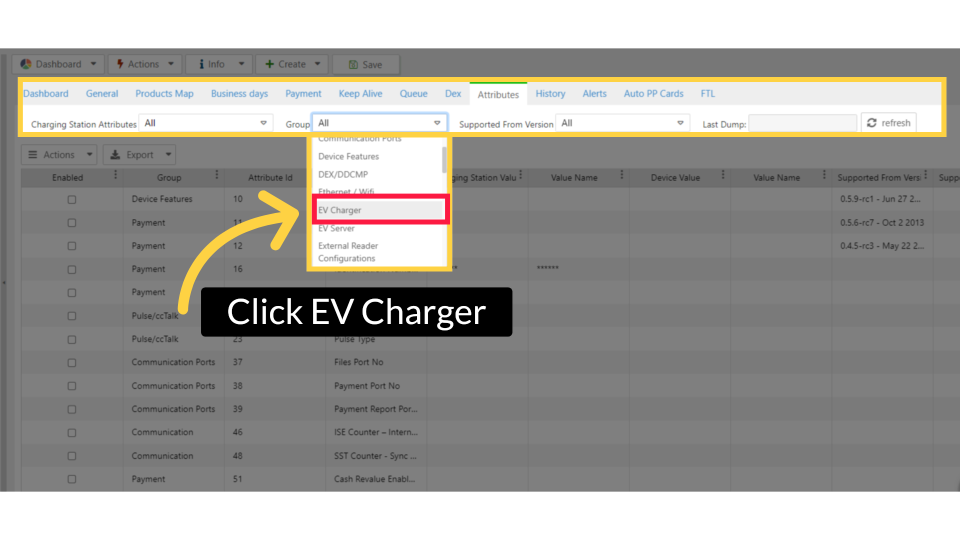
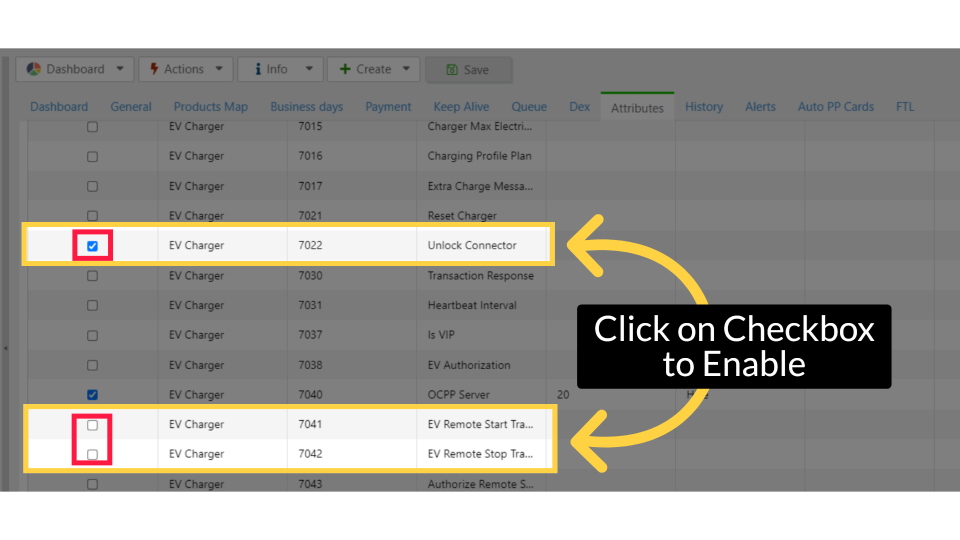
Check Attributes
Image Attached- Unlock Connector with attribute ID 7022
- EV Remote Start Transaction with attribute ID 7041
- EV Remote Stop Transaction with attribute ID 7042
|
Attribute ID |
Attribute Name |
|
7041 |
EV Remote Start Transaction
|
|
7042 |
EV Remote Stop Transaction
|
| 7022 |
Unlock Connector |
Click Save
Image Attached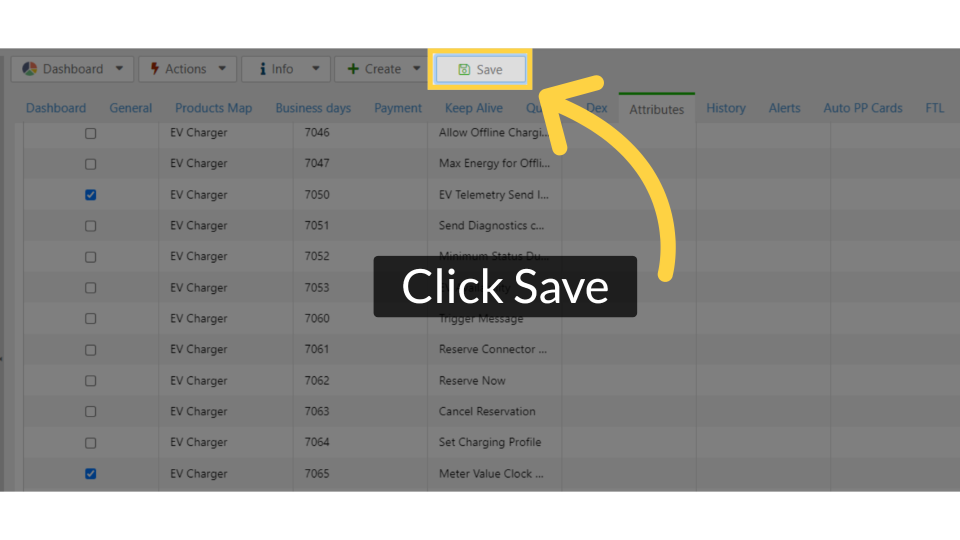
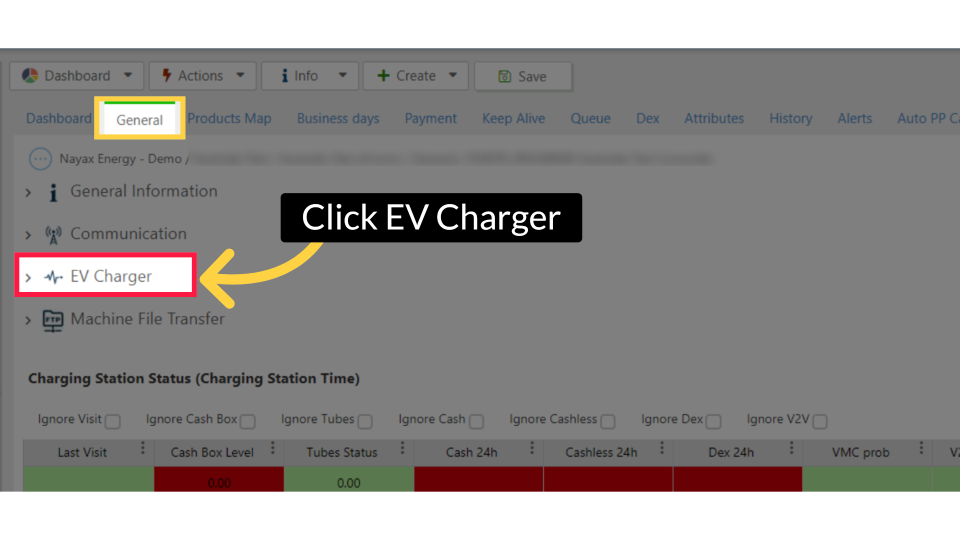
Click EV Charger
Image AttachedClick on the General Tab and then select the EV Chargers option, as highlighted in RED.
Enter RFID & Connector ID
Image Attached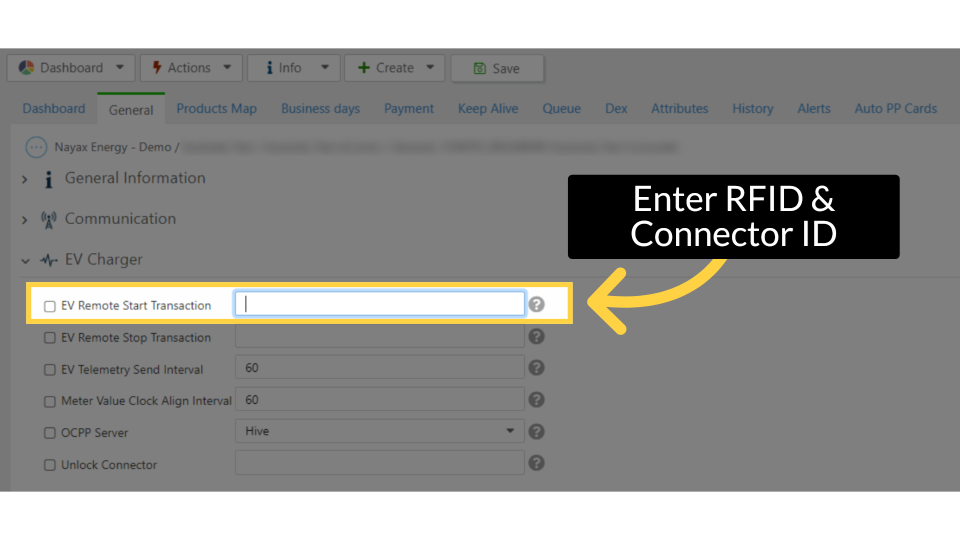
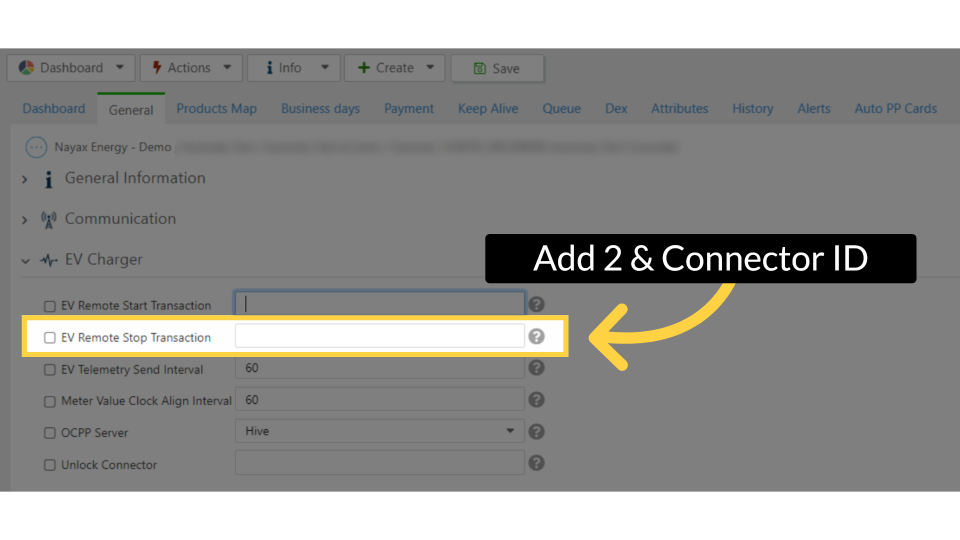
Add 2 and Connector ID
Image AttachedIn the EV Remote Stop Transaction field, enter the digit '2' and then the connector ID, separated by a comma.
For the EV Remote Stop Transaction, input the digit two followed by the connector ID, separated by a comma.
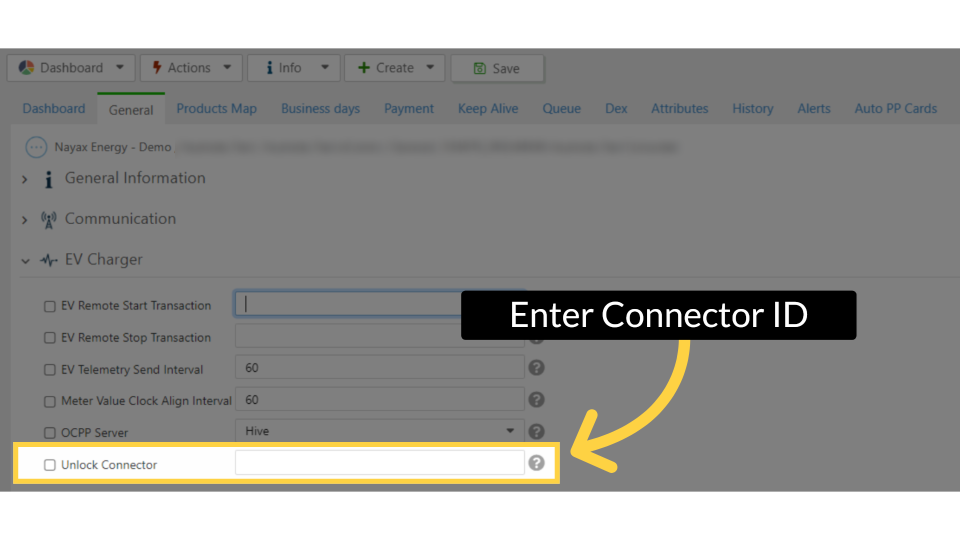
Enter Connector ID
Image AttachedTo unlock a connector, enter the connector ID and then check the box located to the left of the attribute as highlighted in BLUE on the visual in addition to the example of these actions.
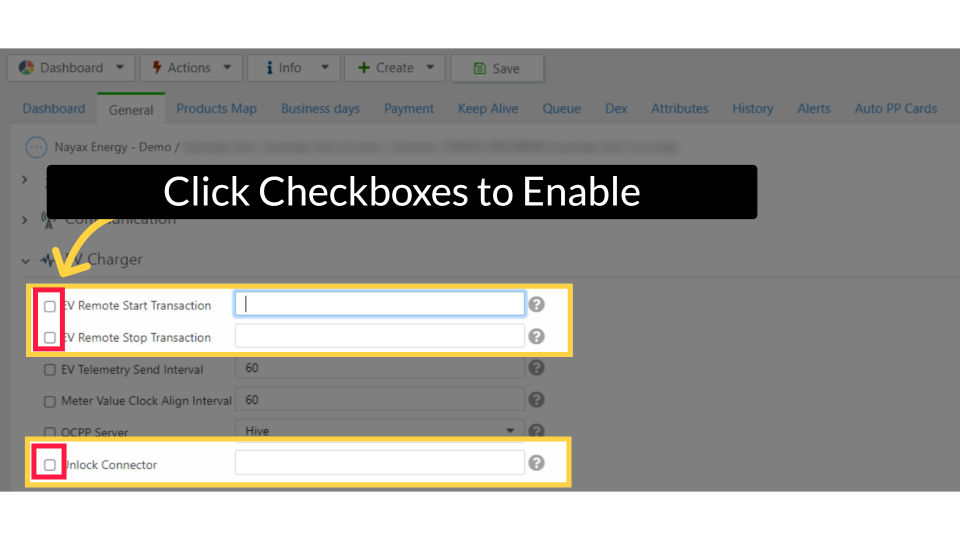
Click on Checkboxes to Enable
Image AttachedClick on the checkboxes once you have set your preferences to enable them, as highlighted in RED.
Click on Save - Click on Actions - Update Queue
Image Attached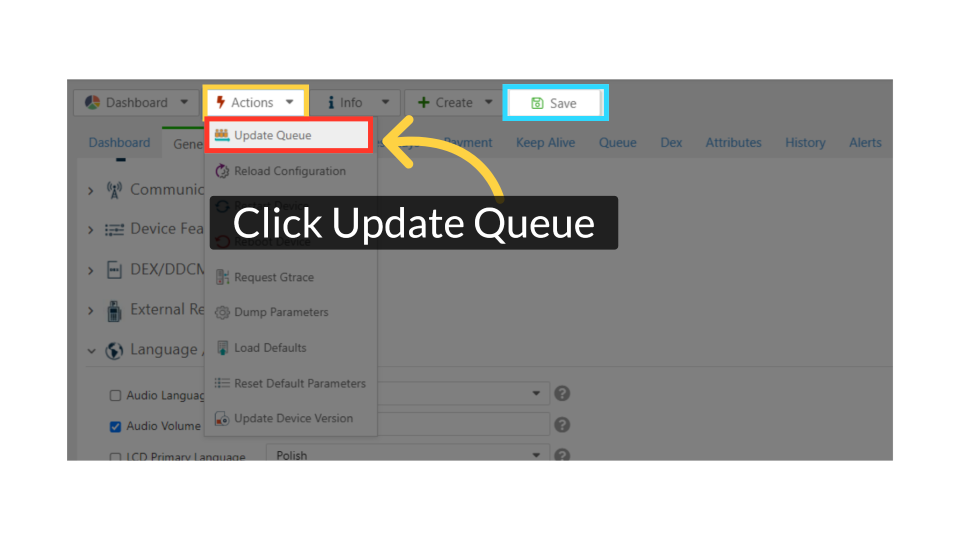
Thank you!
Did you find this article helpful?