
How to Generate a Periodic Report | Nova Market
Video guide
Access Admin Mode
On your device, click 6 times on the Nayax logo at the top corner of the screen.
Enter Password
Enter the password needed to access the admin mode.
If you do not know this password, please contact customer support.
Open Menu
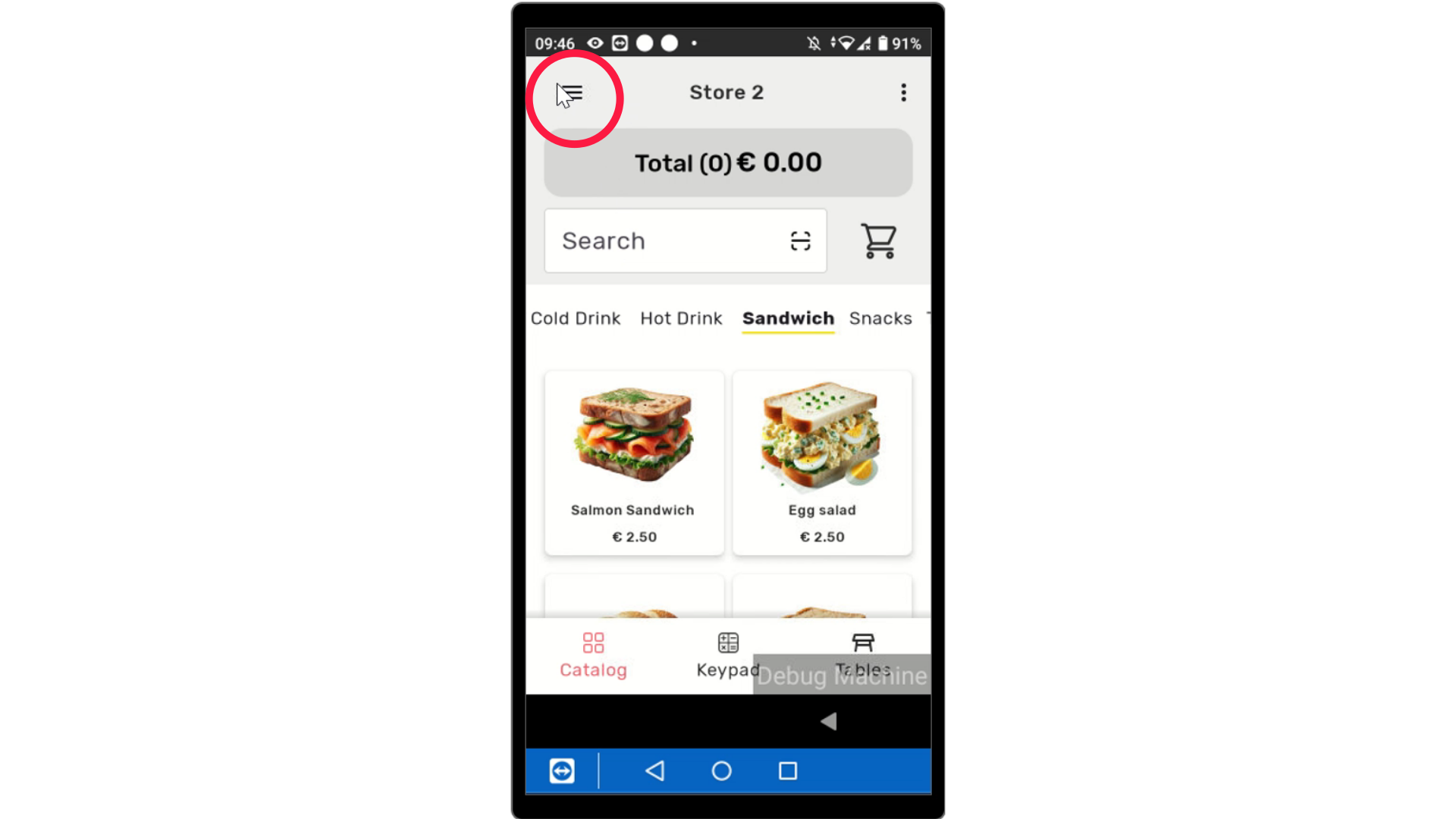
Image AttachedOn your device, click the three lines on the top right of the screen to reveal the menu.
Tap Reports
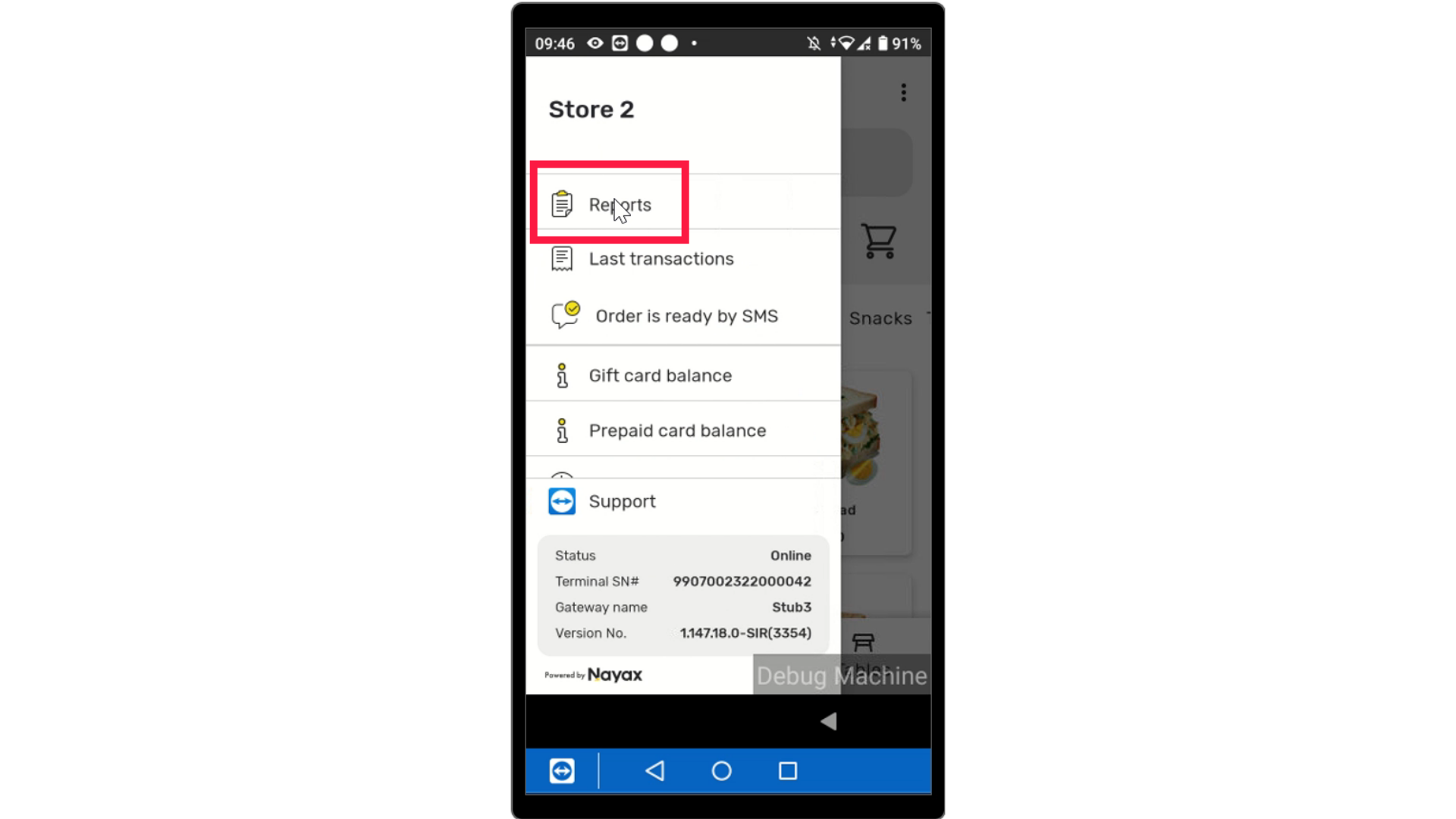
Image AttachedTap on Reports.
Tap Advanced Reports
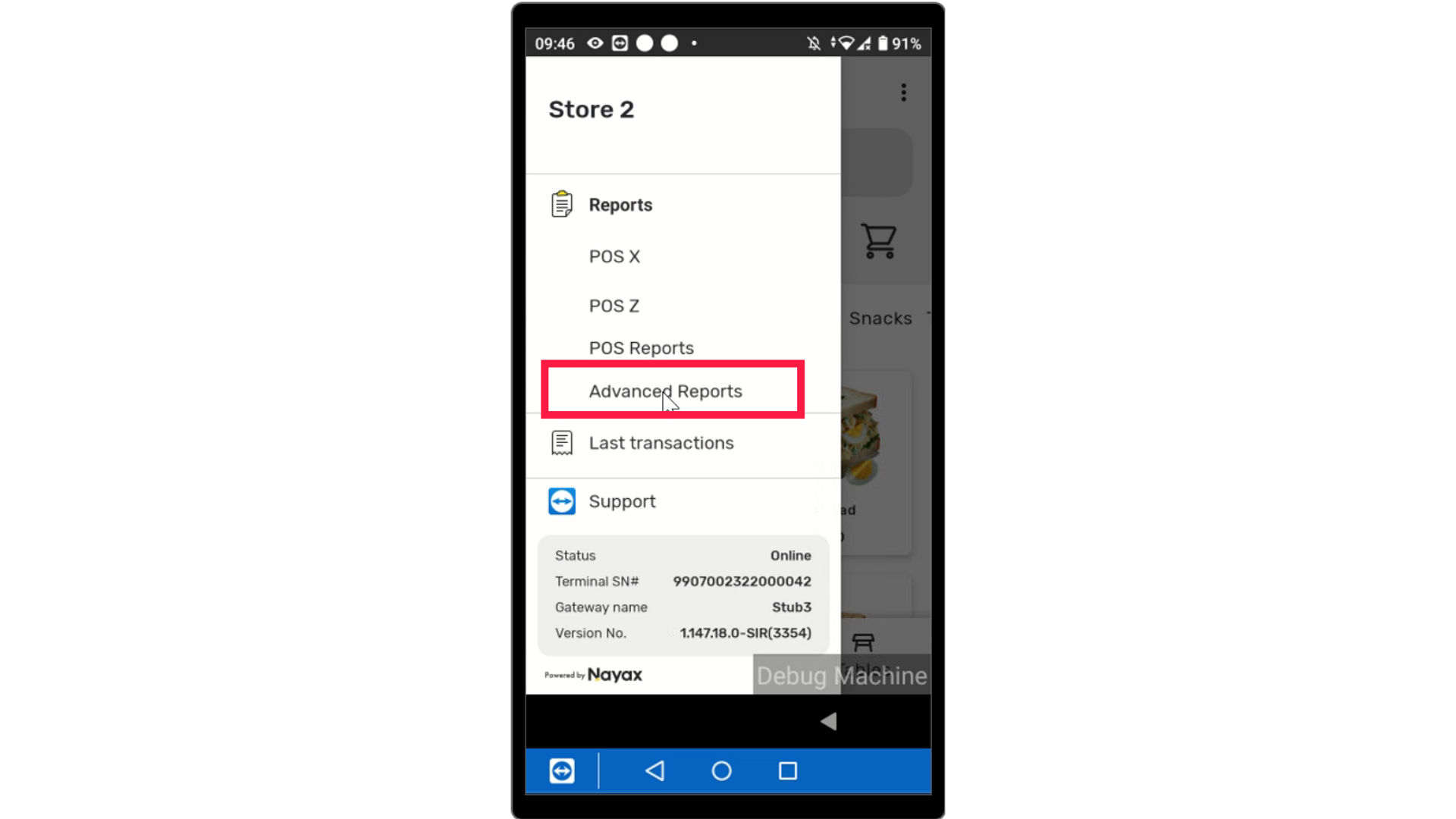
Image AttachedTap Advanced Reports from the report options.
Tap on Periodic Reports
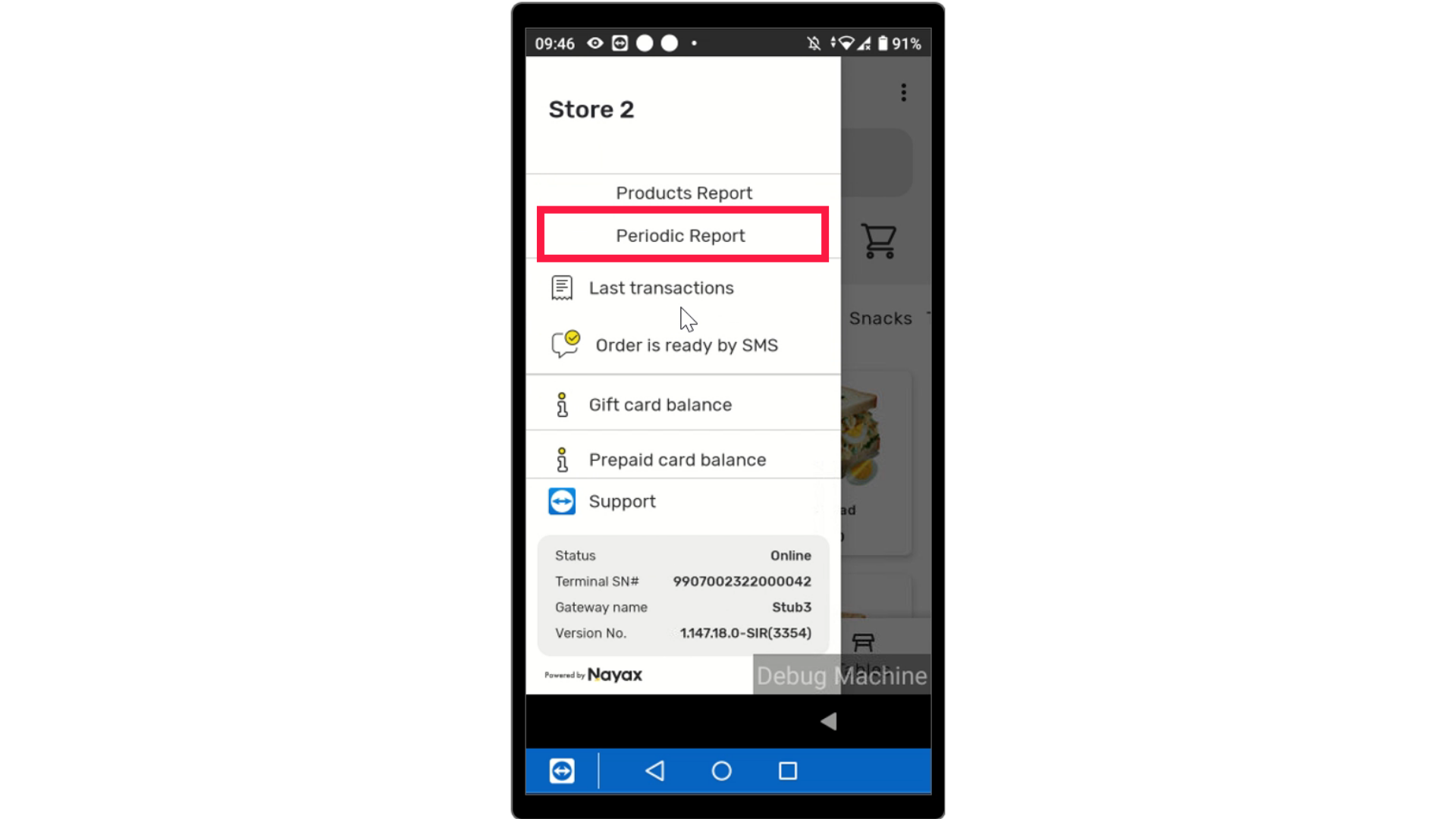
Image AttachedTap on Periodic Reports from options.
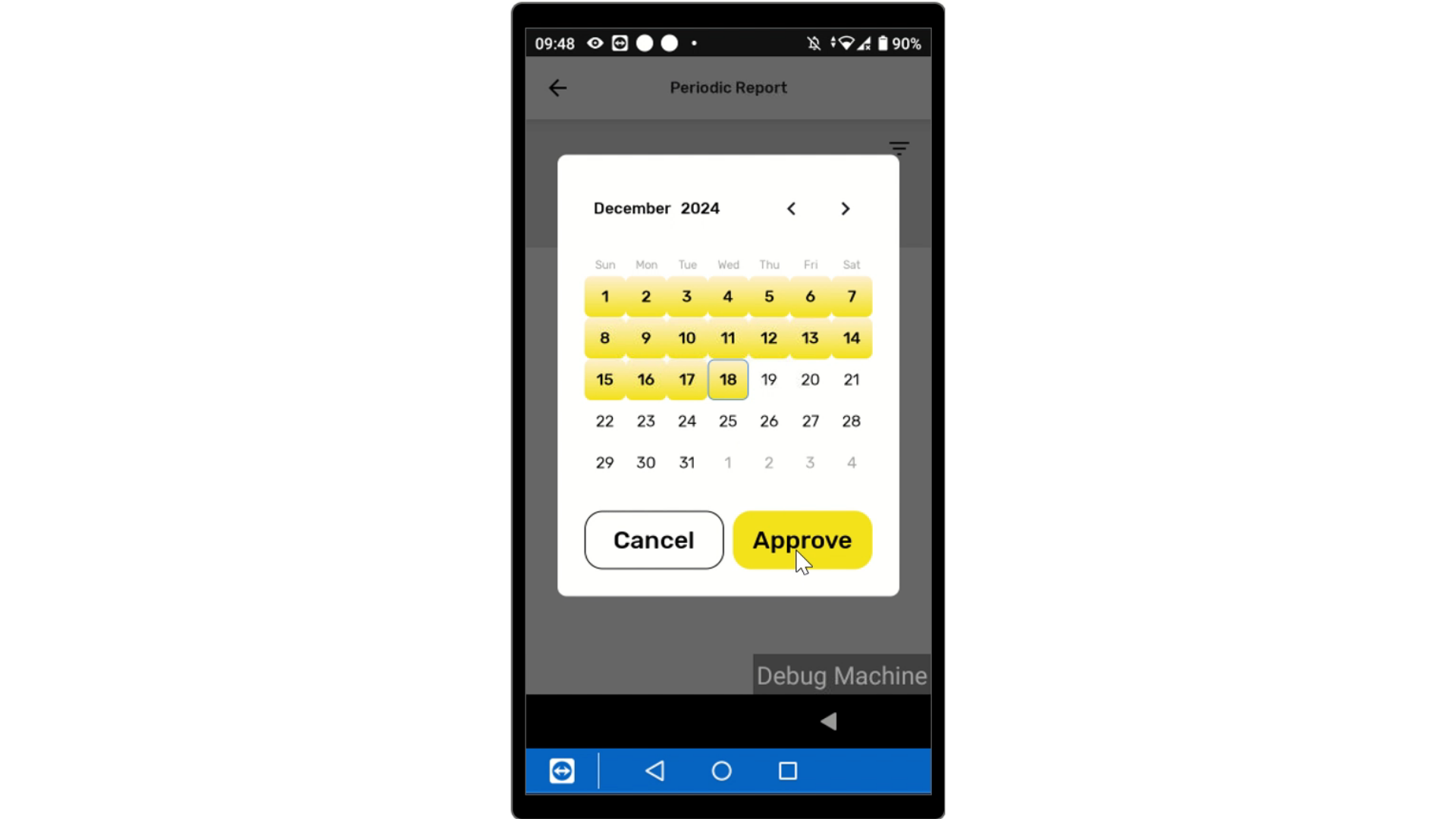
Calendar Displayed
Image AttachedThe screen will display a Calendar to set a time period for the report and tap approve.
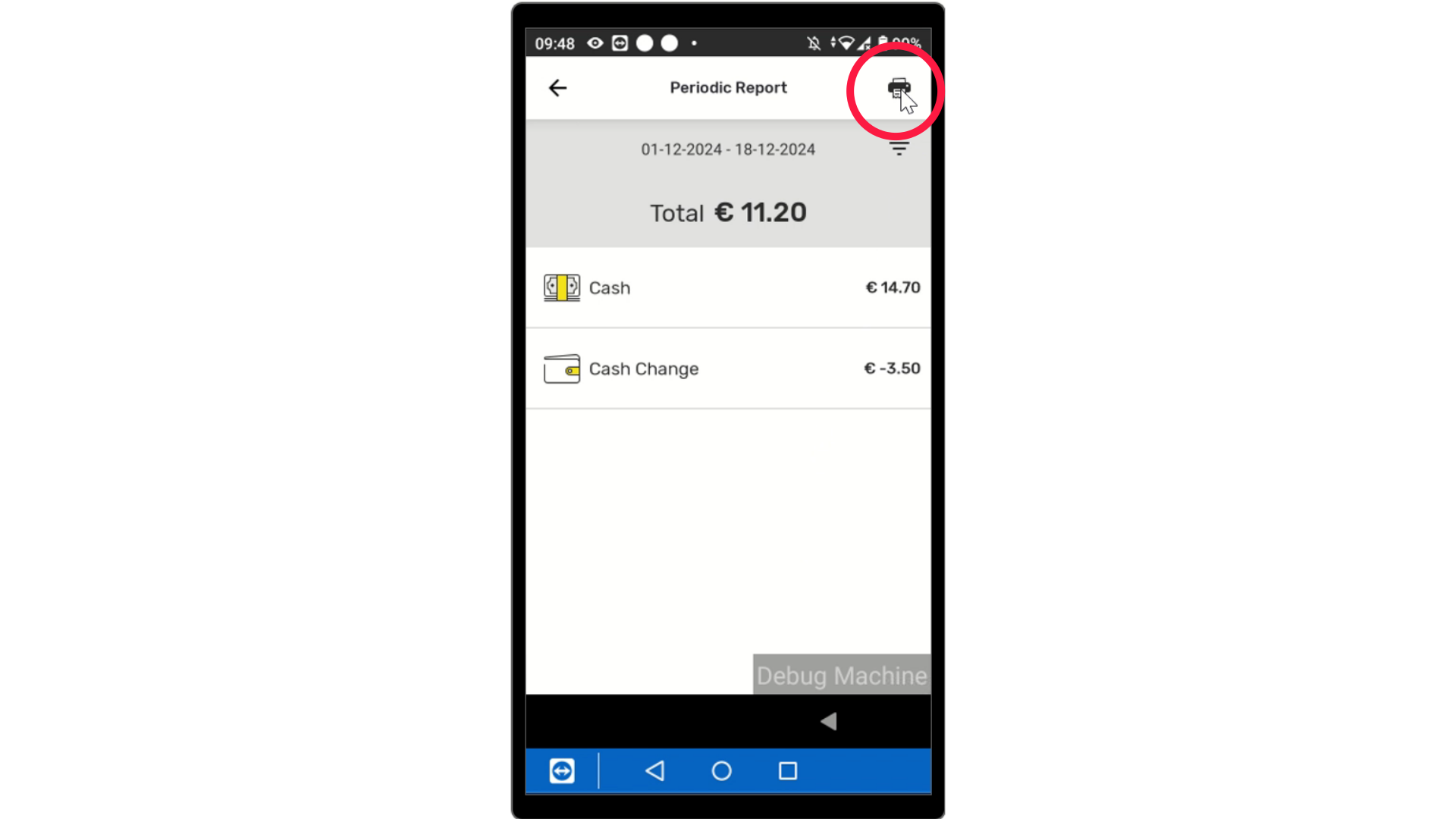
Periodic Report Displayed
Image AttachedTo select a different period in time, click the three lines and select a new date range.
Thank you!
Did you find this article helpful?