
How To Delete An Employee | Employees
1
Video Guide
2
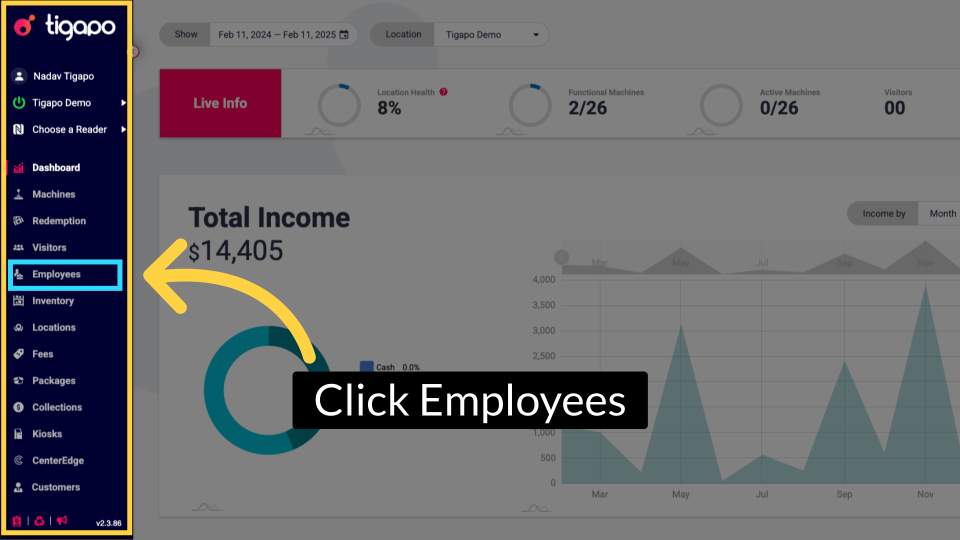
Click Employees
Image AttachedFrom the tigapo homepage, click on Employees page in the side menu.
3
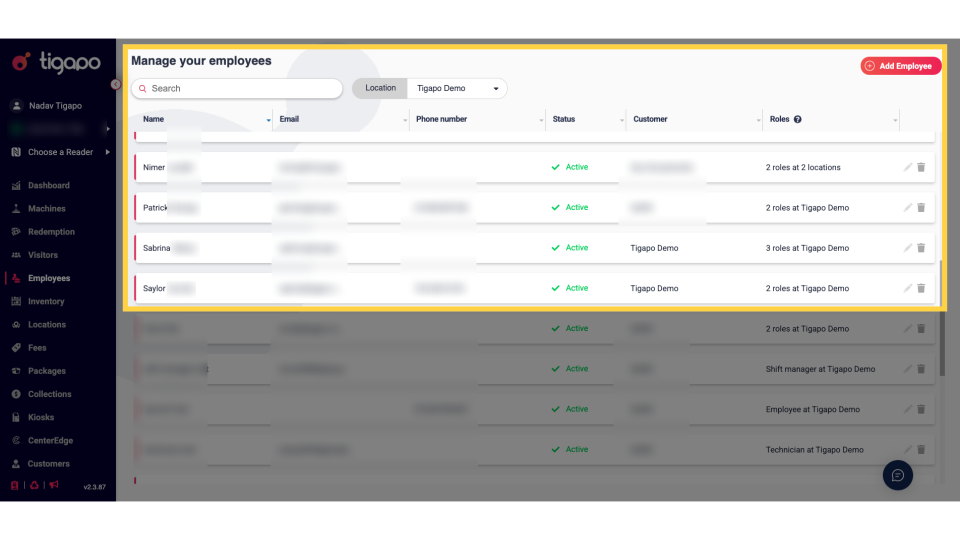
Employees Page
Image AttachedThe employees page will open and display each employee by row.
4
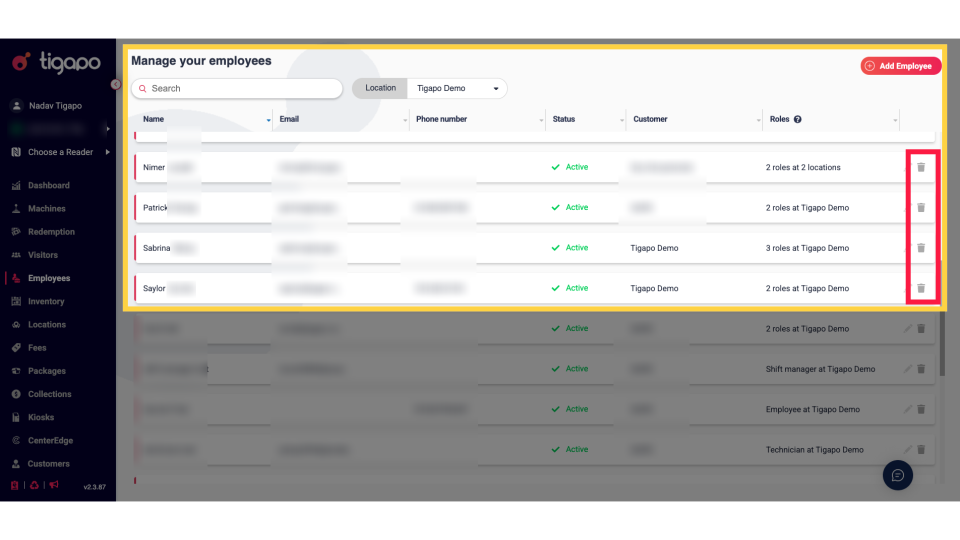
Click Trash Icon
Image AttachedTo delete an employee, click on the Trash icon as highlighted to delete.
5
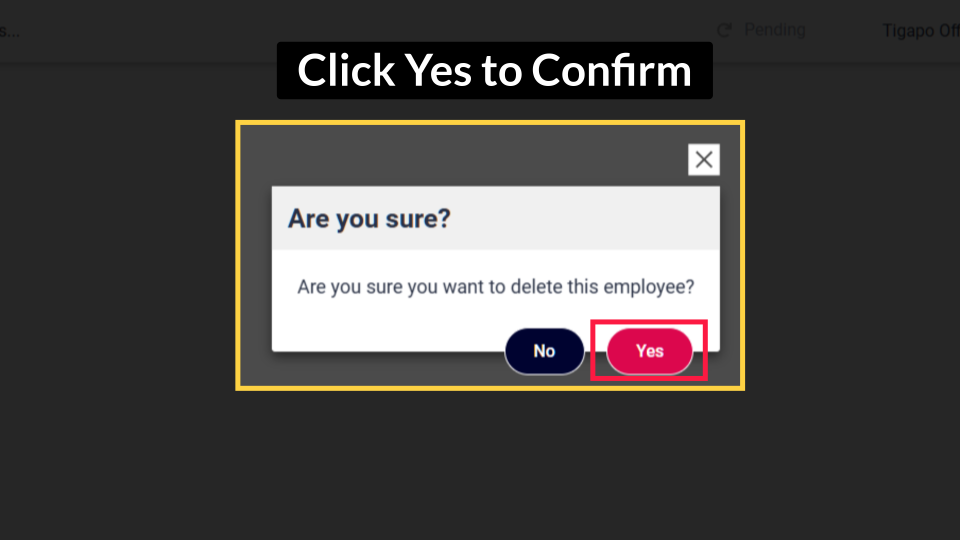
Click Yes to Confirm
Image AttachedA confirmation message will open, click yes to confirm the deletion.
NOTE: If this function is missing it means you do not have the necessary roles assigned to your account to perform the task. Contact Customer support and request assistance with the necessary role to perform this action.
Thank you!
Did you find this article helpful?