
Troubleshooting V01 | MoMa
This guide will walk you through error V0 in the MoMa application.
Video Guide
00:01: This guide will walk you through error vo1 on the MoMA application.
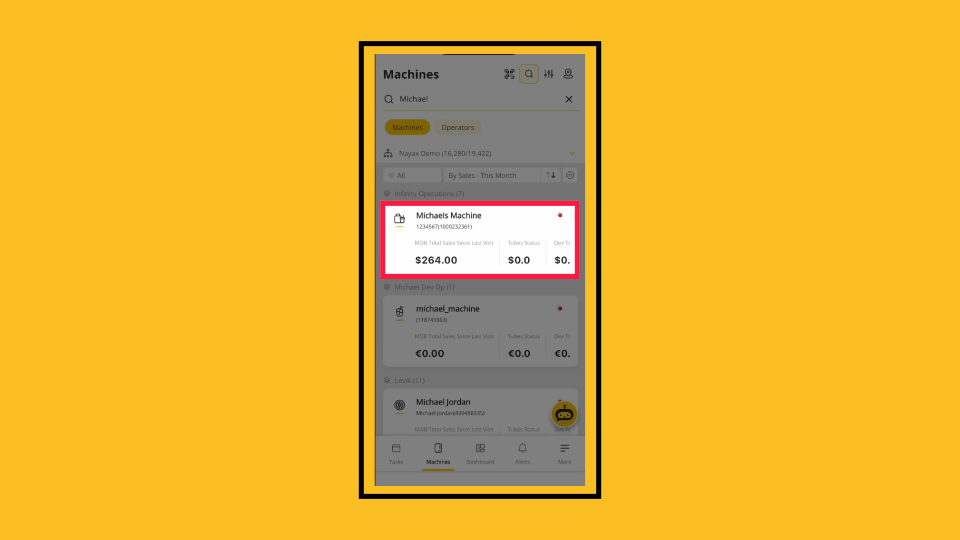
00:06: On the dashboard of your MoMa app, search for and tap the Machine you want to troubleshoot.
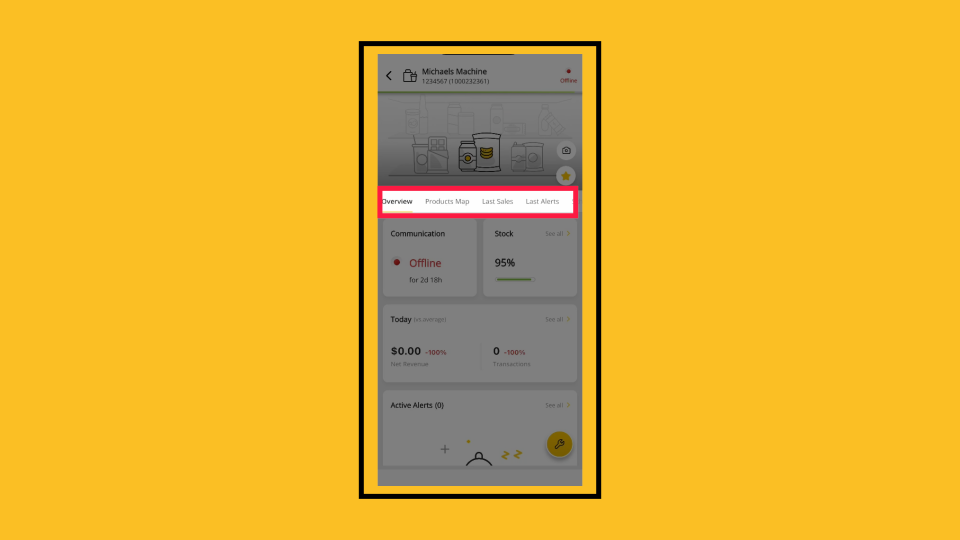
00:11: In the Machine Overview, slide the tabs menu to locate the Settings tab.
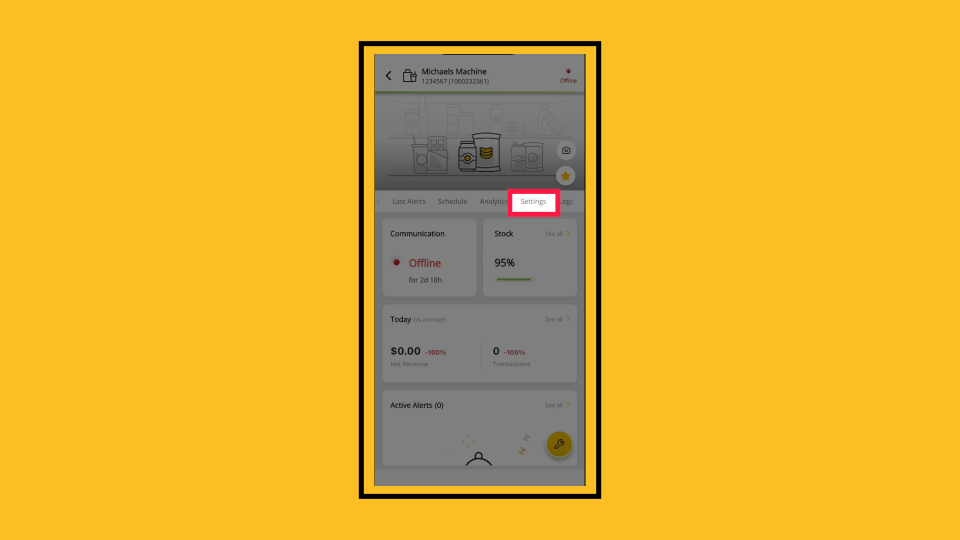
00:15: Tap the Settings tab.
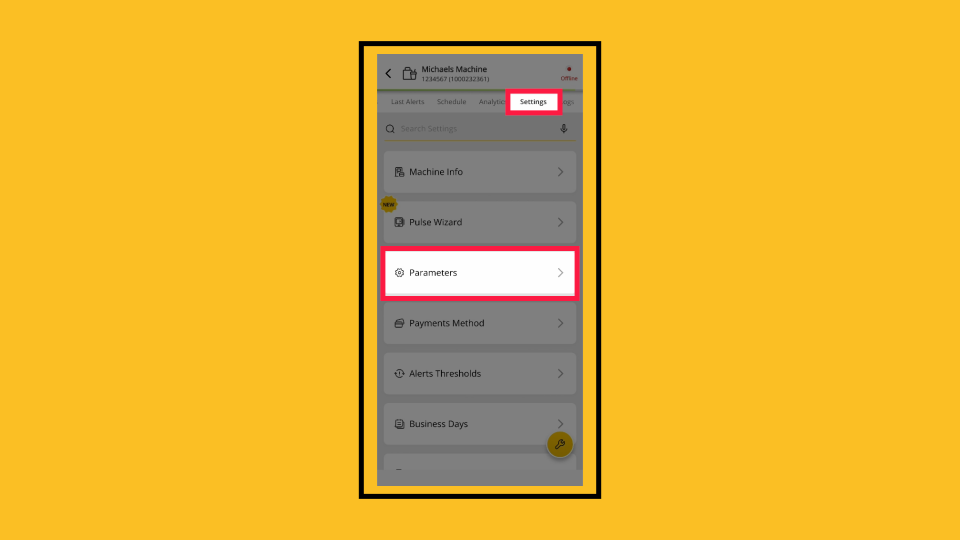
00:17: From the Settings screen, tap to open the Parameters options.
00:21: In the MDB options, tap to open the MDB Flags.
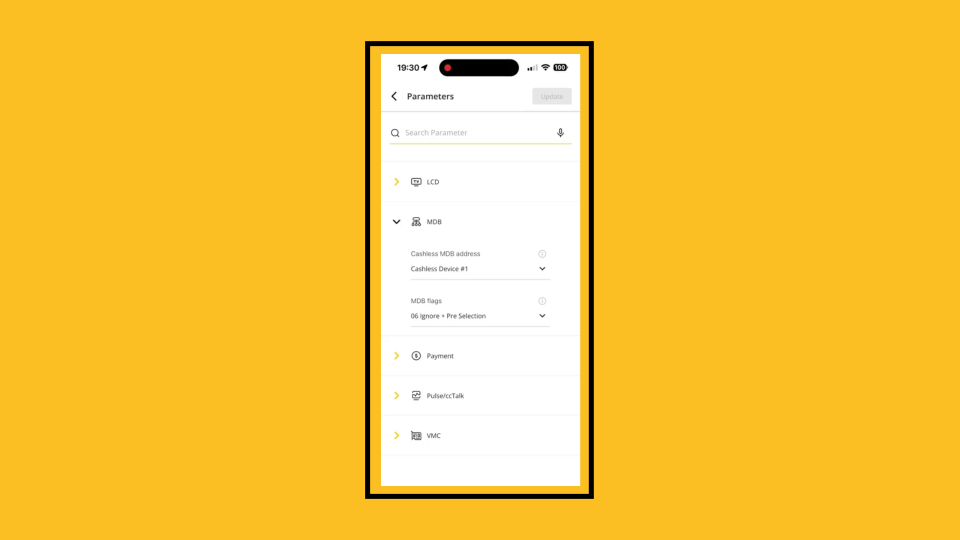
00:25: From the drop-down menu, select '06 Ignore plus Pre selection.'
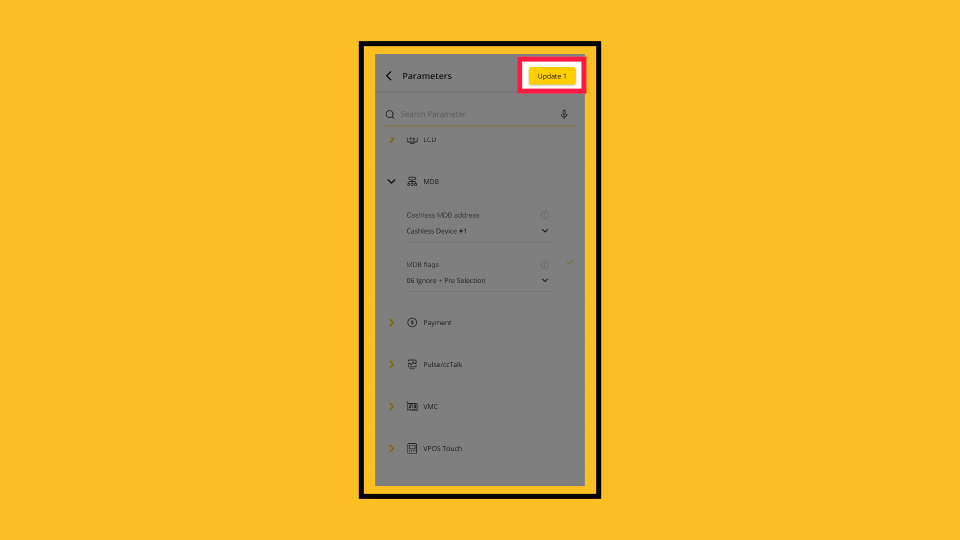
00:30: To save your parameters, tap 'Update' as highlighted.
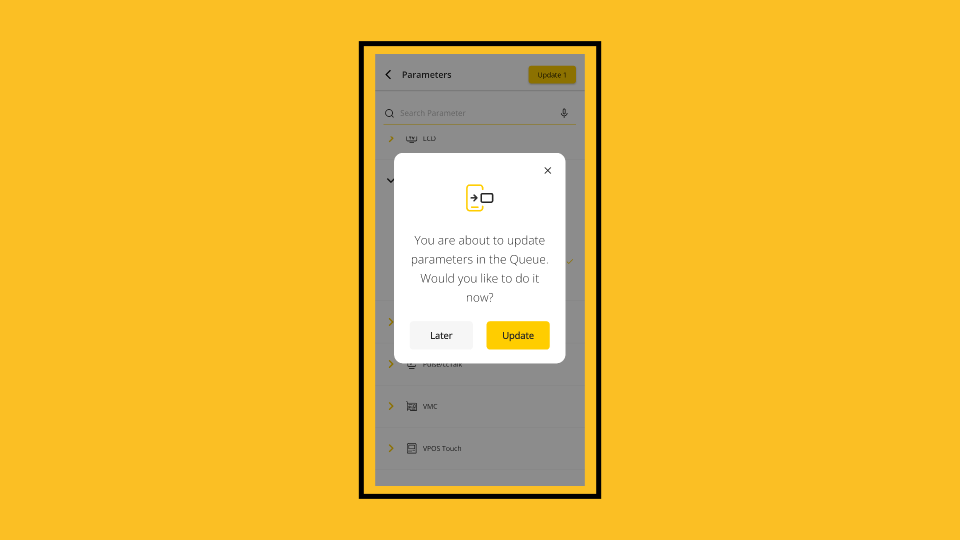
00:35: A pop-up will appear to confirm that your parameters will be updated and that your settings will be applied immediately. You can click the 'Update' button to update immediately, or the 'Later' button to schedule the update for a later time.
Tap Machine
Image AttachedOn the dashboard of your MoMa app, search for and tap the Machine you want to troubleshoot.
Slide Tabs to Settings
Image AttachedIn the Machine Overview, slide the tabs menu to locate the Settings tab.
Tap on Settings
Image AttachedTap the Settings tab.
Tap Parameters
Image AttachedFrom the Settings screen, tap to open the Parameters options.
Select MDB Flags
Image AttachedIn the MDB options, tap to open the MDB Flags.
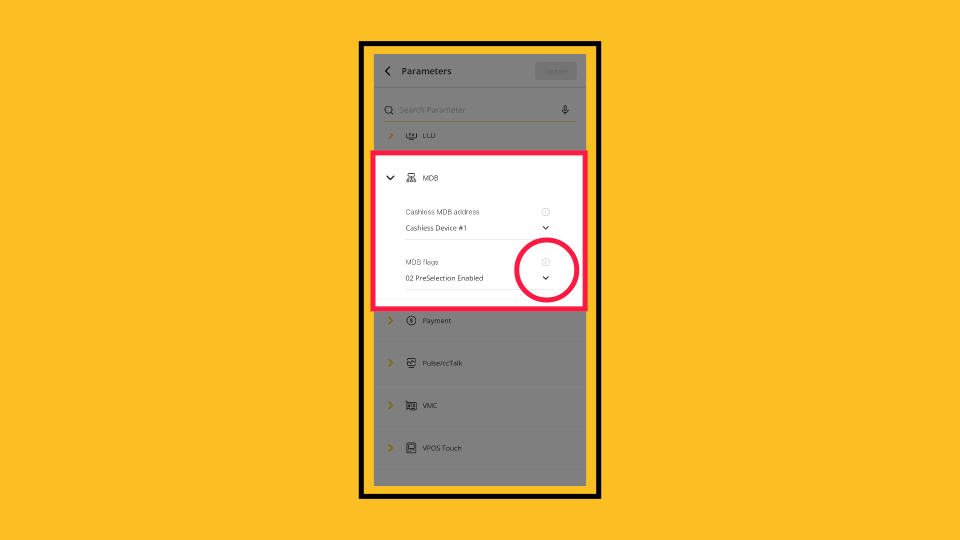
Set MDB Flags
Image AttachedFrom the drop-down menu, select '06 Ignore plus Pre selection.'
Update
Image AttachedTo save your parameters, tap 'Update' as highlighted.
Select Update Now or Later
Image AttachedA pop-up will appear to confirm that your parameters will be updated and that your settings will be applied immediately. You can click the 'Update' button to update immediately, or the 'Later' button to schedule the update for a later time.
Thank you!
Did you find this article helpful?