
How to Generate a Sales by Product Log Report | Logs
The Sales by Product report enables you to generate a sales report for a specific product using the DEX files.
Video Guide
00:00: Learn how to generate a sales by product report for a specific product using
00:04: the Dex files in the Nyx.
00:07: On the dashboard of your NYX core management Suite, click on the reports tab, then
00:11: click on decks reports from the drop-down menu and then sales by product from
00:15: the submenu as highlighted.
00:17: Type in your operator name or sub actor and any other fields to obtain
00:21: the desired reports. Then press view report Button as highlighted in red
00:25: on the visual.
00:27: Pro tip: The default for this report is transactions done today.
00:30: Choose a different time interval from this drop-down menu as highlighted
00:34: in GREEN on the visual.
00:37: You will view the report on sales by products according to your search parameters.
00:42: Click on the Export button to export the data into a PDF or Excel
00:46: format for easy sharing and review.
Click Reports Tab
Image Attached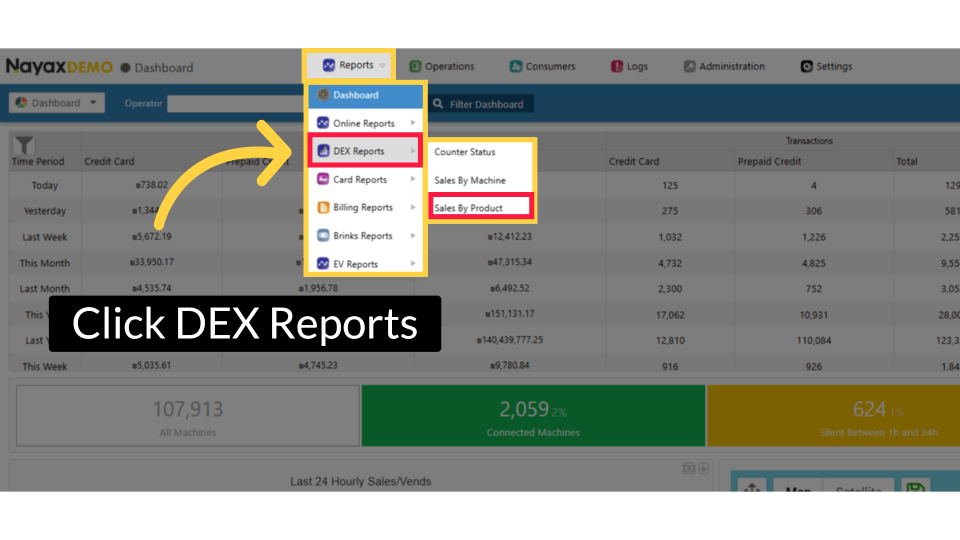
Fill in Fields and Click Search
Image Attached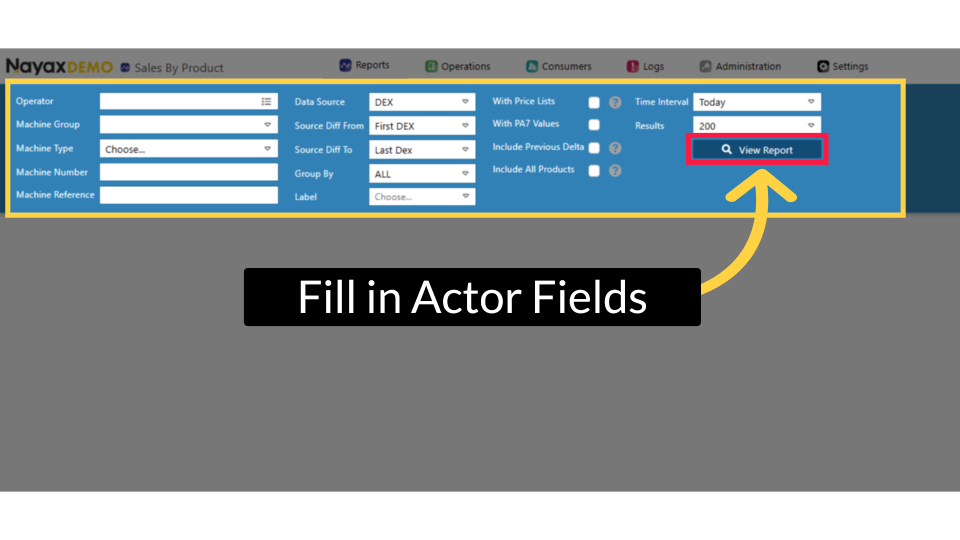
Pro tip! Set Time Interval
Image Attached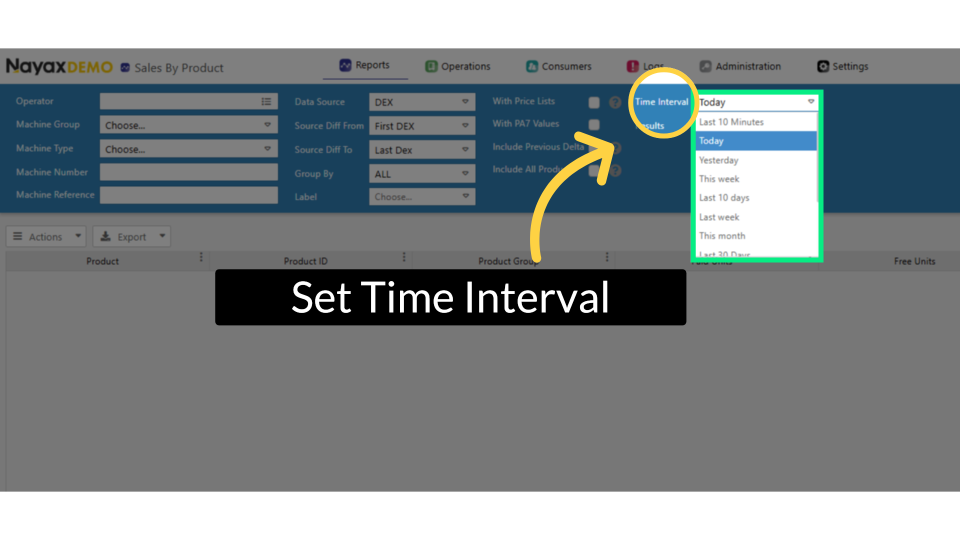
Report Displayed
Image Attached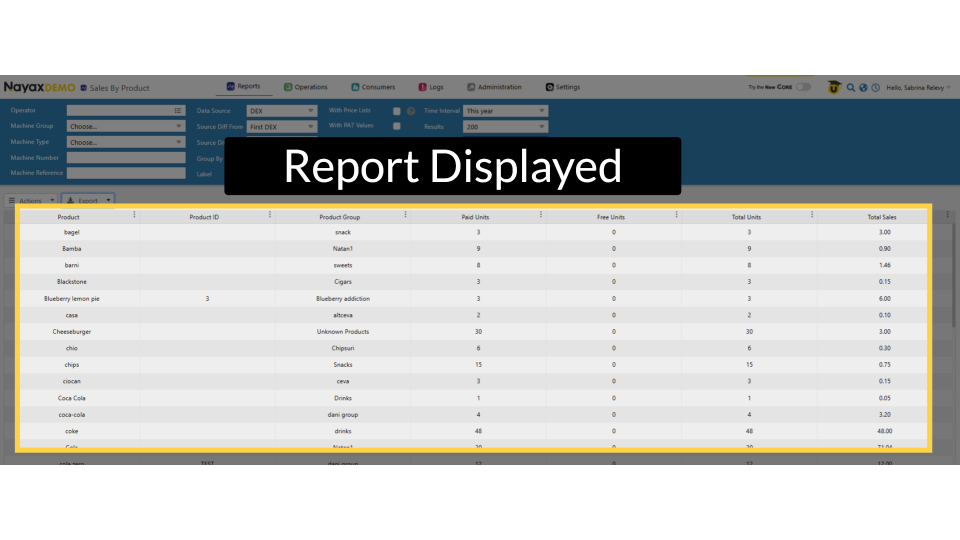
Export Options
Image Attached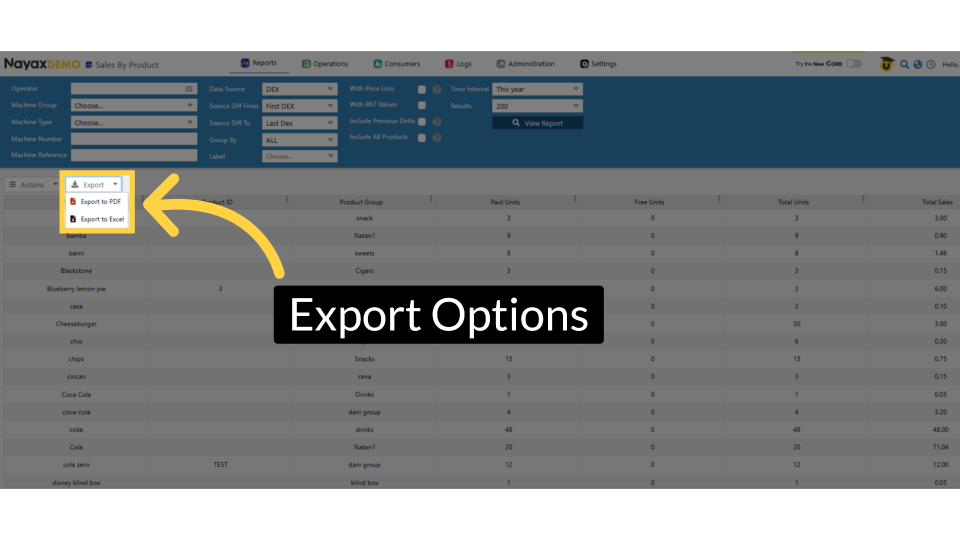
Thank you!
Did you find this article helpful?